Mobile release testing: a guide for app teams
For iOS and Android teams: tests that survive a redesign, App Store review, builds for CI, an agent that tests its own build, and the states other tools miss.
What mobile teams told us they fight#
Every mobile testing survey and vendor pitch opens on the same problems: suites that break when screens change, too many devices and OS versions, sign-up codes nobody automates, and native builds that make CI slow. Shopify's mobile team described a suite that kept failing while the app was fine; Apple says over 40% of unresolved review issues fall under guideline 2.1, app completeness.
These posts cover each of those with plain-language tests that run on iPhone, iPad and Android, and real runs where we have them.
Write tests that last#
- Mobile tests that survive a redesign
- Test a React Native app in plain English, without test IDs
- Test a Flutter app on iPhone and Android, canvas included
- Test a Capacitor or Ionic app
- One test for iPhone and Android
Get the release out#
- Pass App Store review: test what the reviewer will do first
- Test mobile onboarding and the first launch
- Test your app's iPad layout and landscape
- Sign in to a mobile app in a test without the password in the test
- Test a chat or marketplace app with two phones
- Test the Android Back button after the Android 16 change
- The keyboard covers the text field on Android 15 and 16
- Find unlabeled buttons and tiny tap targets in a mobile app
- What survives when a user deletes and reinstalls your app
- Test gestures in a mobile app: long press, swipe, drag and pinch
- Test a long list on Android: scroll, swipe to delete, pull to refresh
- Test photo and file pickers in a mobile app
- Test the files your mobile app exports, downloads and shares
- “Coupon applied” is not a discount: test the total, not the message
Builds and CI#
- Build an Android APK that runs on cloud test devices
- Build an iOS app for cloud testing
- Test an Expo app in CI without rebuilding it every time
- Import app builds from EAS, Bitrise or S3 by link
- Let your coding agent test the mobile app it just built
The parts other tools cannot reach#
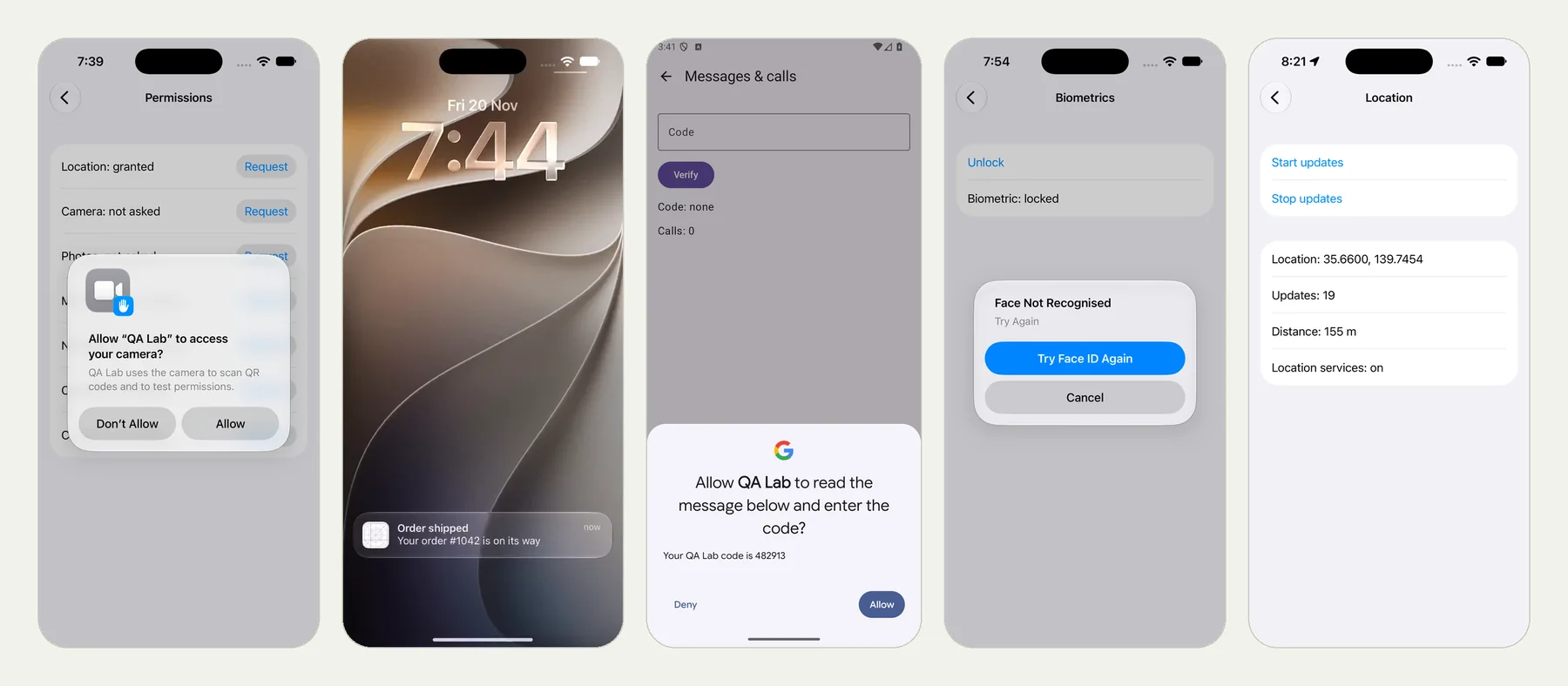
The mobile series has a real run for each, with frames, the result and the review video: permission prompts, notifications, SMS codes, deep links, Face ID, the app killed in the background, crashes, the network and battery, rotation and dark mode, location, Live Activities, and OS versions. Start with The hardest parts of mobile app testing, each one run for real.
Start with your next build#
Upload it, write the journey your users take first, and run it on a phone and a tablet. App tests are on every plan, the free trial too: 10 runs, no card.