Pass App Store review: test what the reviewer will do first
Apple says over 40% of unresolved review issues fall under guideline 2.1. Test the reviewer's path: install, sign in with the demo account, reach the content.
The rejection that costs a week#
Apple's App Review page says that on average over 40% of unresolved issues relate to guideline 2.1, App Completeness: crashes, placeholder content, incomplete information. Expo's guide to rejections opens with the scene many teams know: a Friday email saying the reviewer signed in with your demo account and saw an empty dashboard with no way forward.
The common 2.1 causes are dull and avoidable:
- The app crashes on launch, or on a screen the reviewer opens.
- The demo account does not work: wrong password, expired, locked, or with no data in it.
- A link (support, privacy policy, in-app) is broken.
- Placeholder text is still somewhere in the app.
Each one is found by doing what the reviewer does, on the build you are about to submit.
Test the reviewer's path#
Store the demo account you will give Apple as a sign-in account, named "app-review", with exactly the email and password you put in App Store Connect. Then:
Open the app. Sign in with the stored account "app-review".
Check the home screen shows the account's sample projects, not an
empty state.
Open the first project and check its details load.
Open Settings and open the Privacy policy link; check it shows the
privacy policy, not an error page.
Open Help and check the support page loads.
Sign out and check the sign-in screen is shown.
Run it on the build you will submit: Run with a new build on a result, or --build from CI. Each run starts with fresh app data, the way a reviewer's install does.
Crashes come with the stack trace#
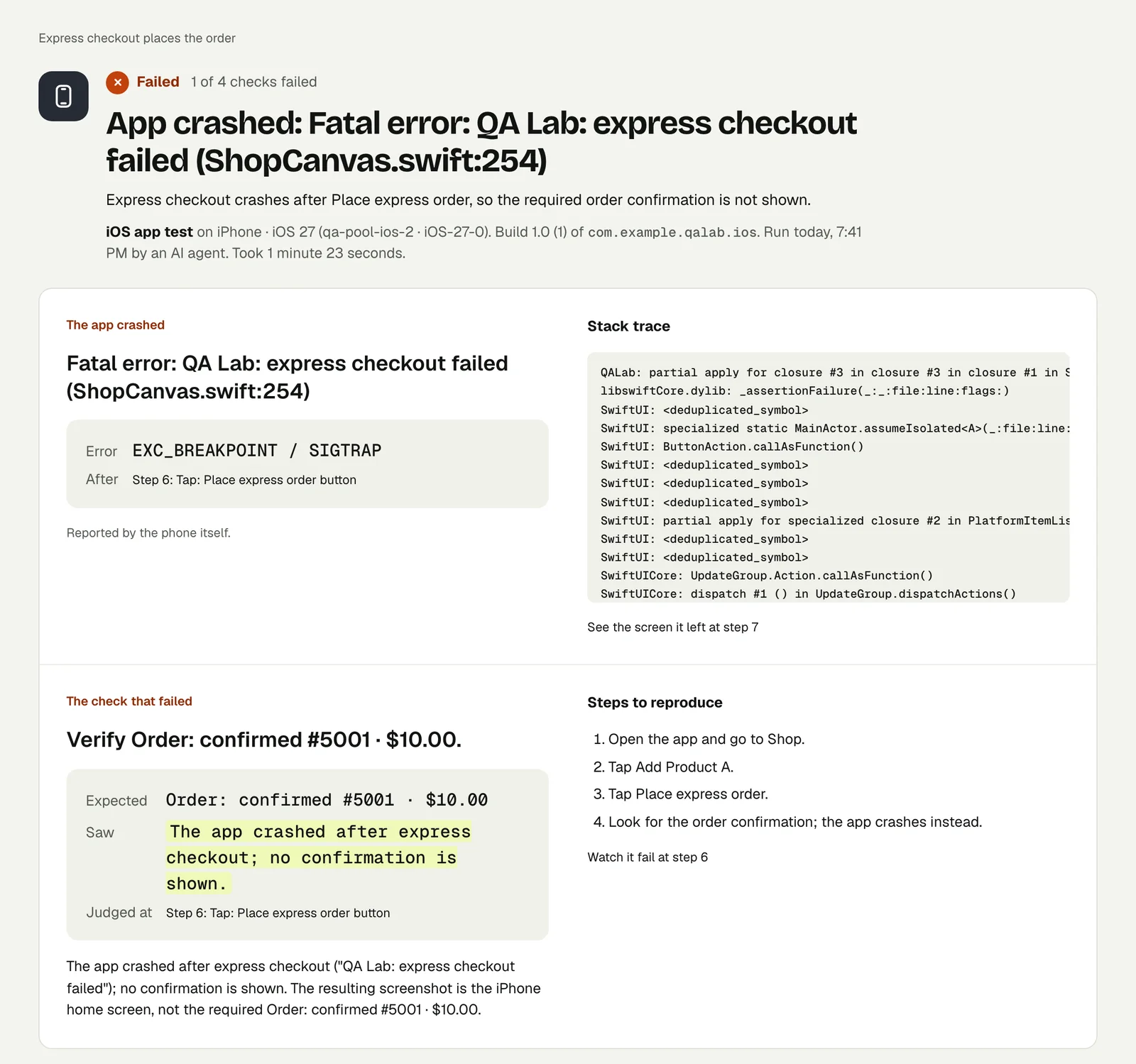
If the app crashes on the way, the run fails with the error, the step it came after and the top of the stack trace. We have a published run of exactly that: Catch a mobile app crash with its stack trace.
On more than one device#
Reviewers do not use your phone. Run the same test once on an iPad and once on the oldest iOS version you support: pass device and osVersion when you start it, and the test itself does not change. See One mobile test on every OS version.
Placeholder content#
Add a check for it directly: "check no screen visited shows 'Lorem ipsum', 'TODO' or 'Test'". The tester reads every screen it passes through.
Before you press Submit#
- Run the reviewer's-path test on the release build, on an iPhone and an iPad.
- Confirm the demo account in App Store Connect is the one the test used.
- Keep the passing result's link: if review reports a problem, you have a recording of the same path working.
This post is part of Mobile release testing: a guide for app teams.
Filed underiPhone and iPadSign-in and codesCrashes and errorsApp builds and review