One mobile test, six OS versions: what changed on screen
We ran the same plain-language tests on iOS 17, 18 and 27 and on Android 10, 12 and 16. The prompts differed on every version. The test text never changed.
The phone on your desk is one phone#
A team tests on the phones it owns. Usually that is this year's iPhone, on the latest iOS, and whatever Android phone someone had in a drawer. Its users are on everything else.
The differences between OS versions are rarely in your own screens. They are in the parts the phone draws around them: permission prompts are reworded, a simple alert becomes a full sheet, a permission that did not exist is suddenly required. Your app's code runs the same line on every version and gets a different experience on each.
Test scripts take this badly. A script that taps a button labelled "OK" breaks on the version where the button says "Allow". So teams either maintain a script per version or stop running the old versions.
We ran two of the tests from this series again on older versions, without changing a word.
The same permission test on iOS 17, 18 and 27#
The test is the one from Test what your app does when the user says no to a permission:
Open Permissions. Request Location and allow it while using the app,
then request Camera and deny it, then request Microphone and deny it,
then request Contacts and allow it.
Verify Location: granted, Camera: denied, Microphone: denied
and Contacts: granted.
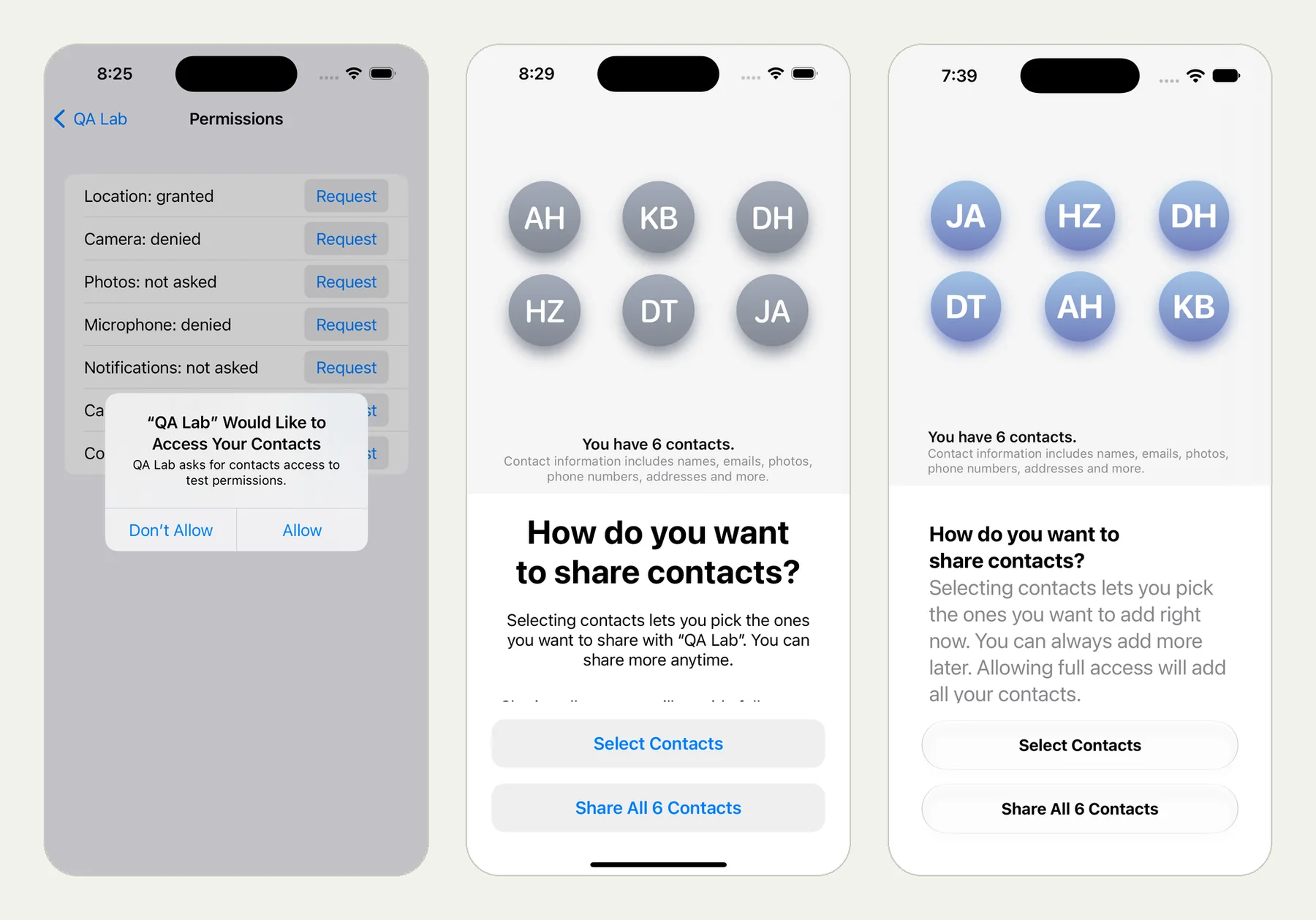
The picture at the top of this page is the moment the app asks for contacts, on three versions of iOS:
- iOS 17: a small alert, "QA Lab Would Like to Access Your Contacts", with Don't Allow and Allow.
- iOS 18: a full sheet asking "How do you want to share contacts?", with Select Contacts and Share All 6 Contacts.
- iOS 27: the same question, restyled.
"Allow contacts" meant tapping Allow on one and Share All 6 Contacts on the other two. The test says "request Contacts and allow it". On each version the tester read what the phone offered and picked the choice that means allow.
The camera prompt changed too, in its wording and its look:
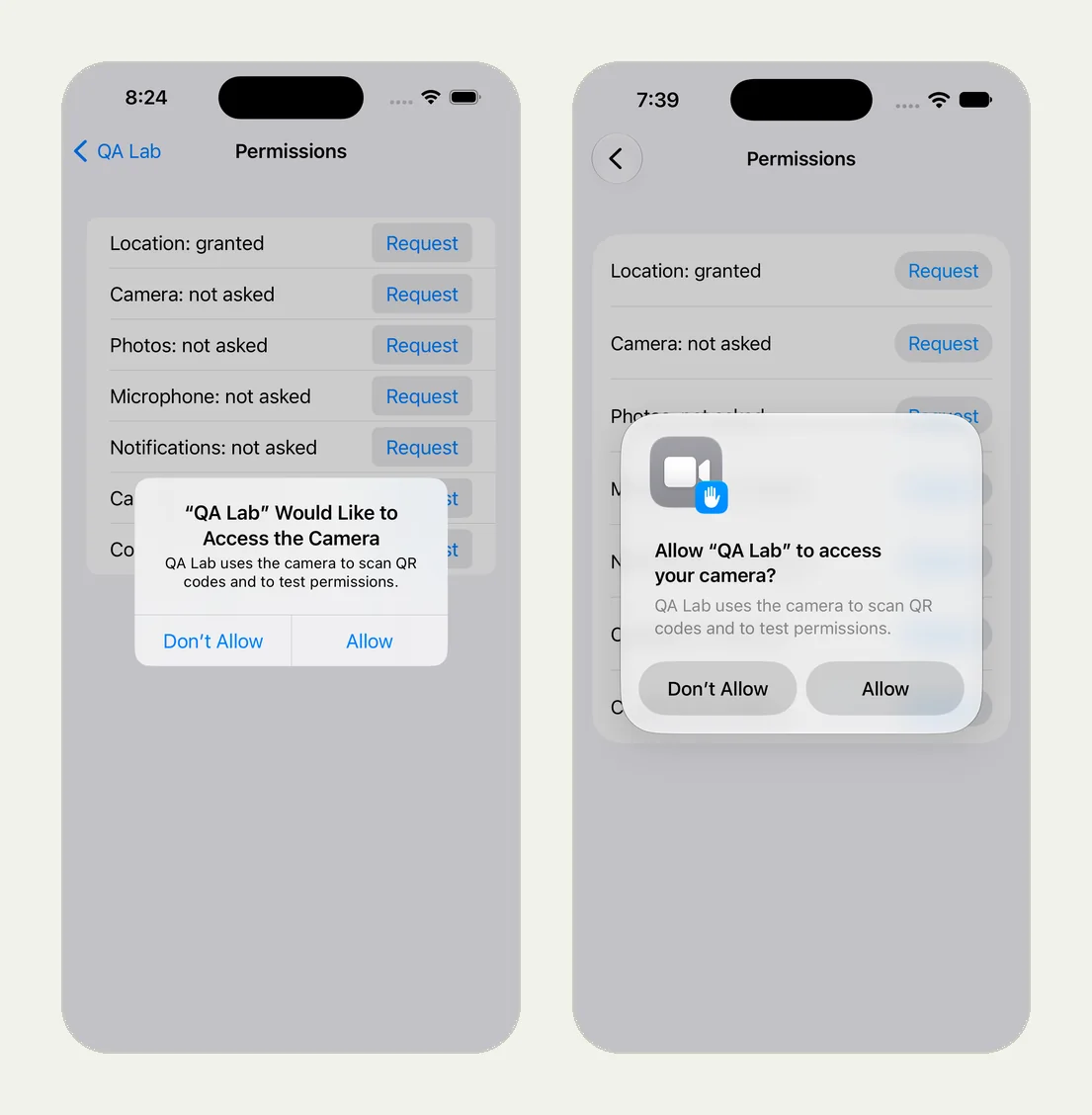
All of these runs passed, with the same four lines on the app's screen at the end.
| Runs on | Result | Time | The run |
|---|---|---|---|
| iPhone, iOS 27 | Passed | 2 min 54 s | open |
| iPhone, iOS 18 | Passed | 1 min 52 s | open |
| iPhone, iOS 17 | Passed | 1 min 39 s | open |
| iPad, iOS 27 | Passed | 2 min 31 s | open |
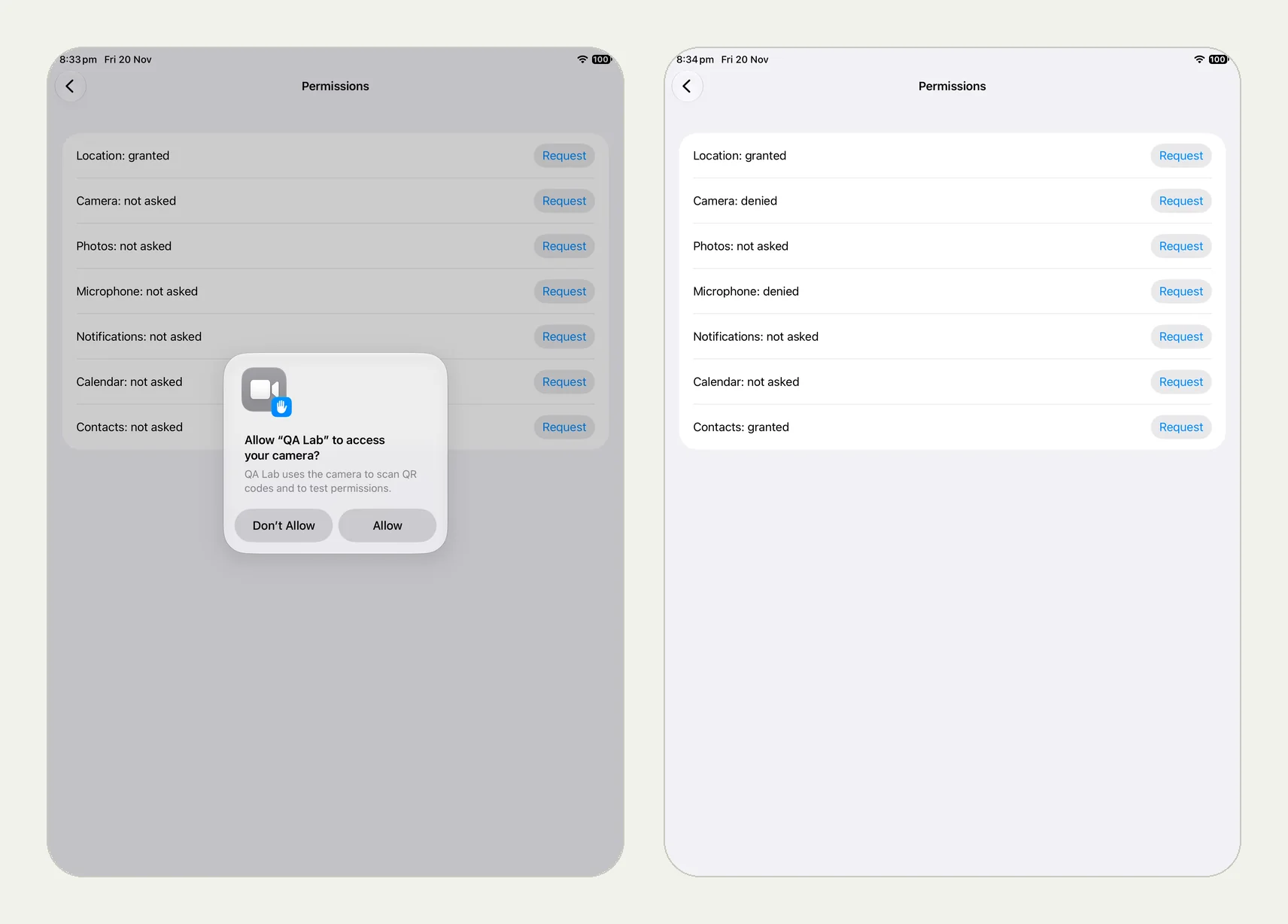
The fourth run is the same test on an iPad. The prompts sit in the middle of a much larger screen, and the test text is still the same.
The same notification test on Android 16, 12 and 10#
The test is the one from Test that a notification opens the right screen:
Open Notifications and tap Notify in 5 seconds,
allowing notifications if the phone asks.
When the Order shipped notification arrives, open it and verify
the app shows Opened from notification: Order shipped.
Here the difference is not how a prompt looks. It is whether there is one. Android has required apps to ask before sending notifications since version 13. Before that, there was nothing to ask.
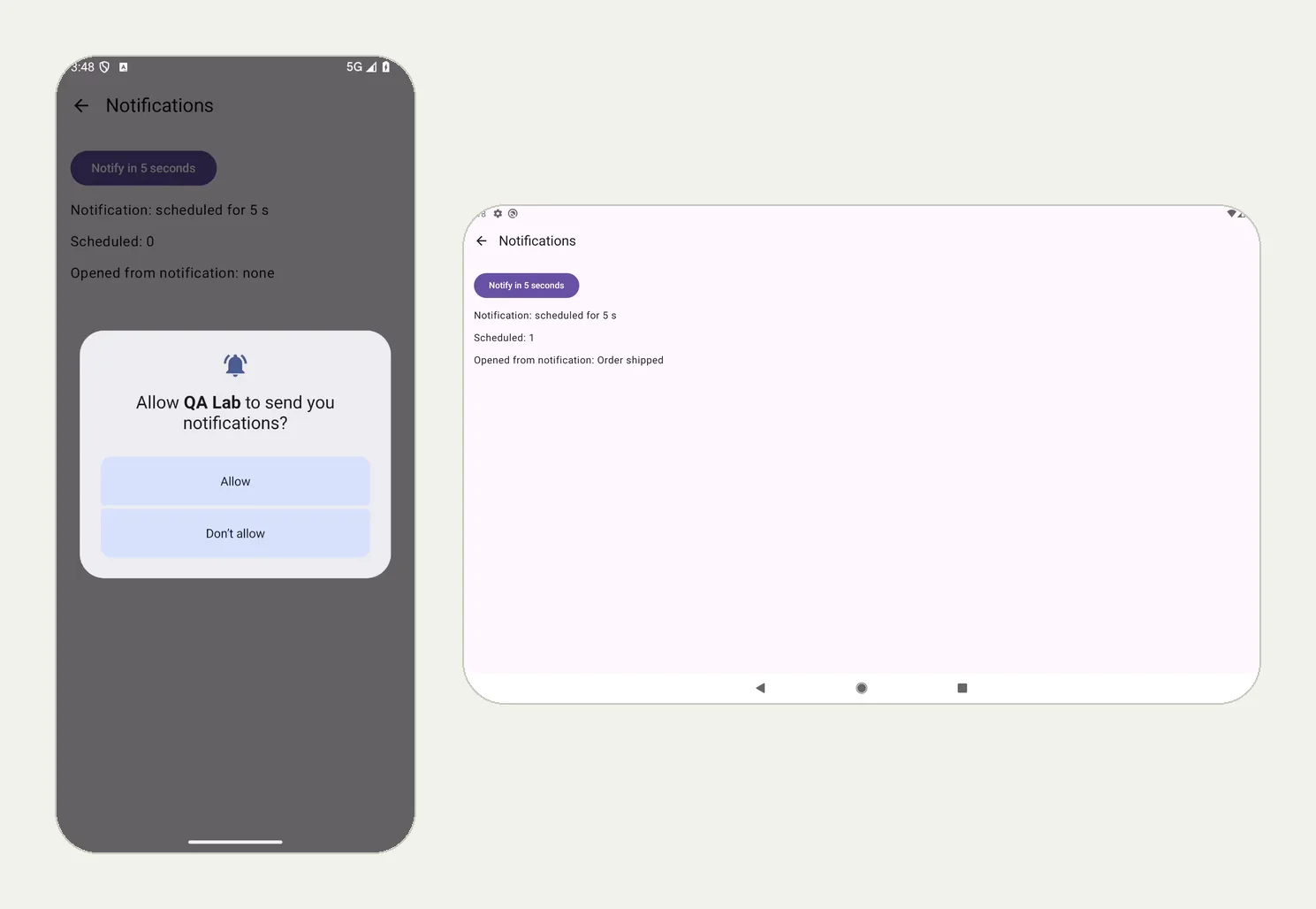
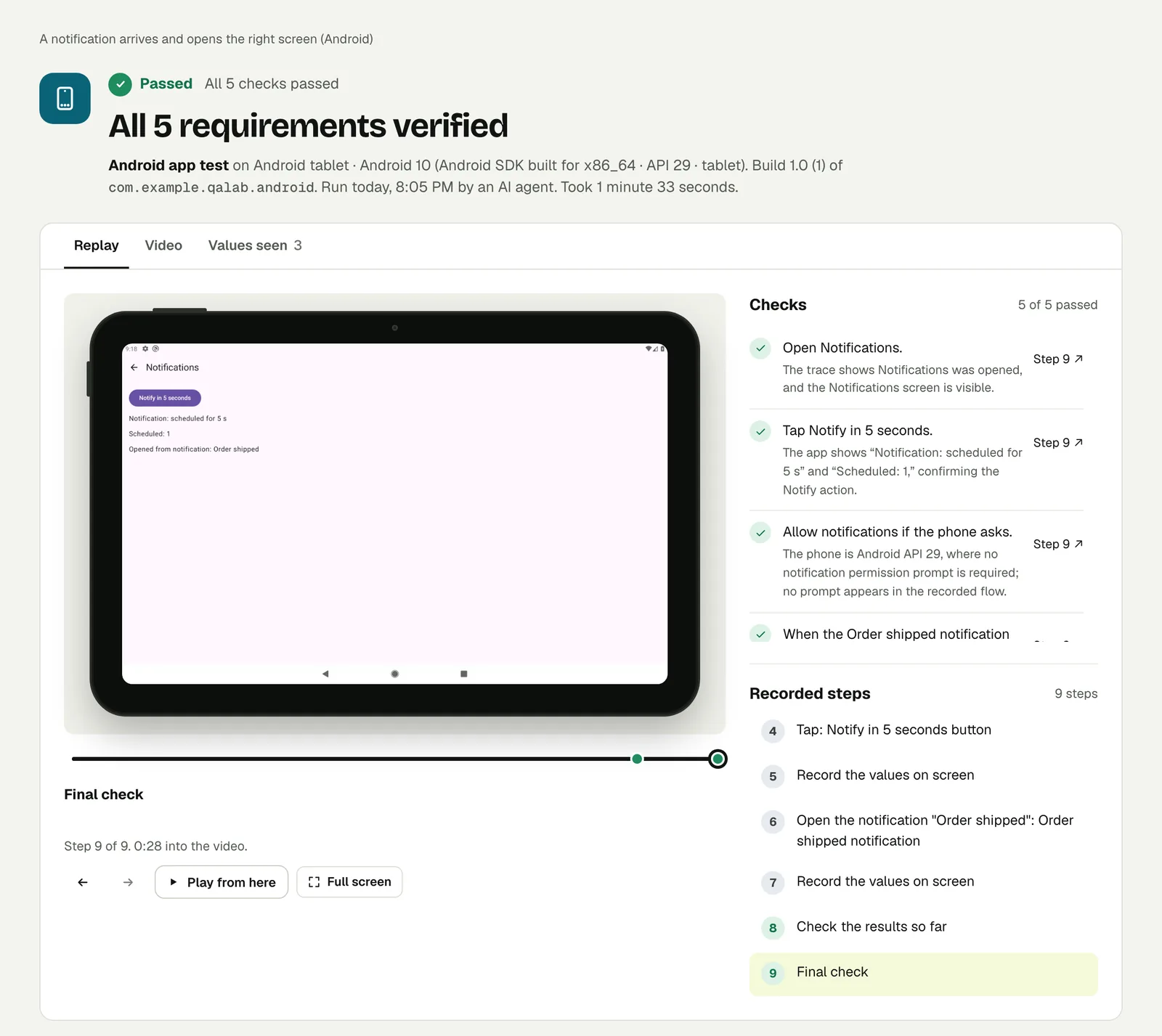
The test covers both with five words: "if the phone asks". On Android 16 the phone asked and the tester tapped Allow. On Android 12 and on the Android 10 tablet it did not ask, and the check passed with the reason written out: no prompt appeared, and none is required on that version.
| Runs on | Prompt | Result | Time | The run |
|---|---|---|---|---|
| Android phone, Android 16 | Asked, allowed | Passed | 1 min 16 s | open |
| Android phone, Android 12 | None | Passed | 1 min 13 s | open |
| Android tablet, Android 10 | None | Passed | 1 min 33 s | open |
What we changed between runs#
Nothing in the test. Each extra run was started with a different device or OS version and the same saved test. In the dashboard that is the Runs on line under the app. From CI it is one flag:
testsy-ai run --project <p_id> --os-version "iOS 17"
testsy-ai run --project <p_id> --device tablet
The versions on offer are iOS 27, 26, 18, 17 and Android 16 to 10, each on a phone or a tablet.
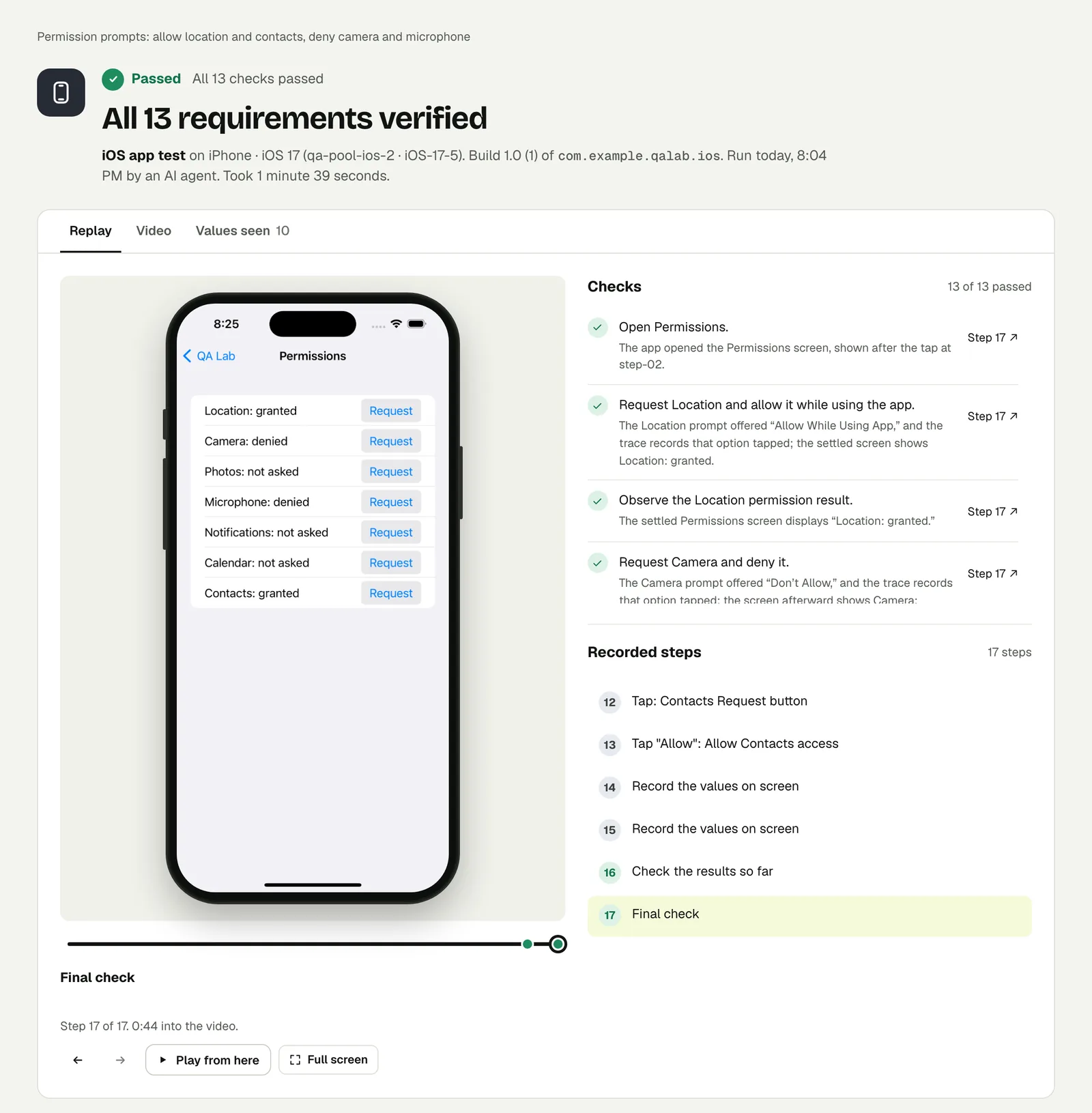
One thing you will notice if you open the runs: the number of checks differs, 10 on iOS 27, 6 on iOS 18 and 13 on iOS 17. We saved these tests as plain text, so each run split the text into checks its own way. All of them verified the same four statuses. If you want the identical checklist on every run, review the plan once when you create the test and save it. The tester then follows that checklist as written.
Which versions to run#
You do not need every test on every version. A workable split:
- Every build: your main journeys on the latest iOS and the latest Android.
- Every release: the same journeys on the oldest version you support on each side, and on a tablet.
- When something touches the phone: any test with a permission, a notification or a share sheet, on one old and one new version. Those are the screens that differ.
Run it#
Upload a build, choose iPhone app or Android app in New test, and change Runs on. Android and iOS apps lists the devices and versions, and CI shows the flags.
This post is one of a series: The hardest parts of mobile app testing, each one run for real.
Filed underiPhone and iPadAndroidPrompts and permissionsDevices and versions