The keyboard covers the text field on Android 15 and 16
Apps targeting Android 15 draw edge to edge and the window no longer resizes for the keyboard, so fields end up behind it. A real run checks the field stays visible.
The bug that arrives with a target SDK bump#
A user taps the last field of a form, the keyboard opens, and the field is gone: hidden behind the keyboard, with the Save button under it. They type blind, or give up.
On Android this used to be handled by the system: an app asked for adjustResize and the window shrank when the keyboard opened. Apps that target Android 15 or later are drawn edge to edge, and that contract no longer holds:
- Margelo's deep dive into keyboards in React Native explains that from Android 15 edge to edge is forced, the system no longer resizes your window when the keyboard appears, and code that worked for years is now broken on modern devices.
- A fix merged into react-native-safe-area-context describes the result plainly: after targeting SDK 35, the TextInput is hidden whenever the keyboard is shown.
- There is an Expo config plugin whose whole purpose is the keyboard covering input fields on Android 15, and the same complaint on the MIT App Inventor and Ionic forums.
Google Play now requires new apps and updates to target Android 16 (the deadline), so every app has crossed this line. It is a change that broke apps without a line of their code changing.
Why it slips through#
Developers test on the screen they build on, often with the first field of a form, often on a tall phone. The bug shows on the lowest field, on a shorter screen, and only once the target SDK is raised. Unit tests and snapshot tests do not open a keyboard.
The test#
Say what a person does, and what they must be able to see while the keyboard is open:
Open Text fields. Tap into Notes, the lowest text field, so the
on-screen keyboard opens, and type Bring snacks. While the
keyboard is still open, verify the Notes field and the text Bring
snacks are visible on the screen above the keyboard, not hidden
behind it. Then close the keyboard and verify Notes still shows
Bring snacks.
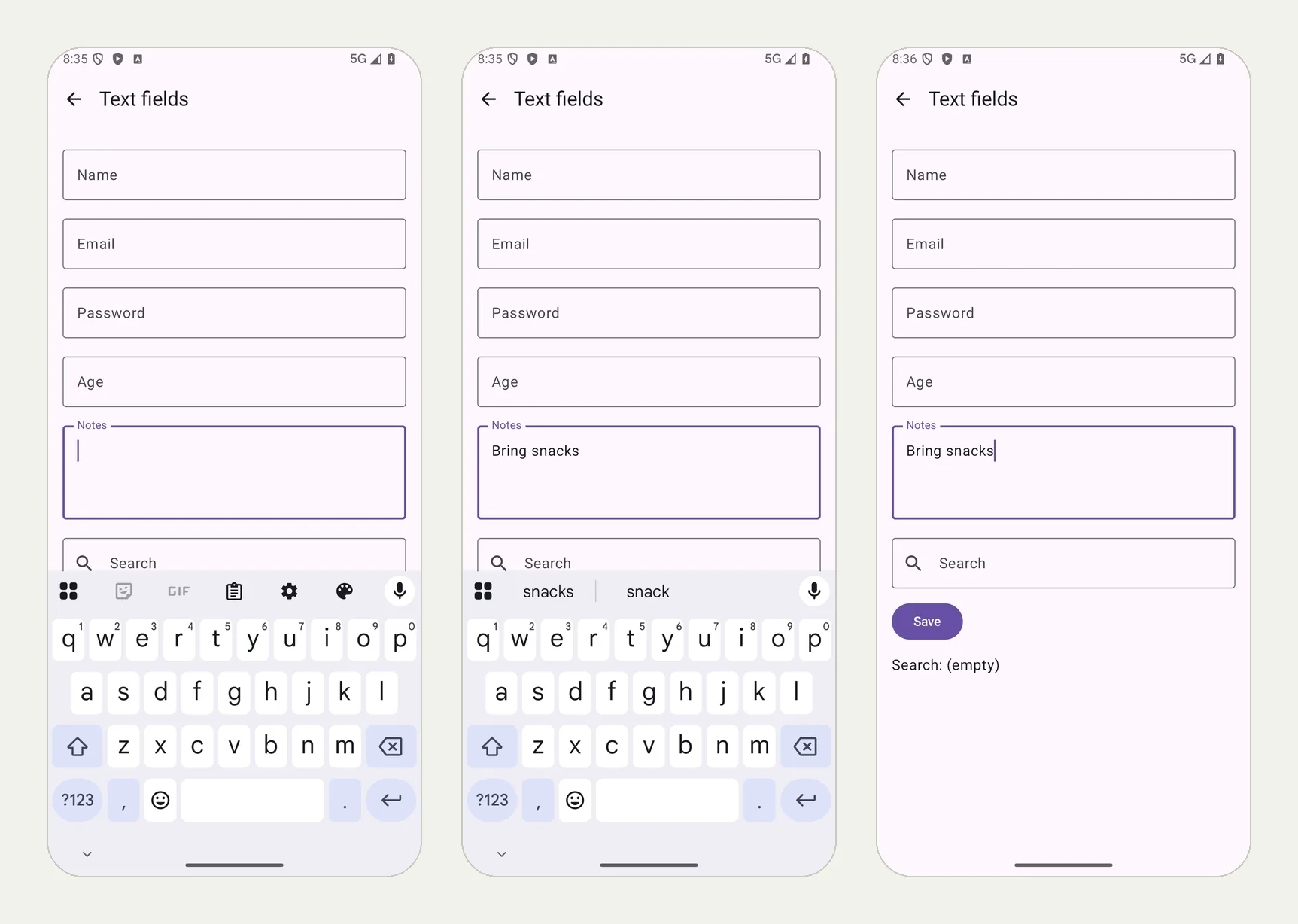
We ran it on an Android 16 phone with our practice app QA Lab. The picture at the top of this page shows the three moments: the keyboard opening on the Notes field, the text typed and visible above the keyboard, and the field after the keyboard closed. All 5 checks passed in 1 minute 15 seconds.
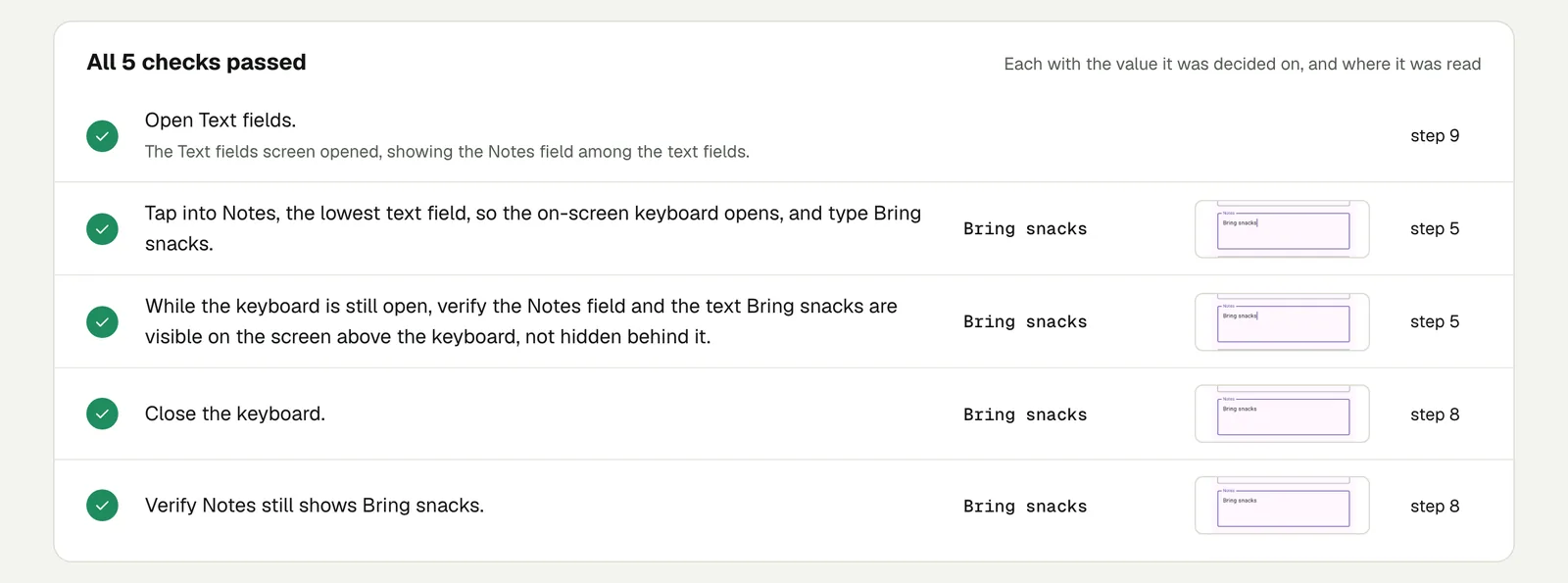
Open the run (live until 18 February 2027). QA Lab handles the keyboard correctly, so this run shows the check passing; on an app with the bug, the same check fails with what it saw on the screen.
Make it catch the bug#
- Use the lowest field of each long form, and the field right above a bottom button.
- Run it on a smaller phone and on a tablet in landscape, where the keyboard takes most of the screen: choose the device for a run (iPad and landscape).
- Run it on the Android version your target changed for, and on an older one (OS versions).
- Check the button too: "verify the Save button can be tapped while the keyboard is open, or after scrolling".
This post is part of Mobile release testing for app teams.
Filed underAndroidHard interactionsForms and checkout