Test the Android Back button after the Android 16 change
Apps targeting Android 16 no longer get onBackPressed, and Google Play requires that target. A real run tests the Back button, a cancelled back gesture and split screen.
The button every Android user presses#
Back is the most used control on Android, and in 2026 its plumbing changed under every app.
- Android 16 changed how Back is delivered. For apps targeting Android 16 (API level 36) on Android 16 devices, the predictive back animations are on by default and, in Google's words, onBackPressed is not called and KEYCODE_BACK is not dispatched anymore. Apps that intercepted Back the old way must move to the supported APIs or opt out for now.
- Google Play made that target compulsory. Since 31 August 2026, new apps and app updates must target Android 16 to be submitted.
So every team shipping updates has raised its target, and every app with custom Back handling (closing a sheet, leaving a half-filled form, stepping back inside a web view) has had that code path change. React Native, for example, routed Back to JavaScript through exactly those callbacks; a discussion in React Native Screens explains why Back stopped reaching the app on Android 16 for apps targeting API 36. A build that compiles tells you nothing about it.
What to test#
- The Back button returns to the previous screen, and does not close the app from the second screen.
- Back with something open: a bottom sheet, a dialog, a half-filled form. Back closes the sheet, or asks before discarding the form.
- A back gesture that is started and cancelled. With predictive back, the user can swipe, see the preview, and change their mind. Nothing should happen, and nothing should be half-done.
- Split screen, while you are there: on displays at least 600 dp wide, apps targeting Android 16 can no longer restrict orientation and resizing, so tablets and foldables will show your layouts in shapes you may not have designed for.
The run#
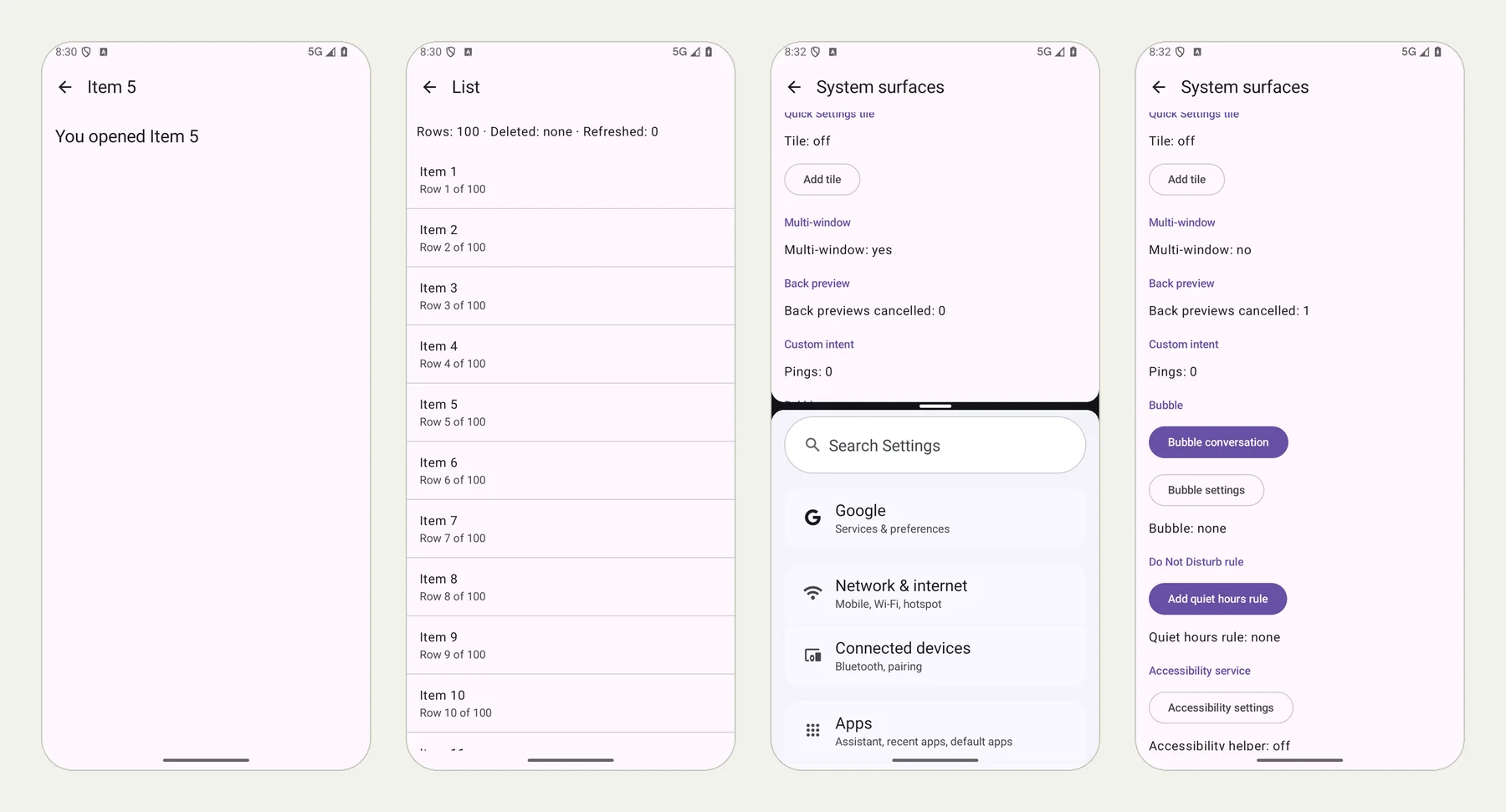
We ran these on an Android 16 phone with our practice app QA Lab. The picture at the top of this page shows four screens from it: an item opened, the list back after pressing Back, the app in split screen with the phone's Settings app (Multi-window: yes), and, after leaving split screen, a back gesture started and cancelled (Back previews cancelled: 1).
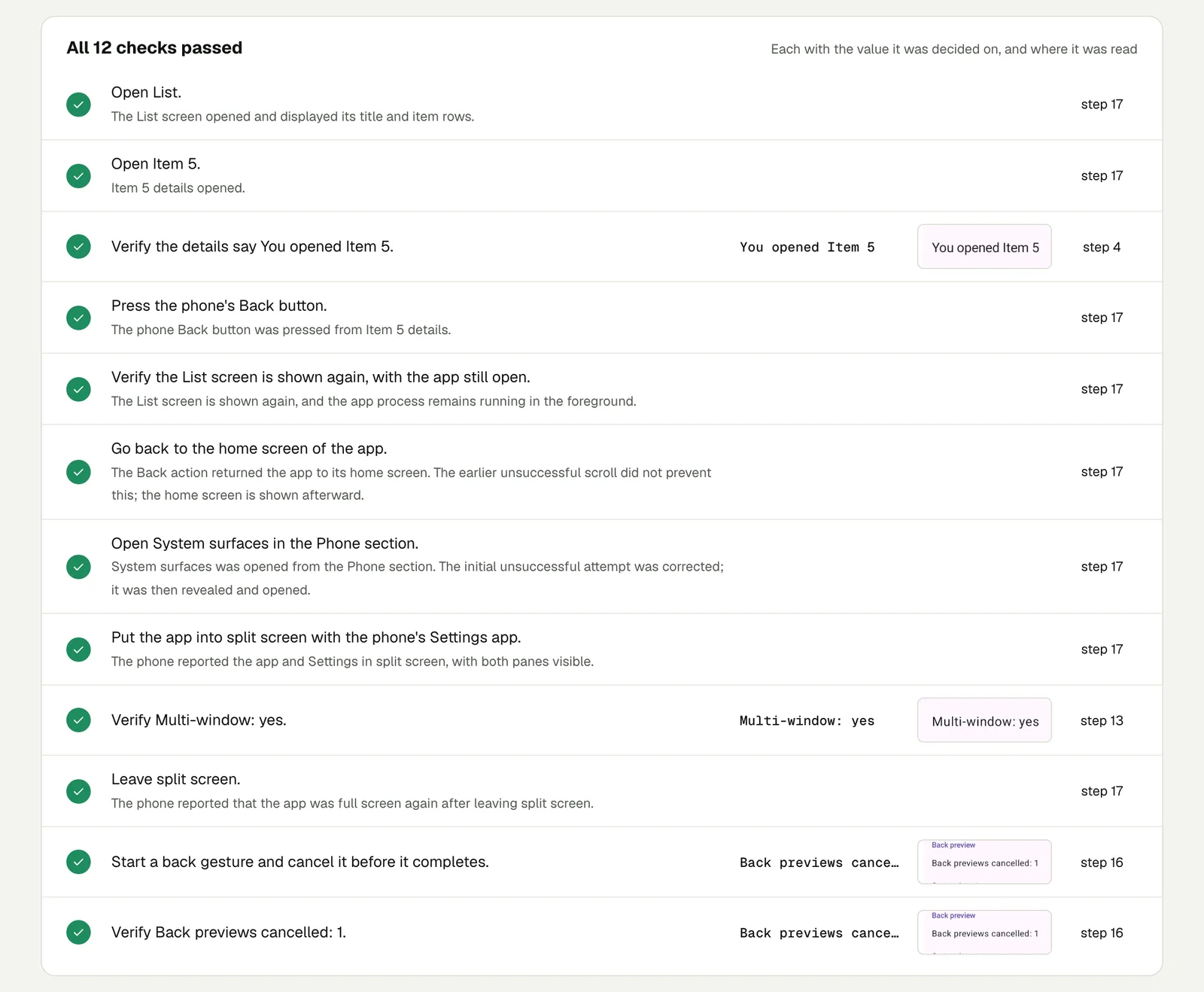
Open List, open Item 5 and verify the details say You opened
Item 5. Press the phone's Back button and verify the List screen
is shown again, with the app still open. Go back to the home
screen of the app, open System surfaces in the Phone section. Put
the app into split screen with the phone's Settings app and
verify Multi-window: yes, then leave split screen. Start a back
gesture and cancel it before it completes, then verify Back
previews cancelled: 1.
All 12 checks passed in 3 minutes 50 seconds.
Open the run (live until 18 February 2027).
Run it on older Android too#
The same test can run on older versions, where Back still takes the old path, without changing the test: choose the version for a run (one test on every OS version). If the app behaves on Android 16 and misbehaves on Android 12, or the other way round, you have found the code that still assumes one of the two.
This post is part of Mobile release testing for app teams.
Filed underAndroidPhone stateHard interactionsApp builds and review