Test what users see when a request fails
Apps built with AI handle the happy path and show a blank page or a spinner forever when an API fails. Test the error message, the Retry button and the slow case.
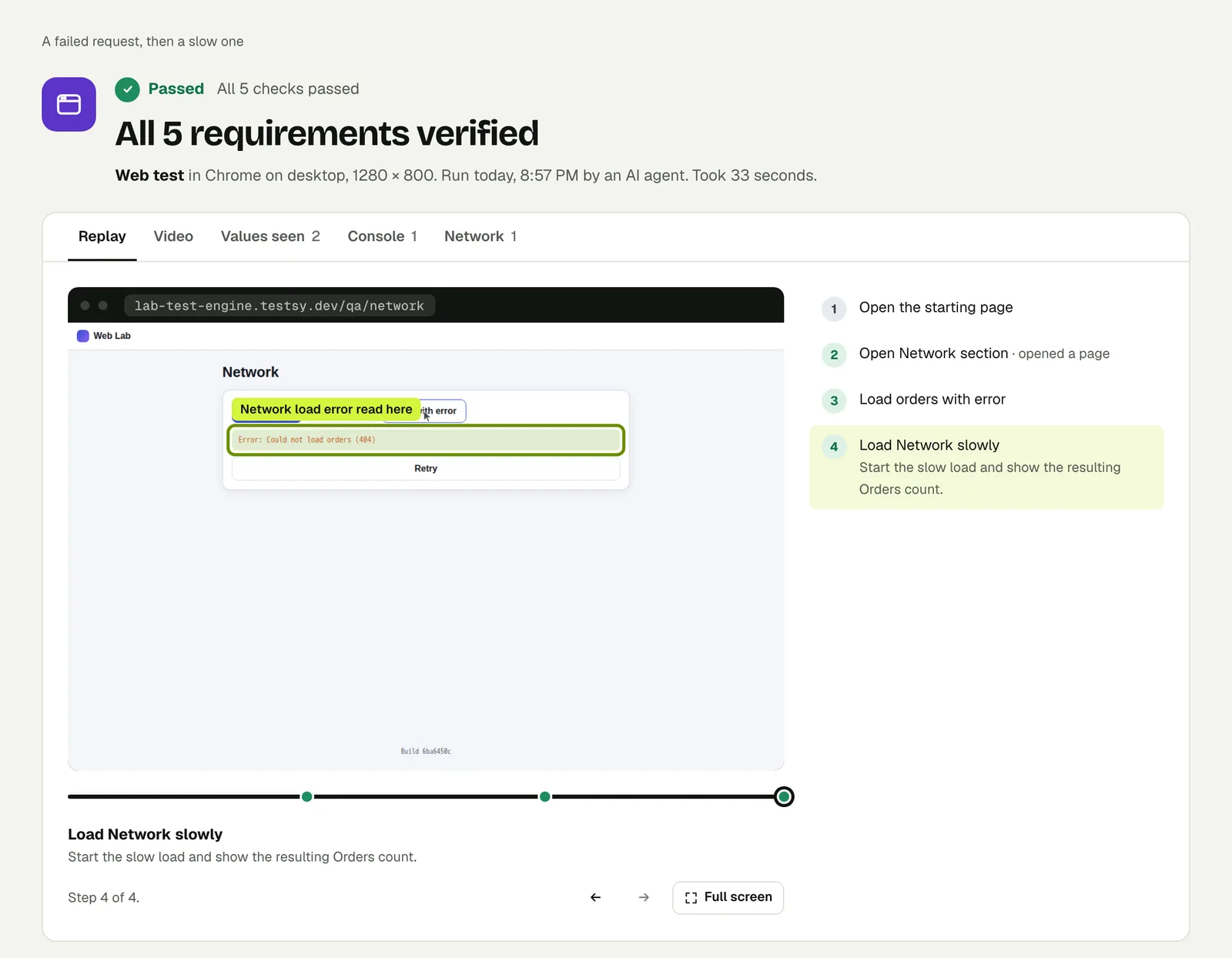
The path your coding agent did not write#
Ask a coding agent for a page that lists orders and you get a page that lists orders. What happens when the request for those orders fails, or takes eight seconds, is often left to chance: a blank area, a spinner that never stops, or a raw error object printed on the screen.
The failures are not rare in production. An API key that exists on your laptop but not on the server, a database that is waking from sleep on a free tier, a third-party API that rate-limits you on launch day: each one turns into the same moment for the user. They are looking at your page, and the page has to say something useful.
Three outcomes are worth a test each:
- The request fails. The page says what went wrong in words a user understands, and offers a way forward: a Retry button, a link to support.
- The request is slow. The page shows that it is loading, and then shows the result. It does not show "No orders yet" while the orders are still on their way.
- The request never comes back. The page gives up at some point and says so, instead of spinning forever.
A run on both cases#
Our practice site has a page with two buttons: one loads orders from an address that returns an error, the other from one that answers slowly.
Open Network. Load with error and verify the error reads
Error: Could not load orders (404). Then load slowly and verify
Orders: 30.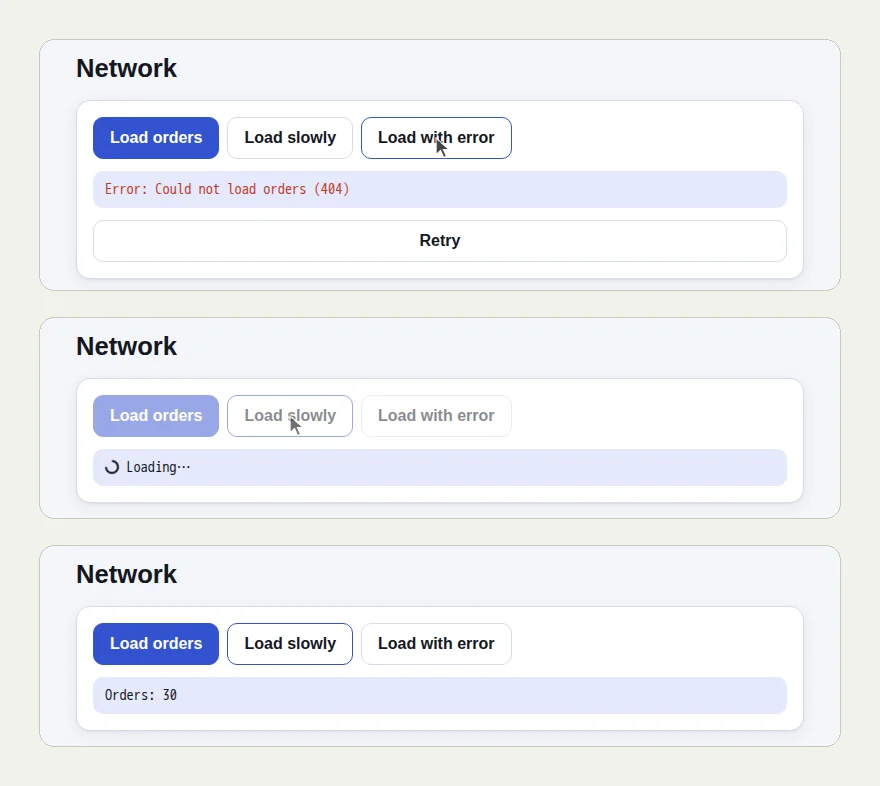
All 5 checks passed in 33 seconds. Two details worth noticing:
- The failed request was checked on the exact words of the message. A check that only says "an error is shown" would pass on a page that prints
[object Object]. - For the slow request the tester waited for the result. "Loading…" on the screen is not the answer, and a test that reads it as one would report "Orders: 0".
Open the run (live until 18 February 2027). The full write-up, including a page that never becomes ready and the Blocked verdict it produced, is Test slow pages without sleeps.
How to make your app fail on purpose#
Your app does not fail on command, so make a version that does:
- A test-only switch. A query parameter or a header that your staging API honours, such as
?simulate=orders-error, returns an error for one endpoint. Start the run at that address. - A staging account with broken data, for example a user whose orders reference a deleted product, stored as a sign-in account.
- Your own error page. Open an address that does not exist and check the page says it was not found and links back home.
Then write what the user should see:
Open https://staging.example.com/orders?simulate=orders-error
Check the page says the orders could not be loaded and shows a
Retry button. Check it does not show "No orders yet".
Make JavaScript errors fail the run#
Some failures never reach the screen as a message: a script throws and part of the page simply does not appear. Runs report the page's JavaScript errors by default; set JavaScript errors to fail in the test options and any error from your own scripts fails the run. Catch a blank white screen after deploy shows when that is worth it.
If a run fails, the result's Console and Network tabs show the error and the failed request, which is what to paste into your coding agent with the fix prompt.
This post is part of Testing an app you built with AI.
Filed underWebSlow and failing pagesAI-built apps