Test slow pages and failed requests without a single sleep
A button that is not ready, a report still loading, a request that fails, a page that never finishes. Three plain-language tests with no wait times in them.
Most flaky tests are timing#
Ask a team why their browser tests fail at random and the answer is nearly always some version of "it clicked too early". The button was on the screen and not yet enabled. The dialog was still animating in. The report was loading. The script did what it was told at the moment it was told, and the page was not ready.
The usual fixes each cost something. A fixed wait ("sleep 3 seconds") makes every run slower and still fails on a slow day. A wait for a specific element has to be written for every slow thing, by someone who knows the page's internals, and breaks when the element is renamed.
And there is a quieter bug that waits do not catch at all: the click that lands twice. An impatient test, like an impatient user, presses Approve again while the first press is still being processed, and the order is submitted two times.
Test 1: five things that take a moment#
Written as plain text and run in Chrome on a desktop-sized screen. There is no number of seconds anywhere in it.
Open Readiness. Open approval, wait for the approval request to appear
and approve it; verify Approved: yes · Commits: 1. Go to report, wait
for the report to load, confirm it and verify Report confirmed: yes ·
Commits: 1. Open sign-off, wait until it can be signed, sign off and
verify Signed off: yes · Commits: 1. Start sync, wait for Sync: done,
then publish and verify Published: yes · Commits: 1. Calculate the total
and verify Total: $1,250.00.
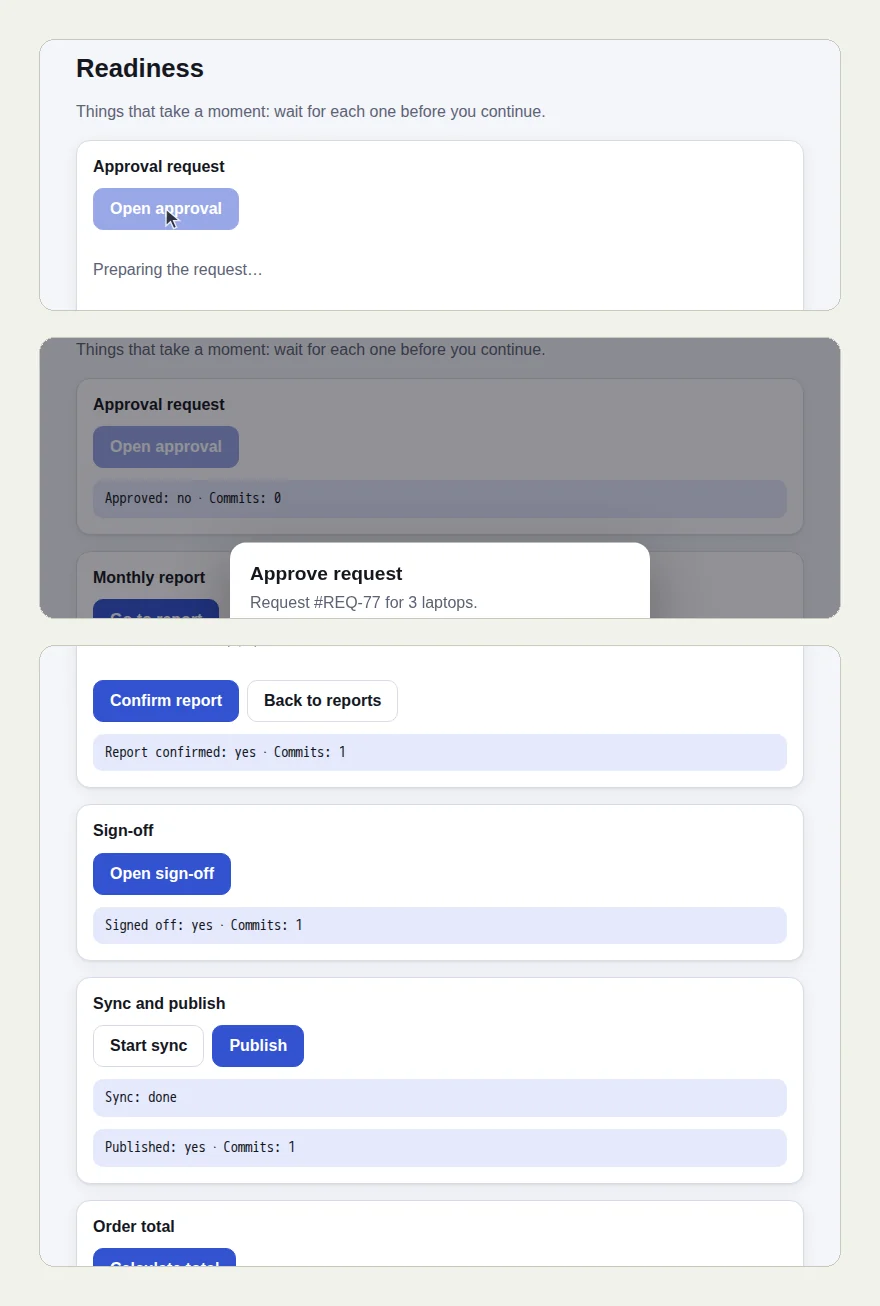
The site is Web Lab, our practice site. Its Readiness page collects the ways a page can be not-quite-ready: a dialog that mounts late, a section that loads, a dialog whose button only works once its animation ends, a background job, a slow calculation. Each one counts its commits, so a double submit shows up as "Commits: 2".
The picture at the top of this page shows three moments from the run: "Preparing the request…" with the button greyed out, the approval dialog once it arrived, and "Calculating…" near the end.
The tester waited each time for the thing the test named, then acted once. Every readout ended with "Commits: 1". The last check read "Total: $1,250.00" after the calculation finished.
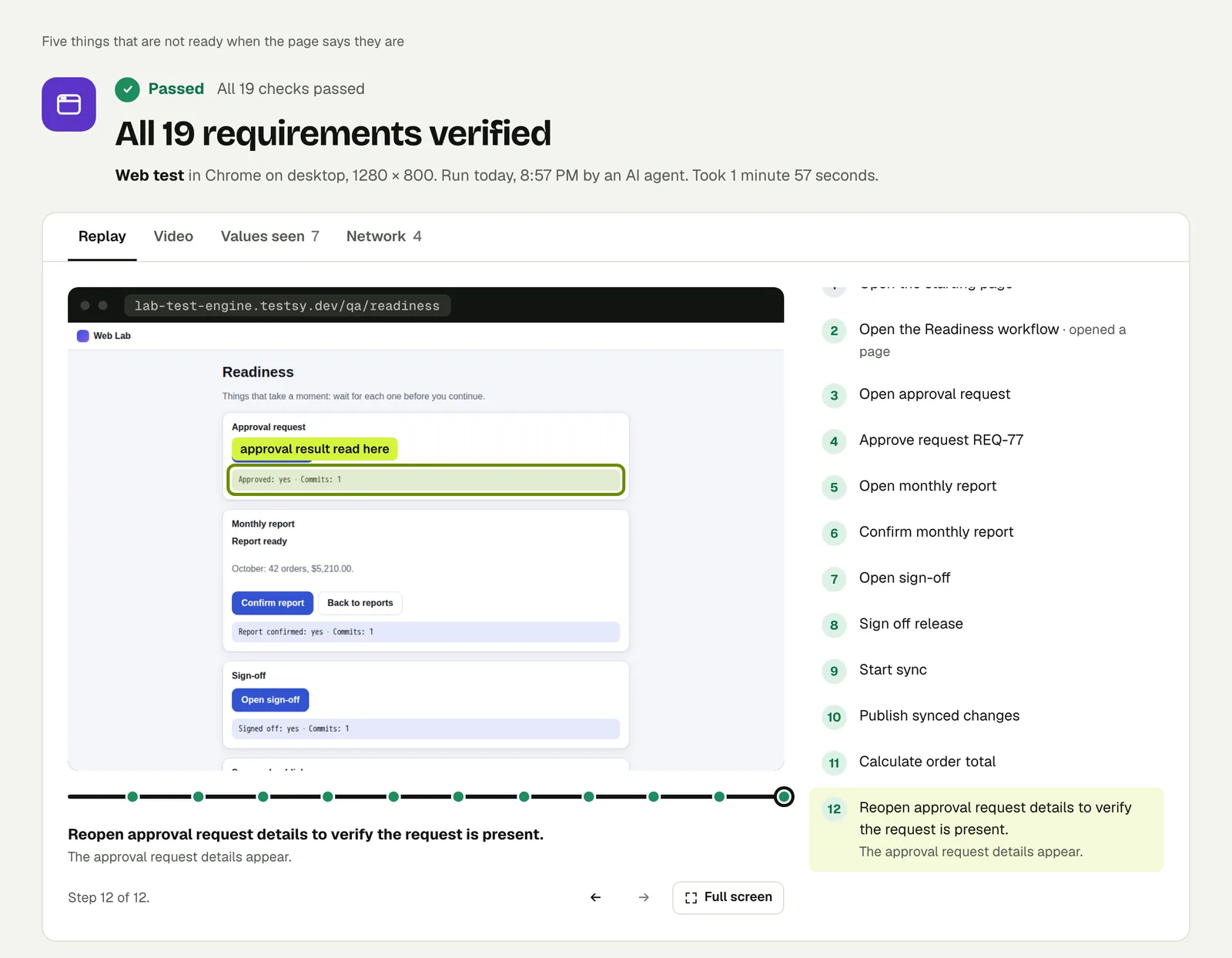
Open the run. The link is read-only and stays live until 18 February 2027.
Test 2: a request that fails, then one that is slow#
Open Network. Load with error and verify the error reads
Error: Could not load orders (404). Then load slowly and verify
Orders: 30.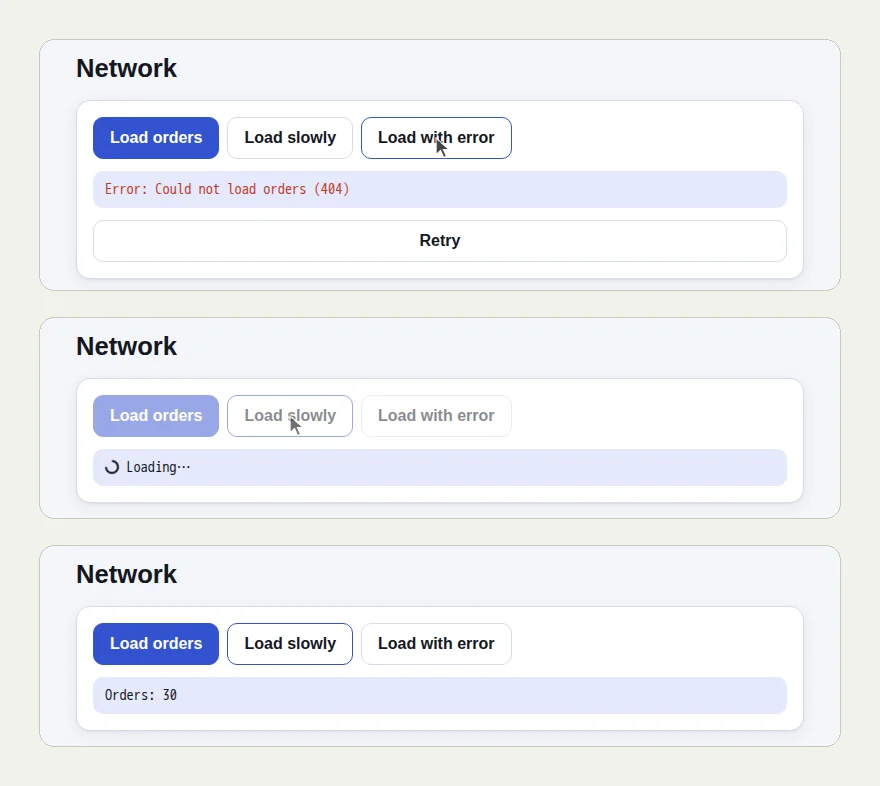
Two different outcomes of the same button row. The failed request produced a message on the page, and the check passed on its exact words. The slow request showed "Loading…", and the tester waited for the result instead of reading the spinner as the answer.
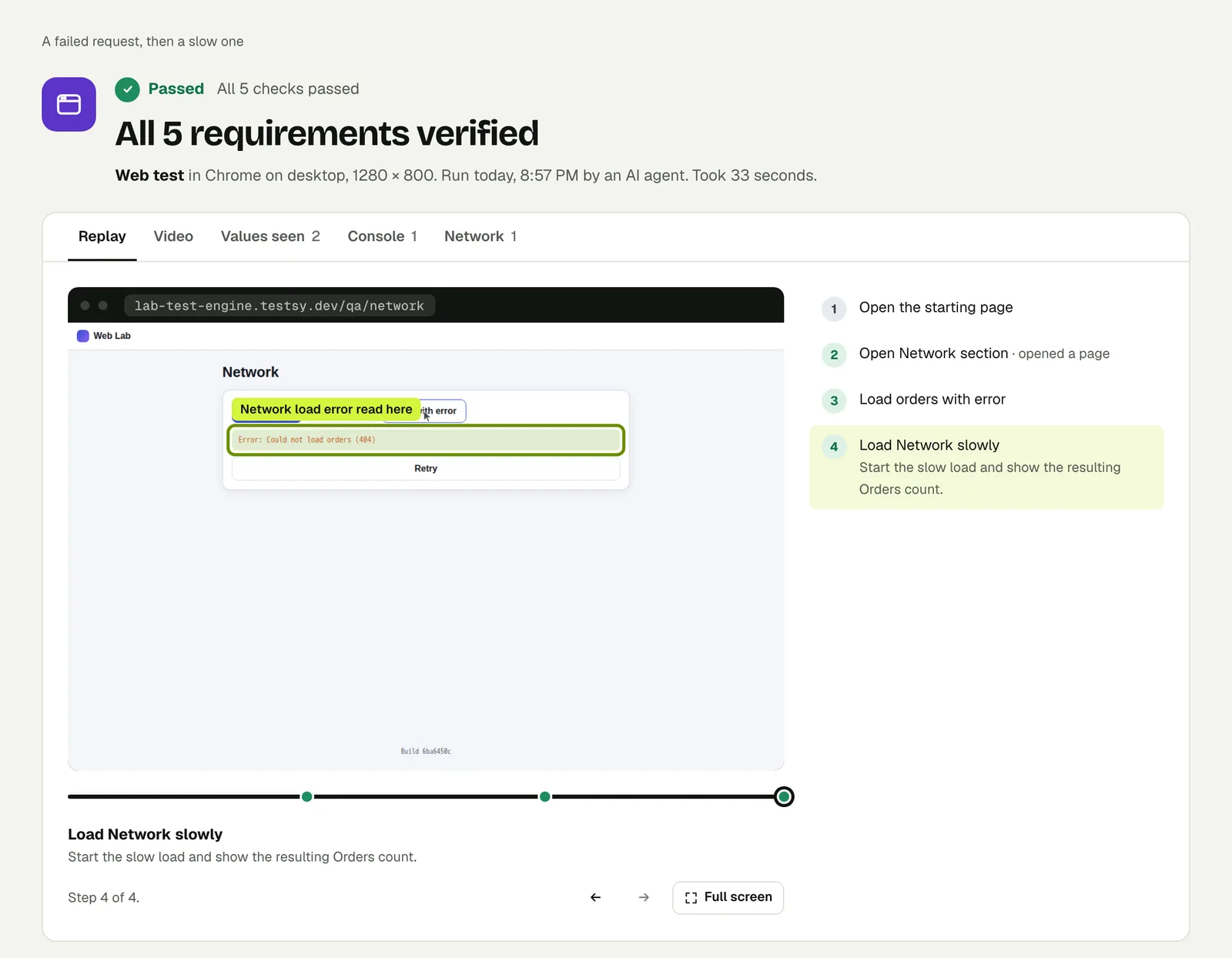
Open the run.
Test 3: the page that never becomes ready#
Waiting has to end. This test asks for something the practice site will never deliver: its archive stays on "Loading archive…" for ever.
Open Readiness. Open the archive, restore last year's orders
and verify the page says Archive restored.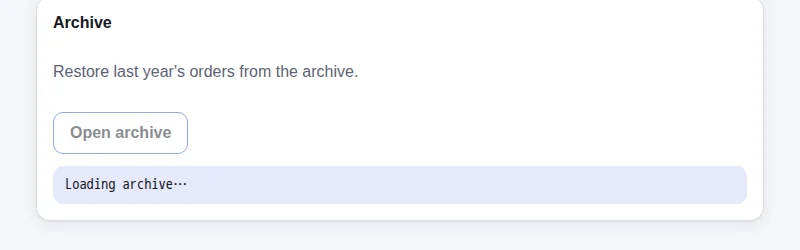
There are two wrong answers here. One is to wait until the run times out, twenty minutes later. The other, worse, is to report a pass because nothing visibly went wrong. This is what came back, 37 seconds after the run started:
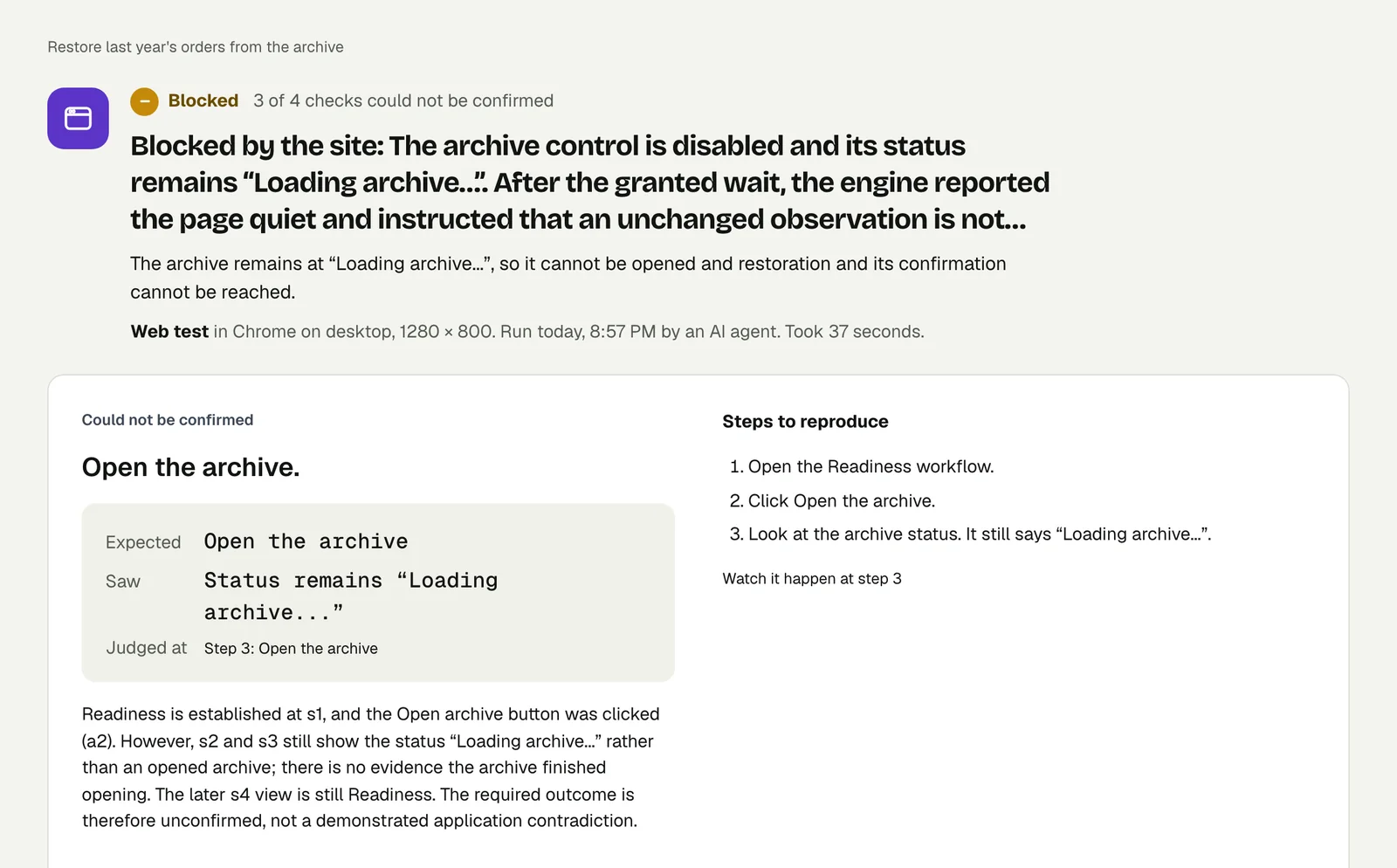
The verdict is Blocked, not Failed and not Passed. The first check passed, the second names what was expected and what was seen, and the two that depended on it are marked as not reached. The steps to reproduce are three lines long.
Open the run to read it in full. Verdicts explains each verdict and when a run counts.
Write it for your app#
Name the thing to wait for in the words on the screen. Leave the seconds out:
Sign in with the stored account "analyst" and open Reports.
Generate the March report and wait for it to finish.
Check that the report shows a total and a row for every week of March.
Click Export once and check that exactly one export appears in History.
What to take from these runs:
- Wait for a state, not a time. "Wait for Sync: done" is true on a fast day and a slow day.
- Count what was submitted. If a page can be double-clicked into two orders, check the count afterwards.
- Test the failure message. A 404 from your own API should produce words a user can act on.
- Give the test a time limit that fits. A page that really takes three minutes needs a limit above that, set in test options.
Run it#
Paste your site's address into New test, describe the journey, and run it. Write a test covers wording steps and checks.
This post is one of a series: The hardest parts of web testing, each one run for real.
Filed underWebSlow and failing pagesVerdicts and proof