Check the numbers: totals, prices and counts on screen
A page that loads is not a page that is right. Make checks read the actual total, price or count, and keep the value the verdict was decided on as evidence.
The bug that looks fine#
The cart page renders. The invoice opens. The dashboard shows its cards. Every element is there, and the total is wrong: tax applied twice, a discount on the wrong plan, a currency symbol missing, "NaN" where a number should be.
Tests that check presence ("the total is shown") pass all of these. Tests that check the value catch them.
Name the value in the check#
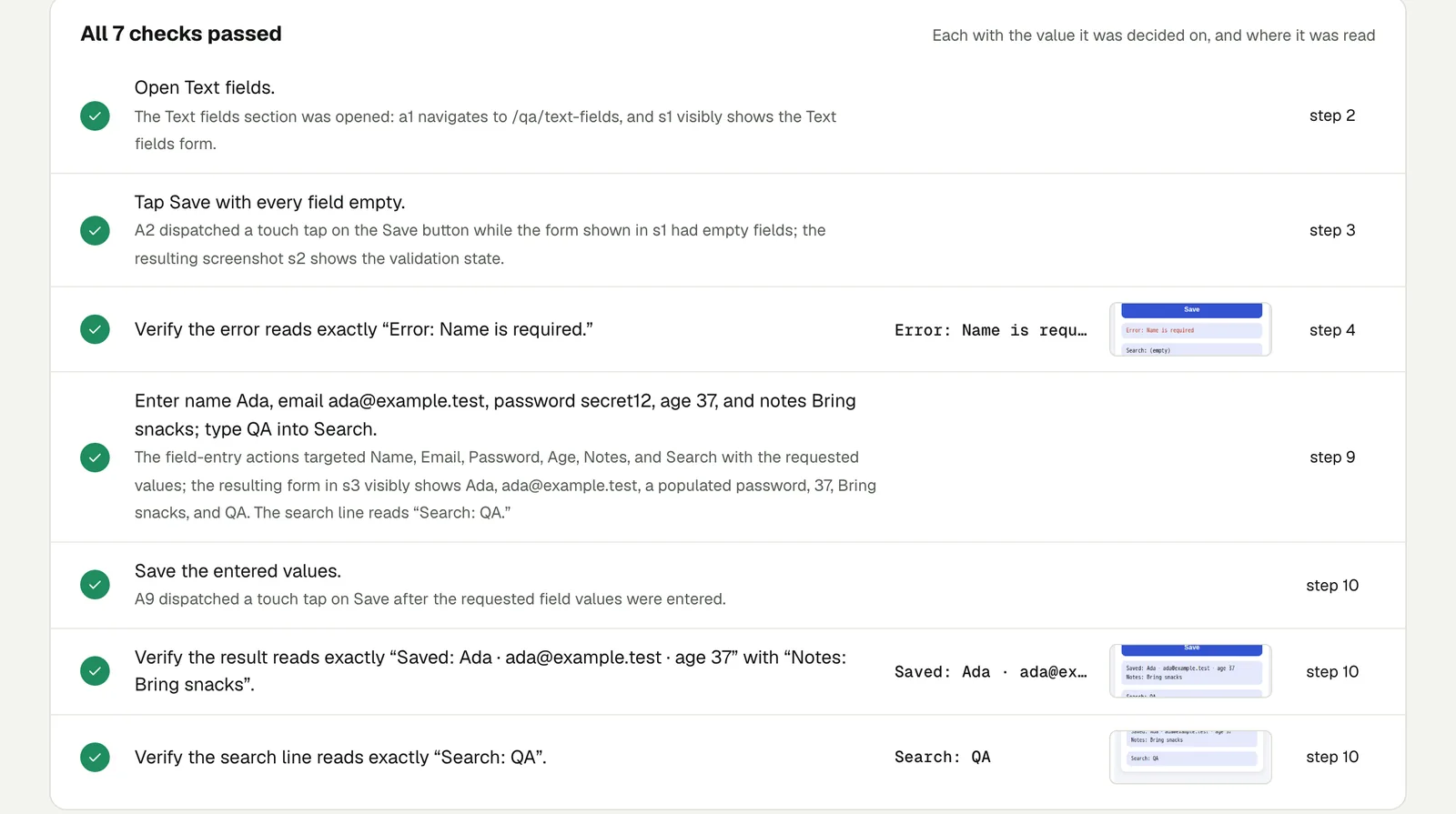
Each Testsy check is judged on what is visible, and the result keeps the value it was decided on and a crop of where it was read. So write checks that name the number:
Add two "Blue mug" at $18.00 each to the cart.
Check the subtotal reads $36.00, the shipping line reads $5.00
and the total reads $41.00.Open the invoice INV-1001 and check its total matches the total
shown for INV-1001 in the invoice list.The second check compares two places in the app without hard-coding the number, which is useful when the data changes.
What the evidence looks like#
In our run of a form on a phone-sized screen, each check kept the exact text it was decided on: "Error: Name is required" after an empty save, "Saved: Ada · ada@example.test · age 37" after a full one.
When a number is wrong, the failure card says Expected and Saw: in a webhook payload that looks like "Saw 12.00, expected 10.00". Open the run (live until 18 February 2027).
Record values you do not judge#
Some numbers you want reported, not checked: the order id, how many rows a report had, the published address. Ask for them as values to record ("record the order number"). They appear under Values seen with the step they were read at, up to 12 per test. Handy for tracing a run back to the record it created.
Numbers inside files#
Exports are numbers too. A test can open a downloaded CSV, Excel file or PDF and compare what is inside with the page: row counts, a total on page 2, a sheet name. See Test what is inside a download.
Where wrong numbers hide#
- Totals after a discount code, and after removing it.
- Prices in another country: browse from a country to see the site as a visitor from there would.
- Counts after a delete.
- Dates and times near midnight and across time zones.
This post is part of Release testing for product teams.
Filed underWebForms and checkoutVerdicts and proof