Test receipts, notifications and other emails your app sends
Order receipts, mention alerts and weekly digests break without anyone noticing. A run with its own mailbox triggers the email, opens it and checks what it says.
Emails nobody reads until they are wrong#
Sign-up emails get attention because they block a user. The rest (receipts, "you were mentioned", password-changed notices, weekly digests, export-ready links) are sent by code nobody looks at after launch. They break when a template variable is renamed, when the email provider changes, or when a queue stops, and the first report is a customer asking where their receipt went.
A mailbox per run#
Each Testsy run can have its own email address, on every plan including the free trial. The tester can make your app send to that address, wait for the message, open it, read it and follow its links. Adding +something before the @ gives the same run more addresses.
Examples#
Sign up with this run's email address and confirm it from the email.
Place an order for "Blue mug" in test mode.
Wait for the receipt email and check it names "Blue mug", the total
$18.00 and the order number shown on the confirmation page.
Open the "View order" link in the email and check it opens that order.Sign up with this run's email address and confirm it. Open Account,
change the password and save.
Wait for the "Your password was changed" email and check it names the
account's email address and the time of the change.Sign up with this run's email address and confirm it. Request a data export, wait for the "Your export is ready" email,
follow its link, and check the downloaded file is a CSV with a header row.What the result keeps#
Every email the run received is in the result's Messages tab, in order: who it was from, the subject, the text, the codes and links found in it, and the step where the tester used it. A check decided on an email links to it, and emails can be downloaded as received. Messages are visible to workspace members only and are left out of share links.
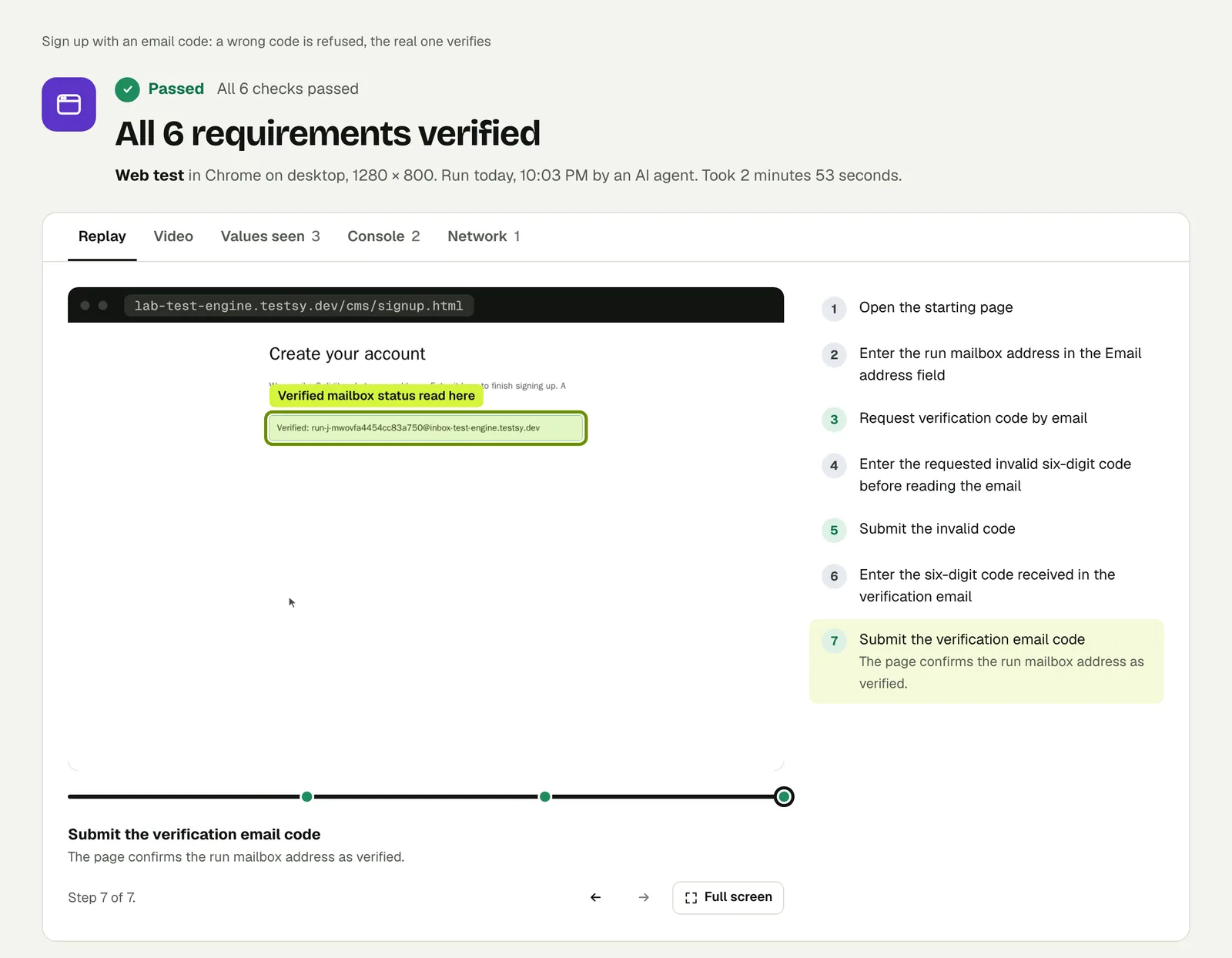
That result is from our email-code runs on the practice site.
Limits#
- The email has to be sent to the run's address. A notification that only ever goes to a fixed internal address cannot be read by the run; route a test copy to the run address on staging.
- A run sends at most 5 emails to other addresses, and messages over 2 MB are refused.
- Mail to a run address never leaves Testsy.
This post is part of Release testing for product teams.