One web test across a frame, an upload, a second tab and a download
Real workflows cross every boundary a script hates in one sitting. One test uploads a file in a sandboxed frame, approves in another tab and reads the manifest.
Each hard thing has a recipe. The workflow has all of them.#
A team can learn the trick for an iframe, the trick for a file upload, the trick for a second tab and the trick for reading a downloaded file. Each is a few lines of setup in a scripted test.
Real work does not come one trick at a time. An operations person uploads a spreadsheet into an embedded widget, waits for it to be validated, opens the approval screen in another tab, approves, goes back to the first tab, refreshes, and downloads a manifest to send to the warehouse. That is one task. It crosses four boundaries, and state has to survive every crossing: the upload has to be the one that gets approved, and the approval has to be in the file.
A scripted version of that is the longest and most fragile test in the suite, which is why the workflows that run the business are usually the ones tested by hand.
The test#
Written as plain text and run in Chrome on a desktop-sized screen, with one file attached to the test, shipments.csv:
Open Release desk. In the Shipment editor, upload shipments.csv using
Shipment CSV, wait for Upload received, click Validate batch and verify
2 shipments ready. Open the approval tab, approve the batch there and
verify Batch approved. Go back to the Release desk tab, refresh the
status and verify Status: Approved. Download the release manifest and
verify the downloaded file is release.csv containing exactly the two
lines batch,status,shipments,units and QA-2048,approved,2,5.
The site is Web Lab, our practice site. Its Release desk is built to be awkward in the ways real back-office screens are. The Shipment editor is a sandboxed frame, cut off from the page like a widget from another company. The upload is confirmed after a delay, and so is the validation. Approval happens in a separate tab. The first tab does not update by itself. The manifest is a file.
The attached file has two shipments in it: 2 units and 3 units.
What happened#
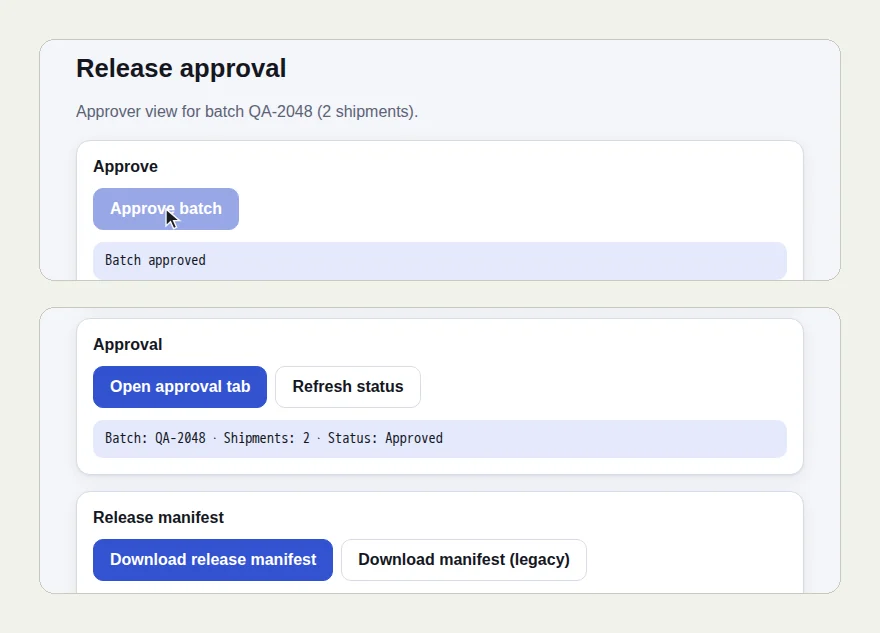
The picture at the top of this page shows two screens from the run: the approval tab reading "Batch approved", and the first tab after the refresh, reading "Batch: QA-2048 · Shipments: 2 · Status: Approved".
- The tester uploaded
shipments.csvinside the frame and waited for "Upload received". - It pressed Validate batch, waited through "Validating…", and read "2 shipments ready".
- It opened the approval tab, pressed Approve batch and read "Batch approved".
- Back in the first tab it pressed Refresh status and read "Status: Approved".
- It downloaded the manifest and opened it.
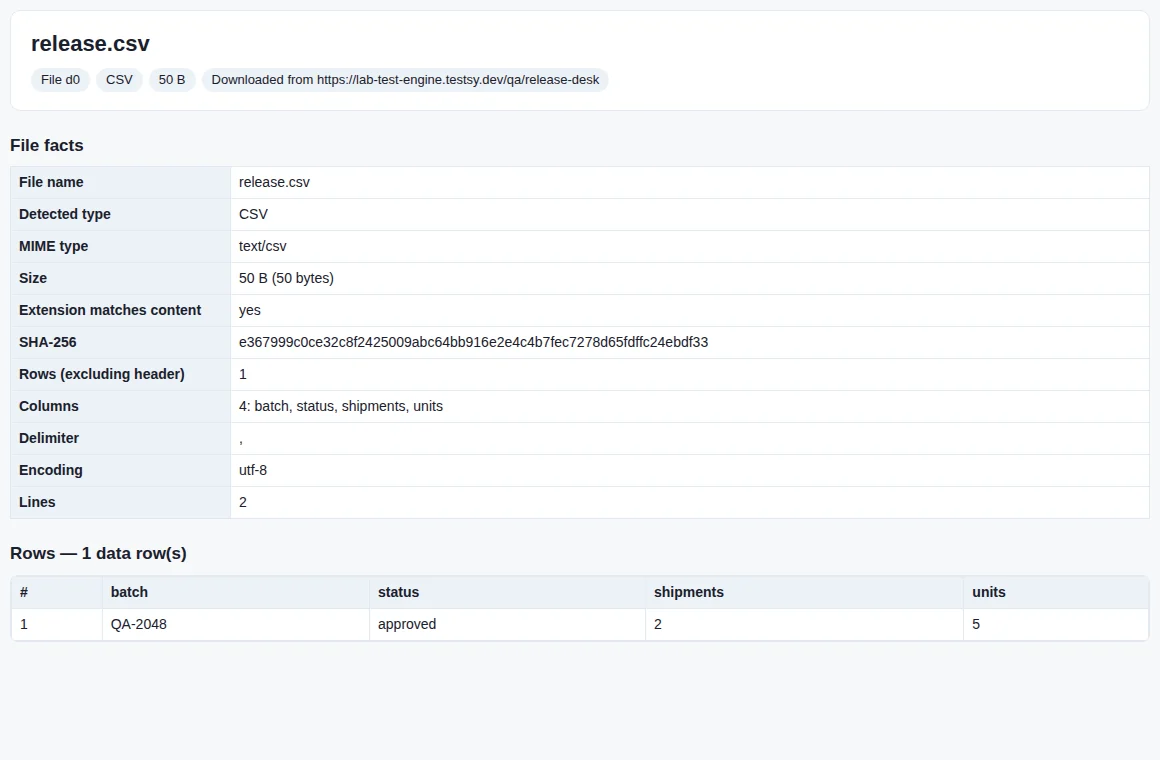
Five units: the 2 and the 3 from the file uploaded at the start. The number that went in through the frame came out in the download, by way of a second tab.
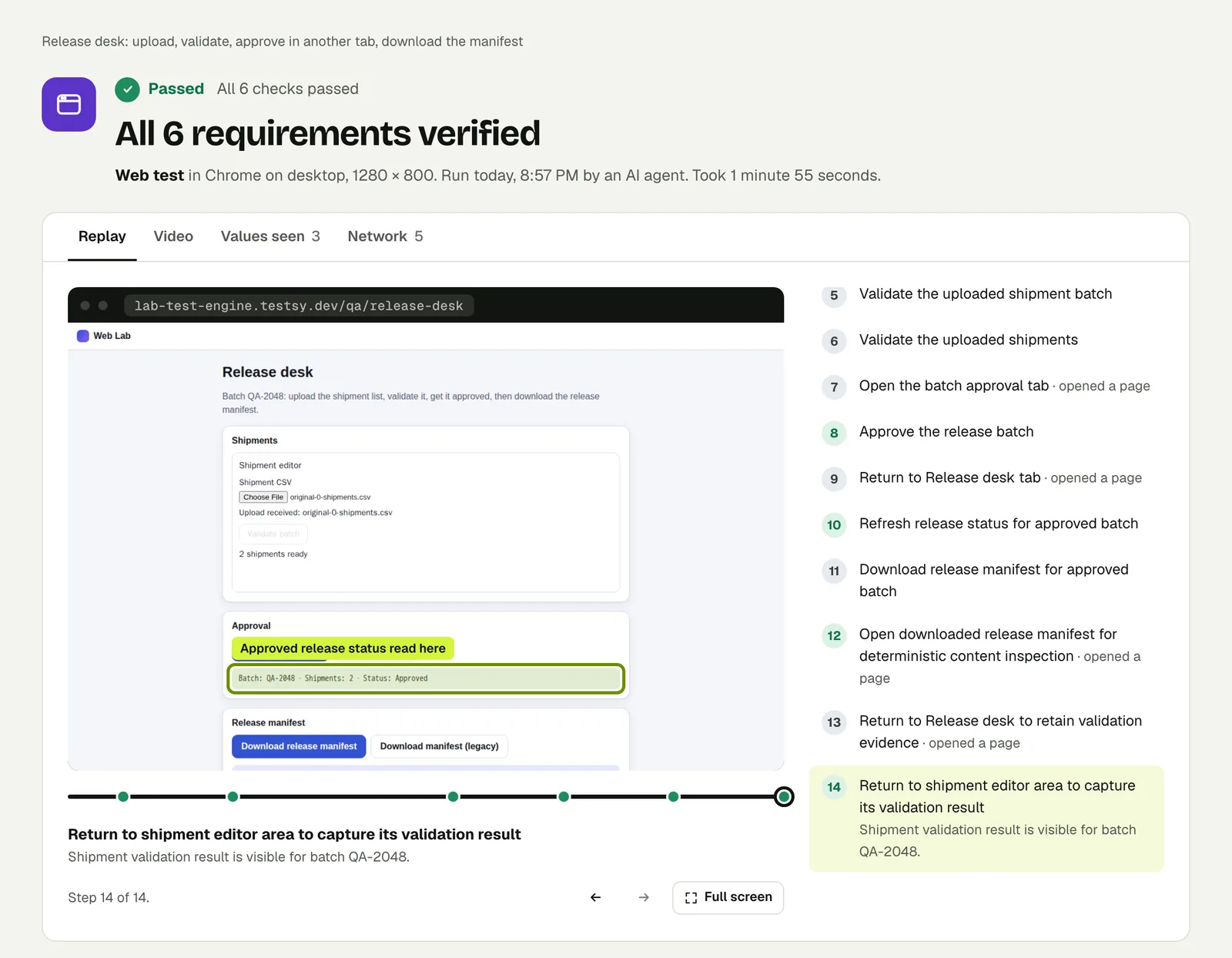
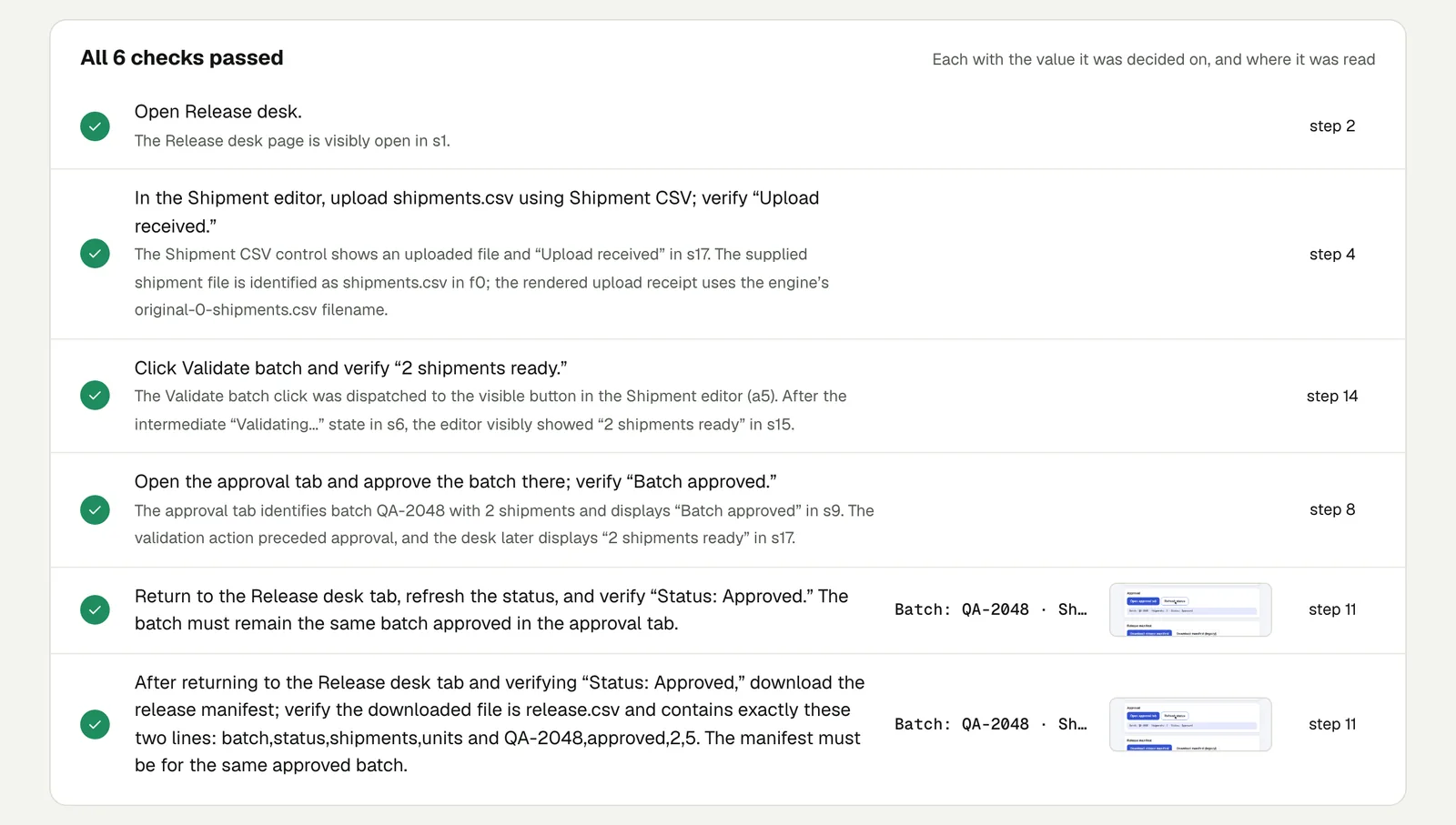
The result ties the steps together. The approval check notes that the approval tab named the same batch, QA-2048, with 2 shipments. The download check notes that the file's row is for the approved batch. A test that only checked each screen by itself would miss a manifest generated for the wrong batch.
Open the run to step through it. The link is read-only and stays live until 18 February 2027.
The single hard things, one at a time#
Each boundary this test crosses has its own post with its own run:
- A form inside an iframe, Shadow DOM and a new tab
- File uploads: a good file, a fake one and one too big
- What is inside a download
- Slow pages and failed requests
Write it for your app#
Write the workflow the way you would hand it to a new colleague, and end with the thing that leaves the building: the file, the email, the record.
Sign in with the stored account "ops".
Open Payouts and upload payouts-march.csv.
Wait for the preview and check it lists 14 payouts totalling $9,820.00.
Submit the batch for approval.
Sign in with the stored account "finance" and approve the batch.
As "ops" again, download the bank file.
Check that it has 14 payment lines and that their amounts add up
to 9820.00.
What makes a workflow test worth having:
- One value carried from start to finish. A count or a total that goes in at the top and is checked in the file at the bottom.
- The attached file is small and known. Two rows you can add up in your head beat two thousand.
- A staging site. The test does real work in whatever environment you point it at.
Run it#
Paste your site's address into New test, attach the file, describe the workflow, and run it. Test files covers attachments and sign-in accounts covers the stored accounts.
This post is one of a series: The hardest parts of web testing, each one run for real.
Filed underWebFiles and mediaBrowser behaviour