Test a form inside an iframe, Shadow DOM and a new tab
Three places a page hides its controls from a test script. One plain-language test fills a form in an iframe, clicks inside Shadow DOM and follows a link into a new tab.
The page is not one page#
To a person, a web page is one thing to look at. To a test script it can be several documents stacked on each other, and each one needs different handling.
- An iframe is another page inside the page. Payment fields, embedded forms and support widgets live in iframes. A script looking for a field in the main document does not find it.
- Shadow DOM is how modern components keep their insides private. The button is on the screen, and it is not in the tree the script is searching.
- A new tab is a different page altogether. The script clicked a link and is still looking at the old tab.
None of these is exotic. They are in most products, and they are a common reason a scripted test passes locally and breaks after a redesign: the control moved into a component, or a link got target="_blank".
The test#
Written as plain text and run in Chrome on a desktop-sized screen:
Open Web. In the embedded form, type Ada into Your name and tap Greet,
and verify it shows Hello, Ada!. Then tap Add one twice in the counter
and verify Count: 2. Then tap Open in new tab. In the new tab verify
it says You are in the new tab, close it, and verify the Web page
shows New tabs opened: 1.
The site is Web Lab, the practice site we build to test the tester. Its Web page has an embedded form in an iframe, a counter built in Shadow DOM, and a button that opens a new tab.
The test does not say "iframe" or "shadow" anywhere in a way the tester needs. It says what a person would say: the embedded form, the counter, the new tab.
What happened#
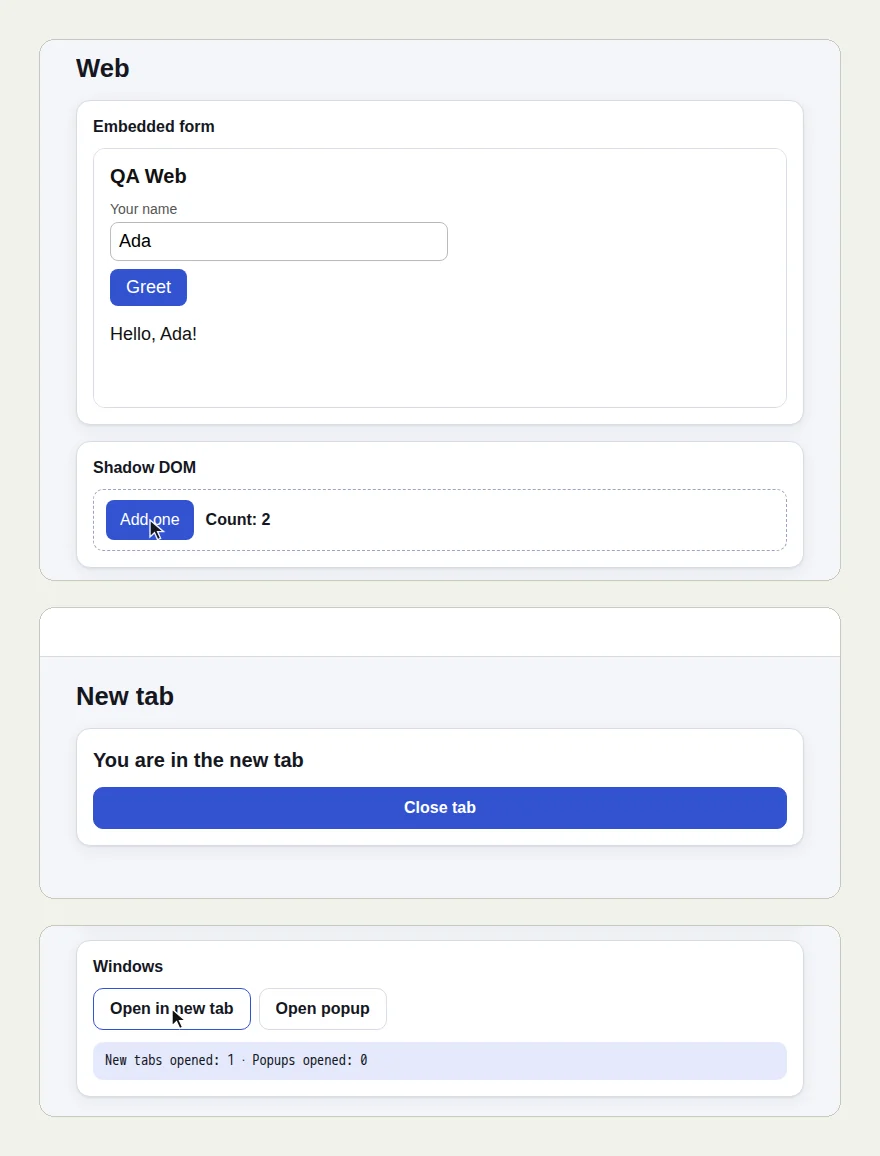
The picture at the top of this page shows three screens from the run: the form in the iframe greeting Ada and the Shadow DOM counter at 2, the new tab, and the first tab afterwards reading "New tabs opened: 1".
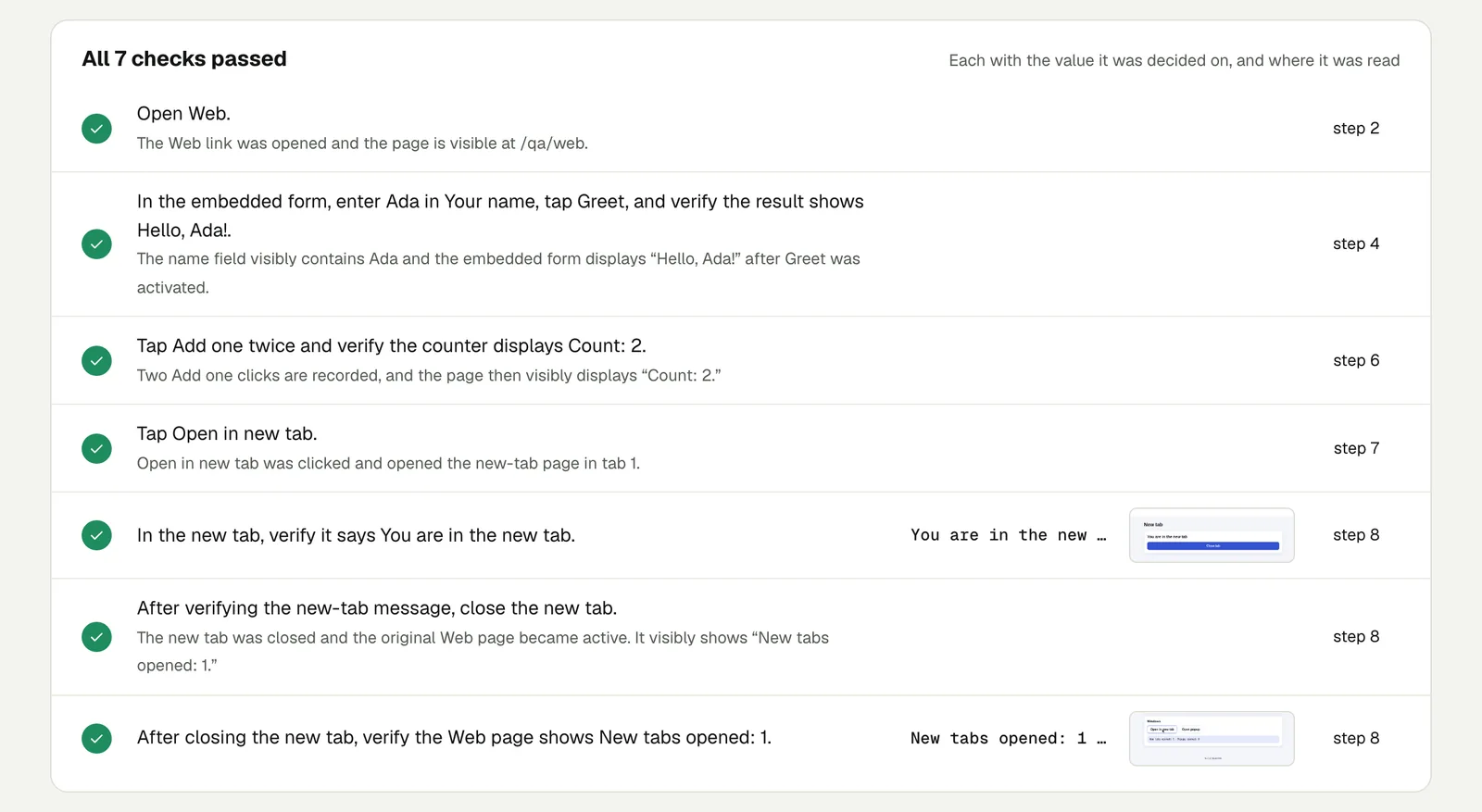
- The tester typed Ada into the form inside the iframe and pressed Greet. The form answered "Hello, Ada!".
- It pressed Add one twice. The counter, which lives in Shadow DOM, read "Count: 2".
- It pressed Open in new tab, read "You are in the new tab" there, and closed the tab.
- Back on the first tab, the page read "New tabs opened: 1".
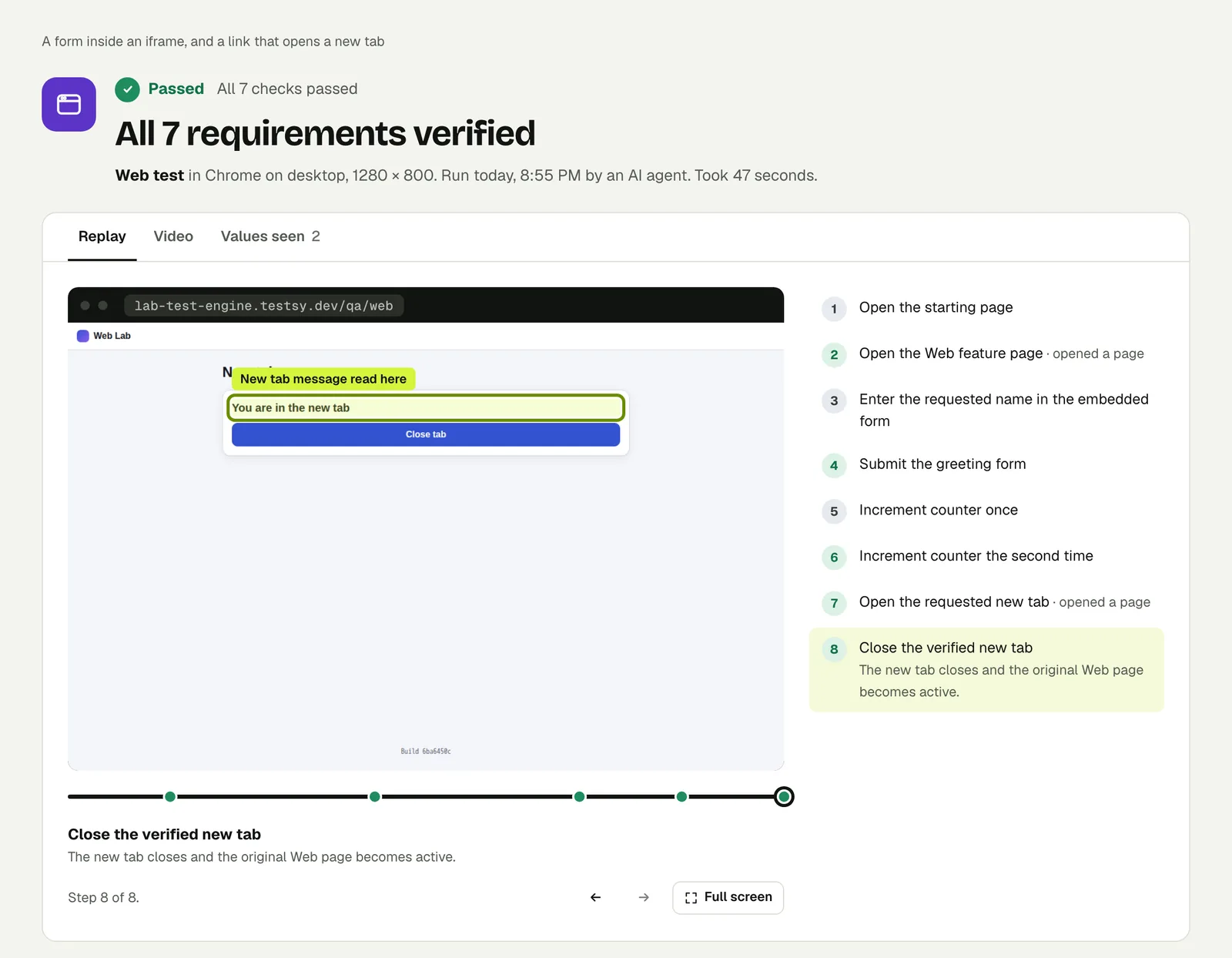
The replay marks where each value was read. In the frame above it is the line in the new tab.
Open the run to step through it. The link is read-only and stays live until 18 February 2027.
Why this stays stable#
A selector describes where a control is in the page's structure. An iframe, a shadow root and a second tab are all changes to that structure, so a selector-based test has to be rewritten whenever a control moves across one of those borders.
A test written as "type Ada into Your name in the embedded form" describes what is on the screen. If the form moves out of its iframe next quarter, the sentence is still true.
Write it for your app#
Add the Standard plan to the cart and go to checkout.
In the card form, enter the test card 4242 4242 4242 4242,
any future expiry and any CVC, and pay.
Check that the page shows the order confirmation
with the Standard plan on it.Open the invoice list and click Print on the first invoice.
In the new tab, check that the invoice number matches the list.
Close the tab and check the list is still on page 1.Use your payment provider's test mode and its published test card for the first one, on a staging site.
Cases worth their own test:
- A link that opens a help page in a new tab. Check the first tab kept its state.
- A pop-up window for signing in with another account. Check the app notices when it closes.
- An embedded widget from another company, such as a booking calendar. Check that a booking made inside it shows up in your page.
Run it#
Paste your site's address into New test, describe the journey, and run it. Write a test covers wording, and Proof, replay and video explains the result page.
This post is one of a series: The hardest parts of web testing, each one run for real.
Filed underWebBrowser behaviour