Testing an app you built with AI: a guide for founders
You built it with Claude Code, Cursor, Lovable or Bolt and it looks done. How to check it works for a stranger and keeps working after every change.
Done is not the same as working#
Building with AI is fast enough that testing becomes the slow part, so it gets skipped. The cost shows up later: agencies that rescue AI-built apps describe the same failures again and again, from the blank screen in production to the fix that breaks something else.
This guide collects what we have written for people building this way. Each post is about one problem, says why it happens, and gives a plain-language test you can run against your live address. Where we have a real run to show, the post links to it.
1. Check what the agent called done#
- Your coding agent said “done”. Here is what it did not check
- It works in preview and breaks in production. Test the live address
- Catch the blank white screen after a deploy
- Test a Lovable, Bolt or Replit app by its address, no code needed
2. The flows that break for strangers#
- Sign-up email links to localhost? Catch it before your users do
- Test password reset from the email to the new password
- Saved, then gone after a refresh: test that your app really saves
- Test that one user cannot see another user's data
- Test email verification codes, the wrong code and the resend too
- Sign-up emails that stop arriving after launch
- Paid, but still on the free plan: test the Stripe webhook
- Uploads that work for you and fail for your users
- Test your app as a brand-new user, not as yourself
- Test what users see when a request fails
- Sign in with Google works locally and fails in production
3. Keep it working#
- Fix one bug without breaking another: one bug, one test
- Ten tests to run before you share your AI-built app
- Write a test without writing code: steps, checks and values
4. Let the agent test its own work#
- Turn a failed test into a fix prompt for your coding agent
- Make Claude Code test what it just built
- Let Cursor check its own work in a real browser
- Let Codex check its own work in a real browser
- Test from Gemini CLI, the Claude desktop app and claude.ai
5. Know the limits#
The proof behind the posts#
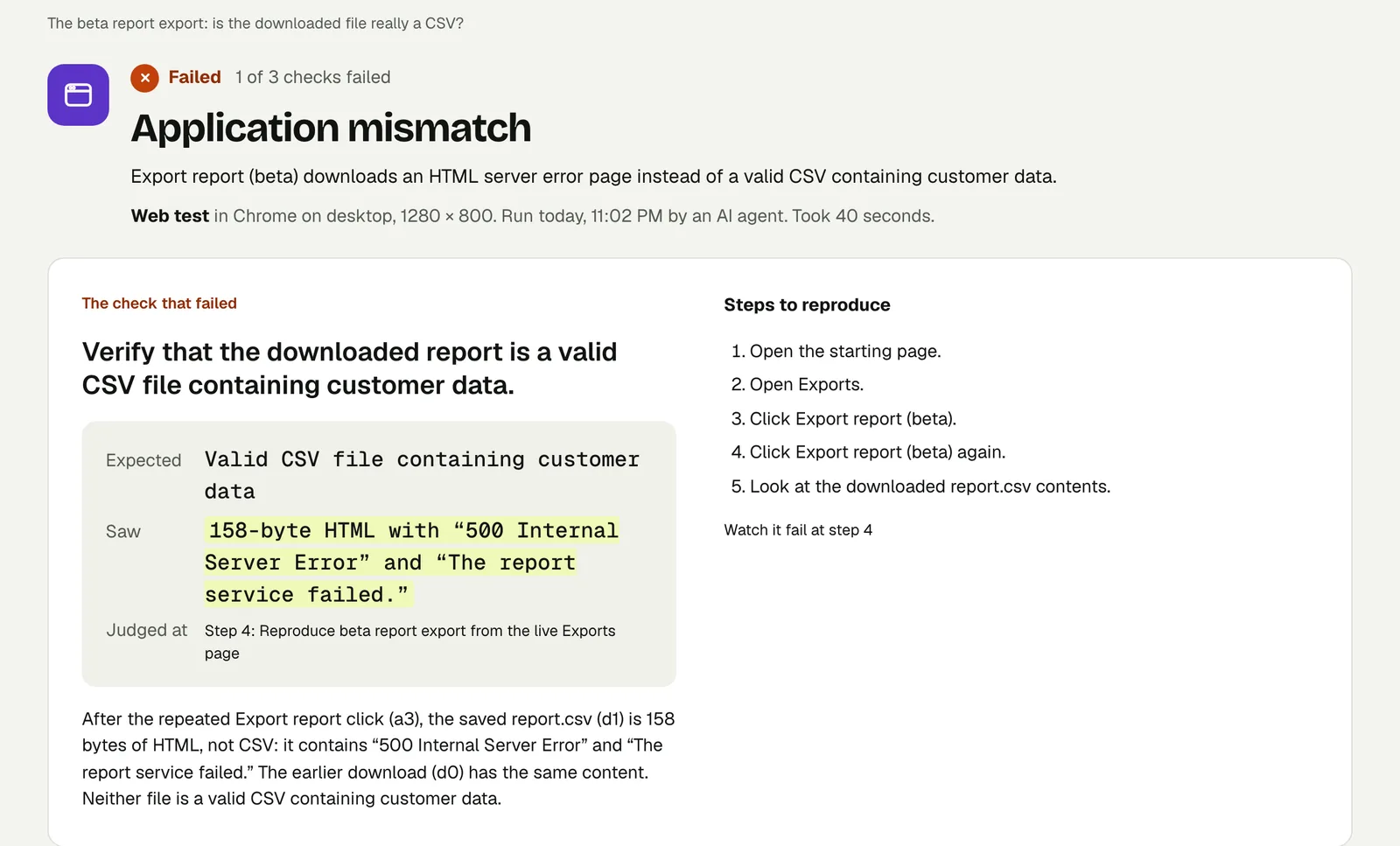
A post that says Testsy can do something should show it doing it. The runs linked from these posts are real runs on our practice site, with their results, replays and videos, open to anyone until 18 February 2027. The one in the picture at the top is a planted bug: an export that said it had started and downloaded an error page instead of a CSV. The tester opened the file and failed the check, in 40 seconds (the run).
Start with one test#
Paste your app's address into New test, describe sign-up and one thing your app saves, and run it. The free trial has 10 runs and needs no card.
Filed underWebAI-built apps