Test that one user cannot see another user's data
Apps built with AI often show one account's records to another. A two-person test signs in as each, in separate browsers, and checks what each one can see.
The question nobody tried#
An agency that audits apps built with AI describes a founder who tested every flow after each build session. Then a co-founder asked: what happens when one client tries to open another client's invoices? Nobody had tried it. Changing the user id in the request returned the other client's invoices.
It is not a rare case. One write-up cites a scan in which 170 of 1,645 Lovable apps exposed user data through missing row-level security (CVE-2025-48757). The app looks fine to its builder because the builder only ever signs in as one person.
What a browser test can and cannot prove here#
Two separate things are going on, and it matters which one you are testing.
- What the app shows. Does account B's dashboard list account A's projects? Can B open A's project by its address? A browser test answers this, the way a curious user would find out.
- What the server allows. Can B fetch A's data by calling the API with a changed id, outside the app's screens? That is a security test of your backend. A browser test that only uses the app's pages does not prove it, and Testsy does not claim to.
Do the first on every release. Do the second with a security review of your database rules, at least once before launch and again when they change. What an AI tester cannot check for you has more on that line.
The test#
Store two sign-in accounts for the project, say "alice" and "bob", each with a password only the tester types. Then:
Two people take part: Alice, using the stored account "alice",
and Bob, using the stored account "bob" in a separate browser.

As Alice: create a project named "Alice private plans" and copy
the address of its page.
As Bob: check the projects list does not show "Alice private plans".
As Bob: open the address of Alice's project and check the page
says the project was not found or that he has no access, and does
not show its name.
"In a separate browser" matters. If both people share one browser, Bob's check can pass or fail because of Alice's cookies.
A run with two people#
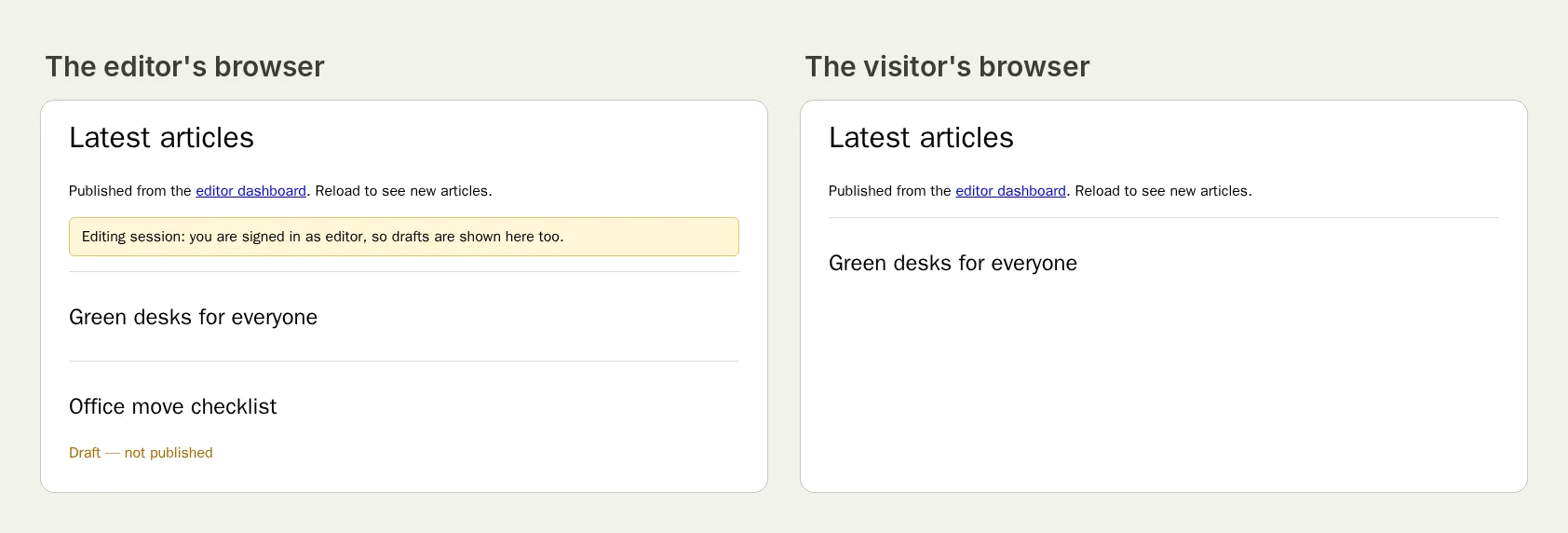
We ran a two-person test on our practice site: an editor who sees drafts, and a visitor in a separate browser who must not.
The visitor's check passed with the reason that the visitor used "an isolated browser context, separate from the editor". Open the run (live until 18 February 2027) or read the write-up.
One lesson from that series: keep each person's steps together. When we asked for the two people's steps to alternate, the run came back Inconclusive because they were done out of order.
Variations worth a test each#
- Shared links. Alice shares a document; Bob, not invited, opens the link.
- Teams. A member of team A cannot see team B's settings page.
- Search. Bob searches for a word only in Alice's data and gets no result.
- After removal. Alice removes Bob from her team; Bob reloads and loses access.
This post is part of Testing an app you built with AI.
Filed underWebSign-in and codesAI-built apps