Test an admin site and a public site, as two people, in one test
What an editor publishes, a visitor must see, and a draft must stay hidden. Two real runs cross from an admin site to a public one, in two separate browsers.
The bug is between the two sites#
Many products are two websites. Staff work in one: an admin panel, a dashboard, a back office. Customers see the other: a shop, a help centre, a public page. Each site has its own tests, and each passes.
The bug is in between. The price was changed in the admin and the shop still shows the old one. The article was saved as a draft and the public site lists it anyway. Nobody's test covers it, because it belongs to neither site.
There is a second trap. The person checking the public site is usually the person who just used the admin, in the same browser, still signed in. Many sites show a signed-in member of staff more than a visitor gets: drafts, previews, edit links. So the check passes for the one person it should not be made by.
Test tools make both hard in their own way. Cypress cannot visit two origins in one test unless the commands for the second are wrapped in cy.origin(). Playwright can do it, and its documentation shows how: one browser context per person, created and kept apart in code. Either way, somebody has to build it.
The test: one site, two people#
Written as plain text and run in Chrome on a desktop-sized screen:
Two people take part in this test: an editor, who works in the editor
dashboard, and a visitor, who is not signed in and uses a separate
browser.

As the editor:
1. In the editor dashboard, create a new article titled "Green desks for
   everyone" and publish it.
2. Create a second article titled "Office move checklist" and leave it
   as a draft.
3. Open the public site at
   https://lab-test-engine.testsy.dev/cms/site.html?space=blog-editor-visitor
   and verify that it shows an "Editing session" banner and lists both
   articles, with "Office move checklist" marked as a draft.

Then, as the visitor:
4. Open the same public site address and verify that "Green desks for
   everyone" is listed, that "Office move checklist" is NOT listed, and
   that there is no "Editing session" banner.
The site is the small publishing system on our practice site: an editor dashboard and a public list of articles. A browser that has used the dashboard is signed in as editor, and the public site shows that browser the drafts too. It is the trap described above, built on purpose.
The test names two people and says what each one is. That is all the set-up there is.
What happened#
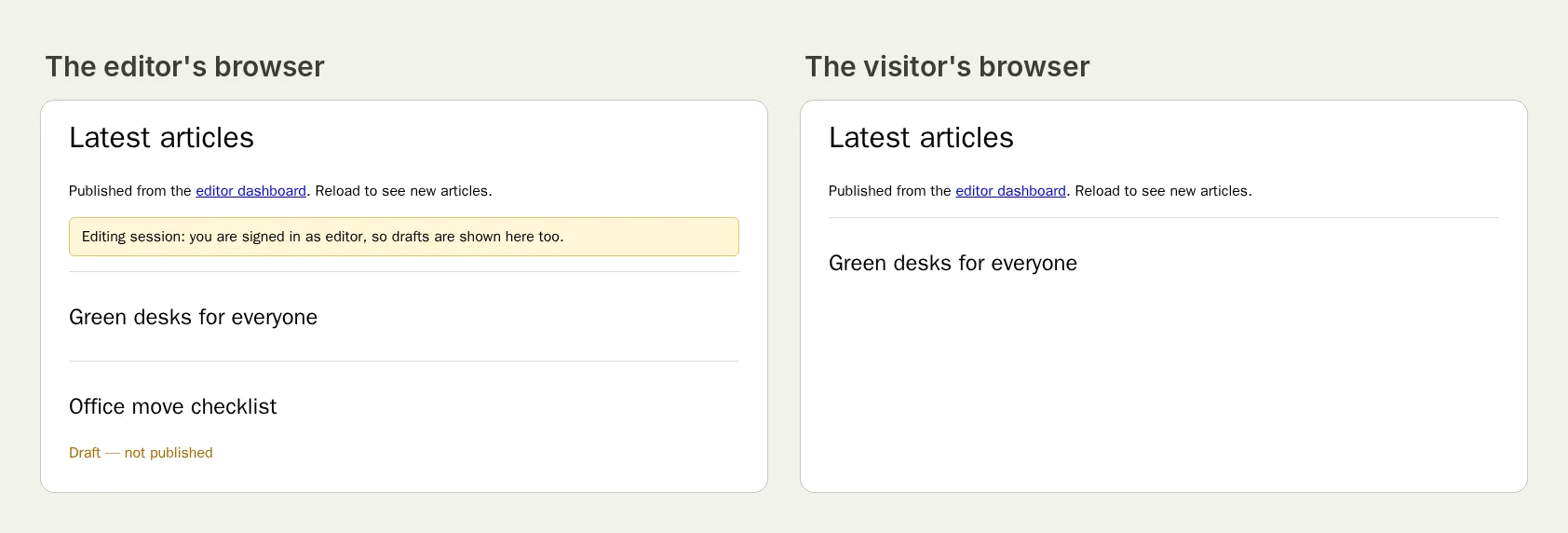
The picture at the top of this page shows the same address in the two browsers of this run. The editor's has the banner and the draft. The visitor's has one article.
- As the editor, the tester created "Green desks for everyone" and published it, then created "Office move checklist" and left it alone.
- Still as the editor, it opened the public site. The page showed "Editing session: you are signed in as editor, so drafts are shown here too", and listed both articles, the second marked "Draft — not published".
- As the visitor, it opened the same address in a browser of its own. The page listed "Green desks for everyone" and nothing else. No banner.
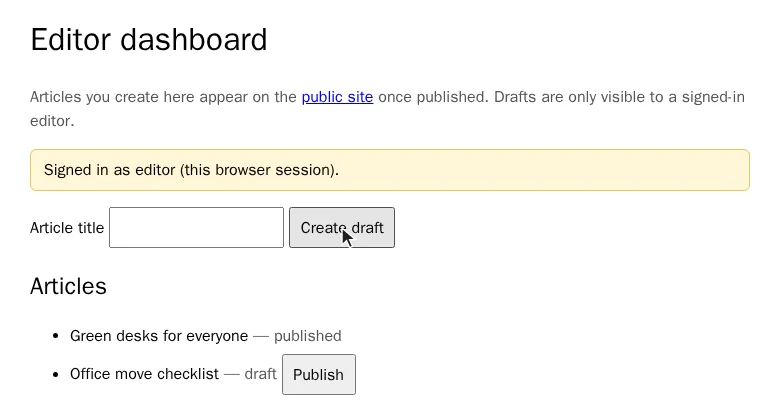
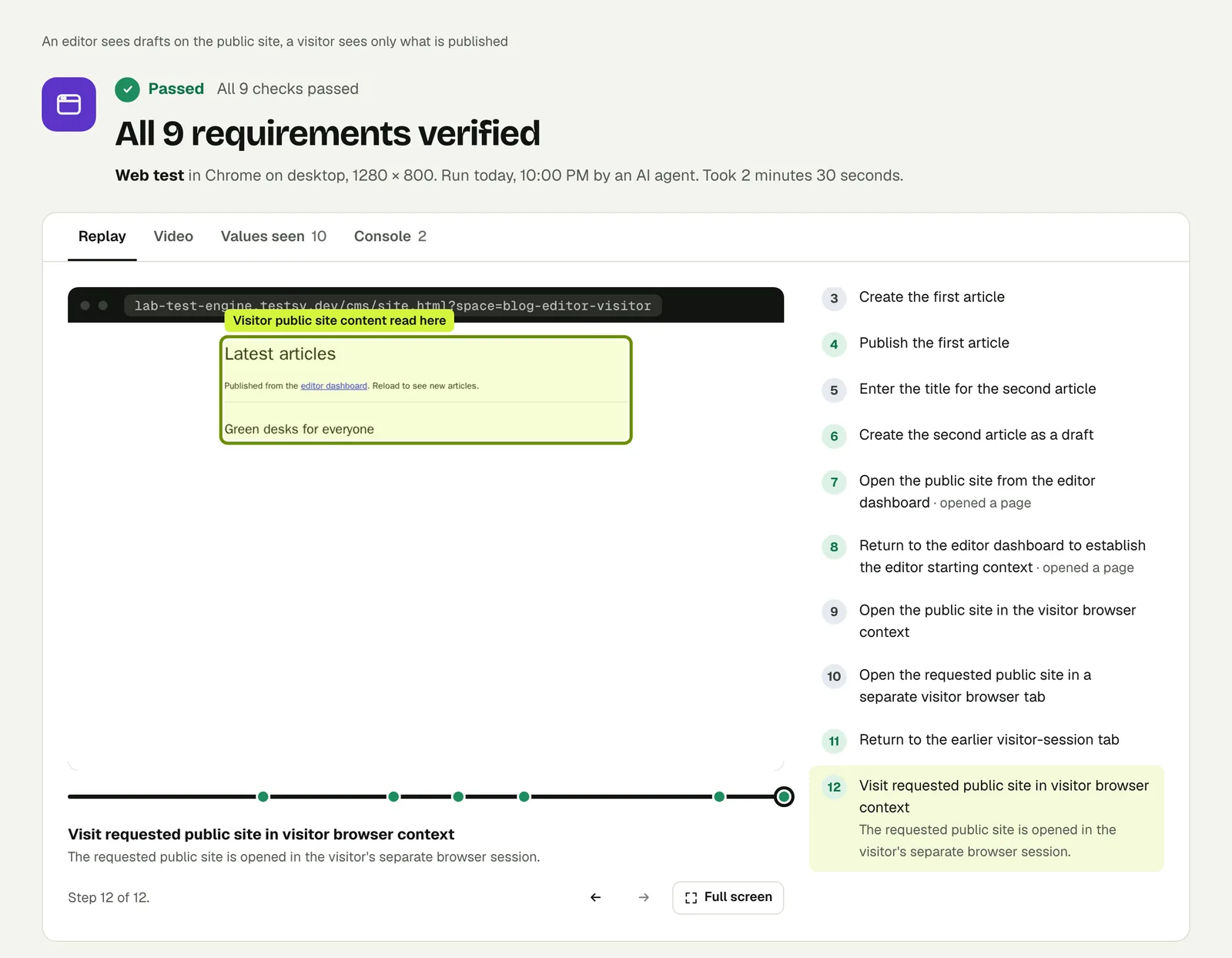
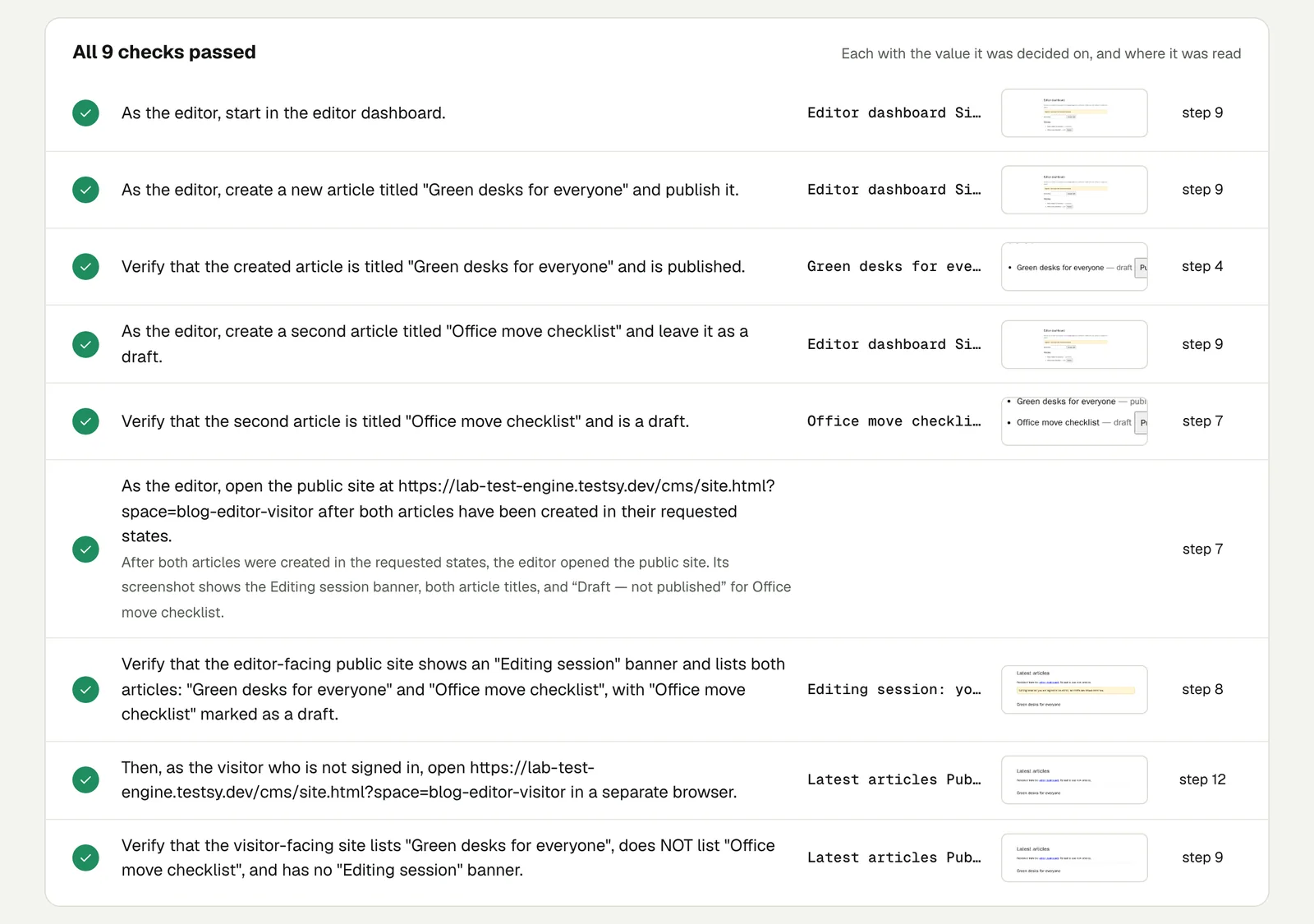
The reason recorded for the visitor's first check says how the two were kept apart: the visitor "uses an isolated browser context, separate from the editor".
Open the run to step through it. The link is read-only and stays live until 18 February 2027.
Had the visitor's check been made in the editor's browser, it would have found the draft and the banner, and failed. Had the site leaked drafts to everyone, the separate browser would have found that. One browser cannot tell those two apart.
The test: two addresses#
The second run uses two different web addresses, the way an admin site and a public site usually live on two.
This test uses two websites that share one back end: the editor
dashboard at
https://lab-test-engine.testsy.dev/cms/dashboard.html?space=blog-two-sites
and the public site at a different address,
https://api.testsy.dev/lab/cms/site.html?space=blog-two-sites.

1. In the editor dashboard, create a new article titled "Autumn opening
   hours" and a second one titled "Staff picnic photos".
2. Publish only "Autumn opening hours". Leave "Staff picnic photos" as
   a draft.
3. Open the public site at
   https://api.testsy.dev/lab/cms/site.html?space=blog-two-sites.
4. Verify that "Autumn opening hours" is listed there, that "Staff
   picnic photos" is NOT listed, and that the page shows no "Editing
   session" banner.
5. Go back to the editor dashboard and verify that it shows "Autumn
   opening hours" as published and "Staff picnic photos" as a draft.
The tester did the work on the first address, crossed to the second, read the list, and came back.
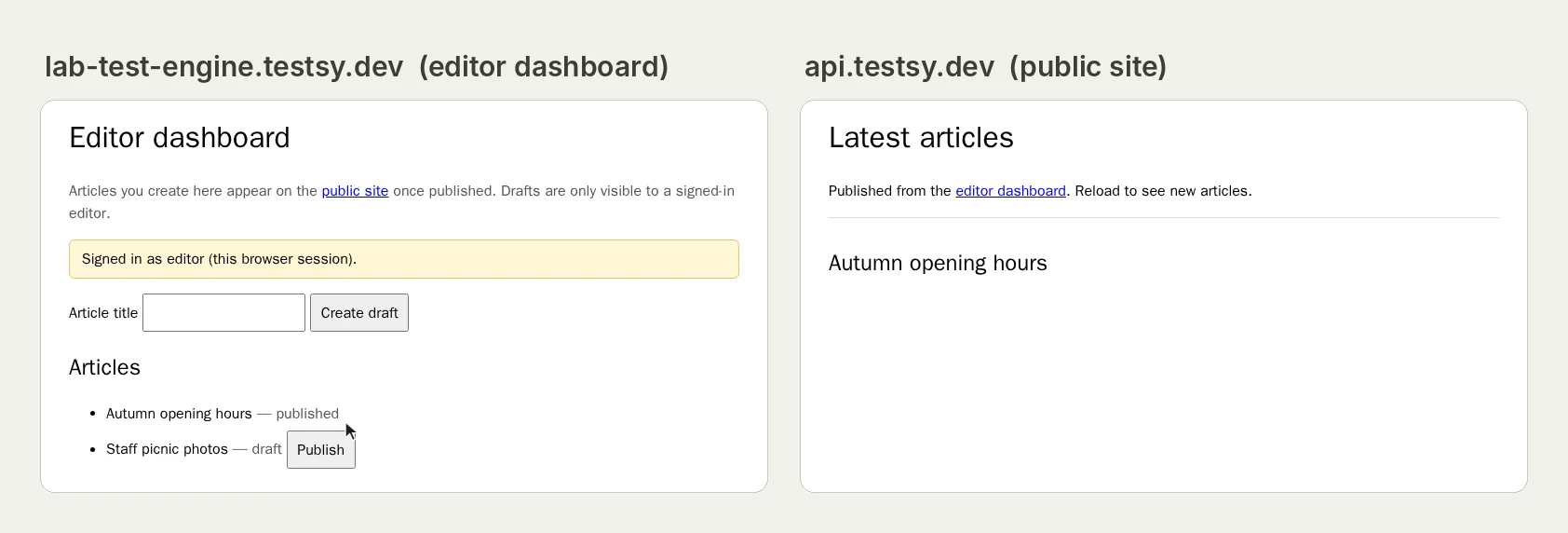
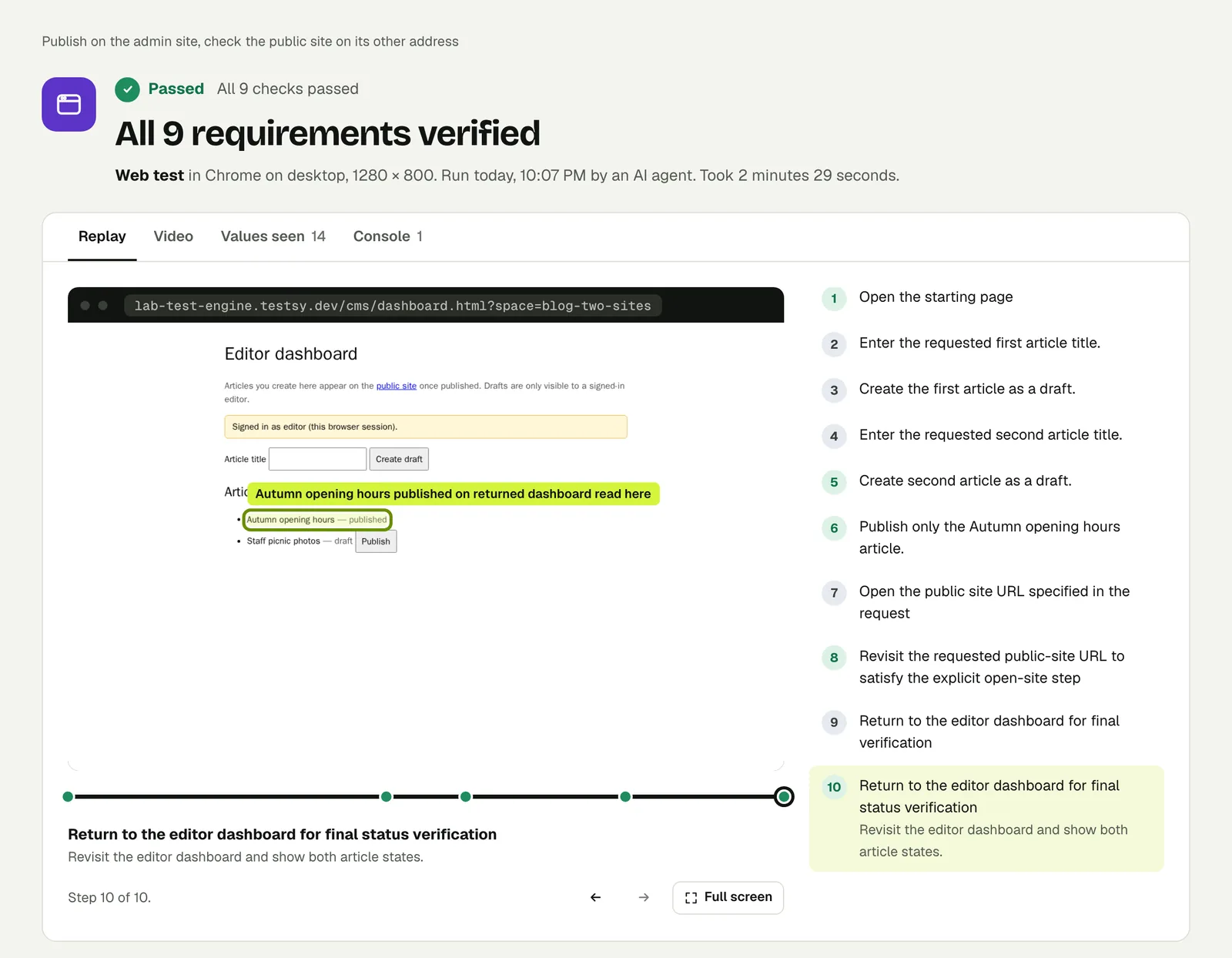
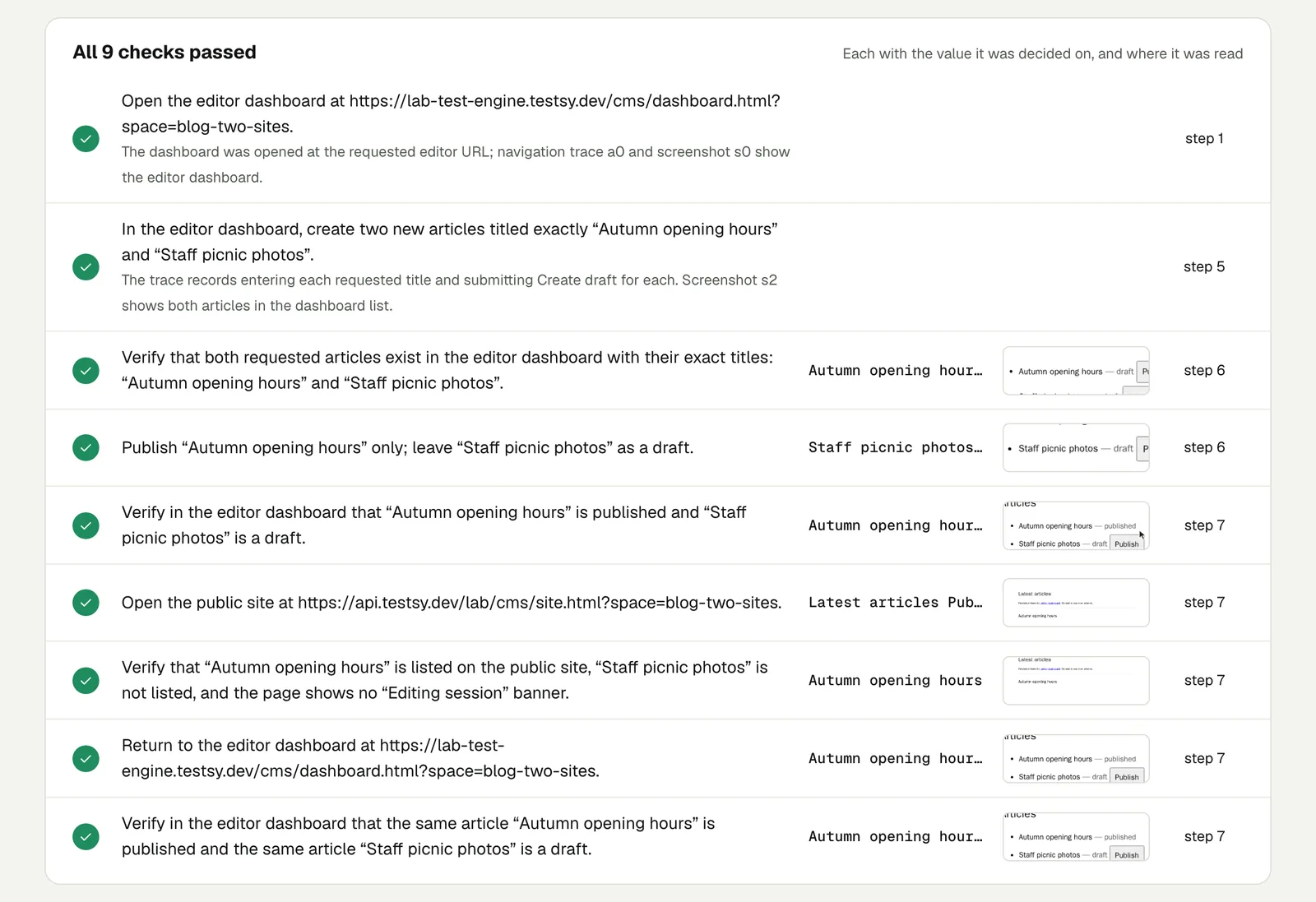
Open the second run. It stays live until 18 February 2027.
The run that did not pass#
Our first version of the two-person test asked for more: the visitor was to look at the public site in between the editor's two steps, while the article was still a draft, and again after it was published.
The tester did the editor's steps first and the visitor's afterwards. So the visitor's first look came after the article had been published, when it should have come before.
The result did not pass. It came back Inconclusive, 3 of 6 checks, with the reason written out: the visitor's look at the draft happened after publication, so the run could not show what a visitor saw before.
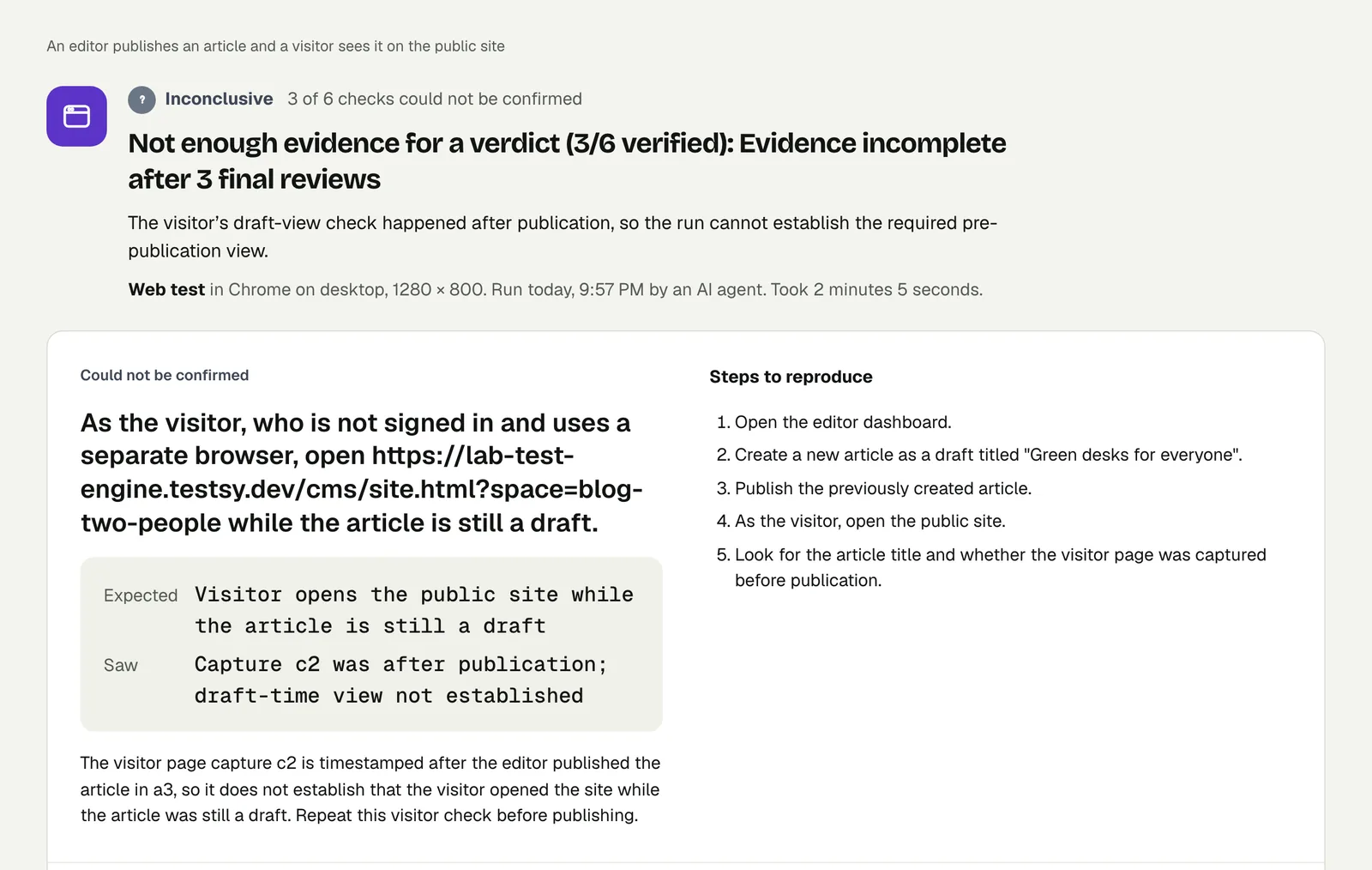
That run is open too. Nothing was wrong with the site. The tester had done the right things in the wrong order, and the review of its own evidence caught that and would not sign it off.
Two things to take from it. A verdict here rests on evidence in the right order, not on the tester saying it finished. And a test with two people is more reliable when each person's steps are kept together, as in the version that passed.
What these runs do and do not cover#
- They cover what crosses. A change made in one place, read in another, by someone with no session.
- Neither run has a review video. Each has the step-by-step replay and a screenshot for every check.
- Both addresses in the second run are our practice site. They are two addresses with separate sign-ins, served by one back end, like an admin site and a shop. A journey that goes to another company's site and back, such as a payment page or a company sign-in page, is not shown here.
- Two people is the limit shown. We have not published a run with three.
Write it for your app#
Two people take part: a shop manager, using the stored account
"manager", and a customer who is not signed in and uses a separate
browser.

As the manager, open the admin site, change the price of
"Canvas tote bag" to $19 and save.
As the customer, open the shop at https://shop.example.com, find
"Canvas tote bag" and check the price reads $19.Two people take part: an agent, using the stored account "agent",
and a customer in a separate browser.
As the customer, open the help page and send the chat message
"Where is my order 1042?".
As the agent, open the support inbox and check that message is at
the top. Reply "It ships today."
As the customer, check the reply appears in the chat.Passwords stay out of the test text. Name a sign-in account for each person who needs one.
Cases worth their own test:
- Unpublish. Take the article down in the admin and check the visitor gets "not found", not a cached copy.
- A role that should see less. Sign in as a member with a limited role and check the admin menu is not there.
- An invitation. The owner invites a teammate by email, and the teammate accepts from the message. That needs a mailbox: see Test email verification codes.
Run it#
Paste the first site's address into New test, say who takes part, and describe what each person does. Write a test covers wording steps and checks.
This post is one of a series: The hardest parts of web testing, each one run for real.
Filed underWebSign-in and codesBrowser behaviour