Test team invitations from the email to the joined workspace
Invitations cross two people, two sessions and an email. One plain-language test invites a second address, accepts from the email and checks both sides see the same team.
The growth loop nobody tests#
For a B2B product, invitations are how one paying user becomes a team. They are also one of the hardest flows to test by hand: you need two email addresses, two browsers, an email in the middle, and patience. So they get tested when the feature ships and then left alone, while the email template, the auth provider and the team model keep changing around them.
Typical breakages: the link opens a sign-up form that ignores the invitation; the invitee joins but lands in an empty workspace of their own; the role is wrong; the link works twice; the inviter's page still says "pending".
One mailbox, two addresses#
Each Testsy run can have its own mailbox. Adding +something before the @ reaches the same mailbox, so one run has as many addresses as it needs: the owner signs up with the plain address and invites the +bob one.
Two people take part: the owner, and Bob, who is invited and uses
a separate browser.

As the owner: sign up with this run's email address, confirm it from
the email, and name the workspace "QA Invite Co".
Open Team and invite this run's address with "+bob" before the @,
as a Member.
As Bob: open the invitation email sent to the +bob address and
follow its link. Create the account with the name "Bob Tester".
Check Bob lands in the workspace "QA Invite Co" and his role reads
Member.
As the owner: reload Team and check Bob is listed as a Member and
no invitation is pending.
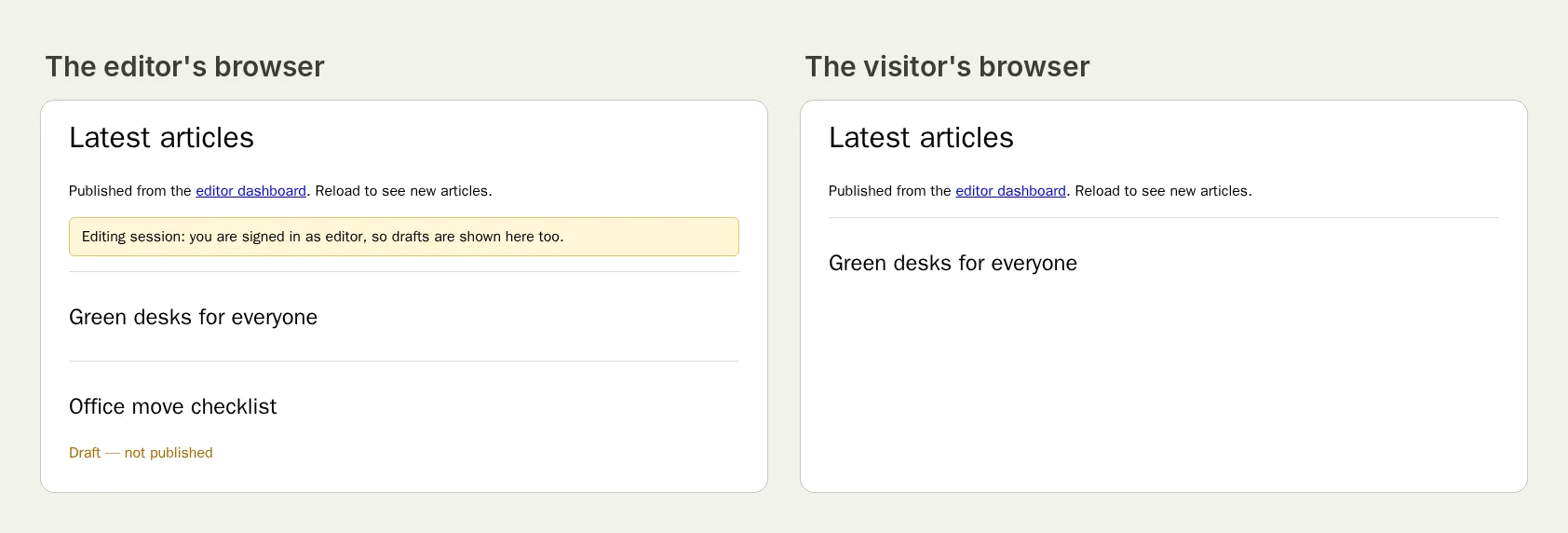
"In a separate browser" matters: Bob must not inherit the owner's session. We have a published two-person run on our practice site in which the visitor's browser was kept separate from the editor's (the run, live until 18 February 2027), and two-email runs where the tester told two messages apart in one mailbox (the run).
Cases worth their own run#
- The link used twice. Bob opens the invitation link again after joining and gets "already accepted", not a second account.
- Withdrawn invitation. The owner withdraws it before Bob clicks; the link says so.
- Expired invitation, if your links expire: test it on staging with a short expiry.
- Existing account. Bob already has an account under that address and accepts while signed in.
- Wrong person. The link is opened by someone signed in with a different address.
Messages stay private#
The emails a run received are kept in your workspace's Messages tab, with the links found in them. They are left out of share links and webhooks, since an invitation link may still work.
This post is part of Release testing for product teams.
Filed underWebSign-in and codesEmails and messages