Sign-up email links to localhost? Catch it before your users do
A confirmation or reset email that points at localhost or an old preview is a common bug in AI-built apps. A test that opens the real email finds it on the first run.
The bug you cannot see from your own laptop#
Your app works. You sign up, the confirmation email arrives, you click it, you are in. Then a real user signs up and the link in their email opens http://localhost:3000, a page that only exists on your machine.
It is one of the most reported sign-up bugs in apps built on Supabase, which is what Lovable and many AI-built apps use. Threads keep appearing: a confirmation link that goes back to localhost after the app is in production, an account that is verified but redirected to localhost instead of the app. One developer who kept seeing it lists the four places to compare: the Site URL, the allowed redirect URLs, the callback path the app sends, and any redirect set in code.
You do not see it because on your laptop localhost is the right answer. The only way to see it is to sign up the way a stranger would, on the live site, and follow the email.
Why it slips through#
- The setting lives in the auth provider's dashboard, not in the code the agent edits. The agent can rewrite every file and never touch it.
- The email arrives, so it looks like it worked. Nobody clicks the link from a fresh browser.
- The link can be right for sign-up and wrong for password reset, or right for production and wrong for a preview, because each comes from a different setting.
The test#
Each Testsy run can have a mailbox of its own. The tester signs up with that address, waits for your email, opens it and follows the link, in the same browser, like a user. It is on every plan, the free trial too.
On https://app.example.com, sign up with this run's email address
and a test password.
Wait for the confirmation email and open the link in it.
Check that the page it opens is on app.example.com, not localhost
or a preview address.
Check that the app shows the new account as confirmed.
Then sign out, sign in again with the same address and password,
and check the dashboard opens.
If the link points somewhere else, the run fails on the check that names it, with what was expected and what was seen. In your workspace the Messages tab keeps the email itself, with the link found in it, so you can see exactly which URL your app sent.
What a run with an email looks like#
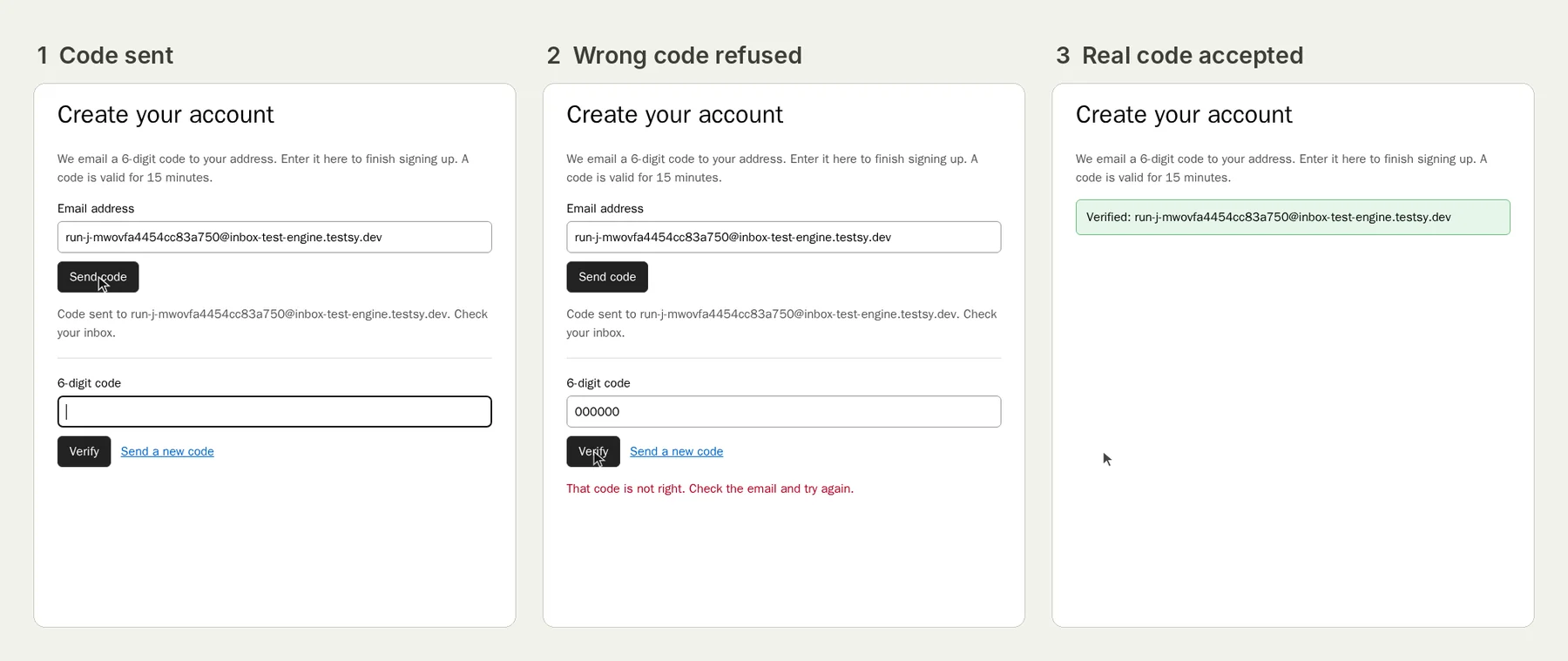
We have run the code version of this on our practice site: the tester signed up with its own address, was refused with a wrong code, read the real one from the email and verified the account.
Open the run; it stays live until 18 February 2027. The full write-up is Test email verification codes, the wrong code and the resend too. A link works the same way: write "open the link in the email" instead of "read the code".
Run it for every email that carries a link#
- Password reset. The reset link often comes from a different setting from the sign-up link. Test password reset from the email to the new password.
- Magic links. Sign in with the run's address and follow the link.
- Invitations. Invite the run's address to a team and accept from the email.
Run them after every deploy, or on a schedule: this bug comes back whenever someone changes a domain or adds a new environment.
Before you run it#
- Point it at a site where creating an account is fine, and use made-up details.
- Run addresses end in
@inbox-test-engine.testsy.dev. If your sign-up only accepts some email domains, allow that one. - Start from the editable sign-up and email test.
This post is part of Testing an app you built with AI.
Filed underWebSign-in and codesAI-built appsEmails and messages