Test your app as a brand-new user, not as yourself
Your account has data, a team and every flag on. A new user's has nothing. Sign up fresh on every run and check the first thing a new user must be able to create.
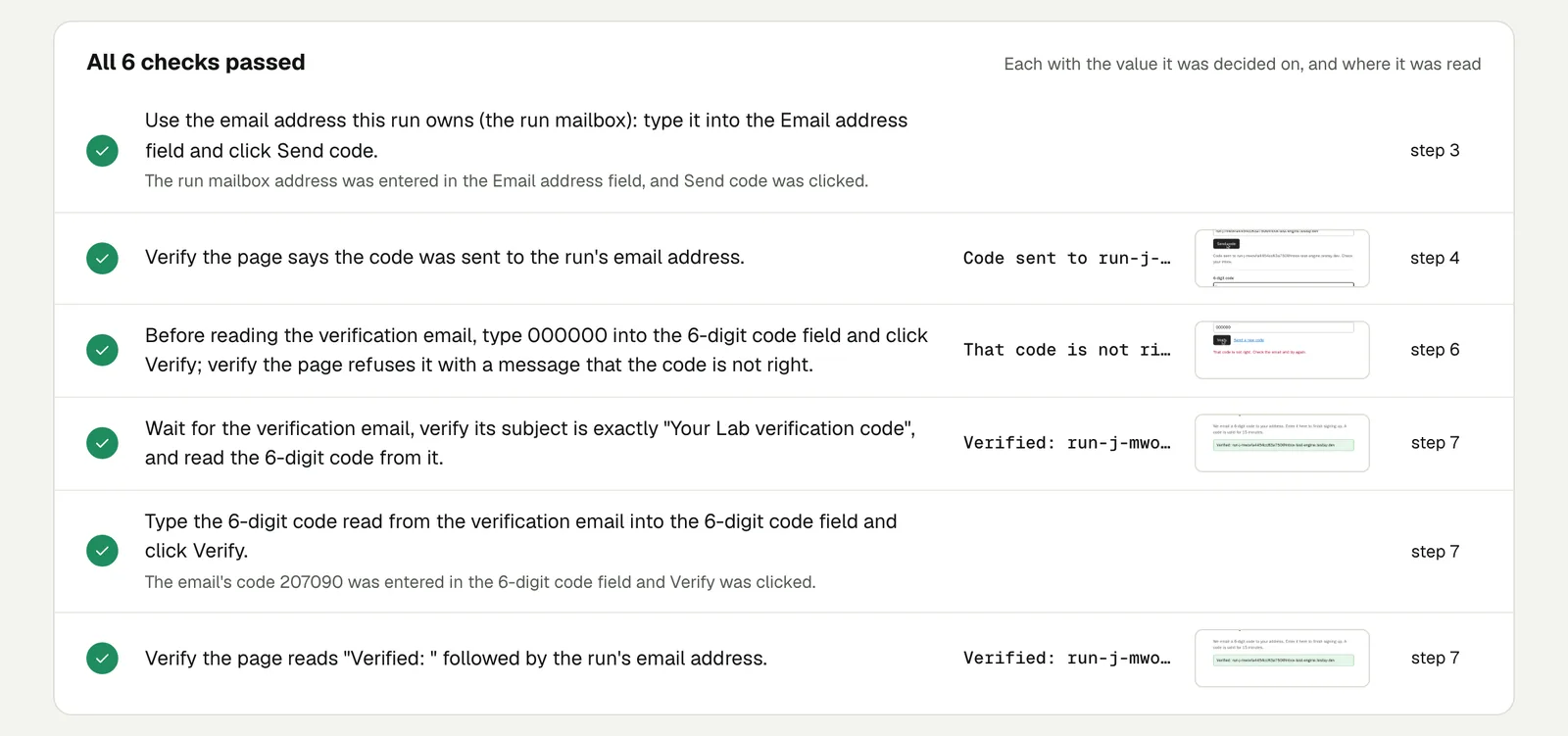
You never see what a new user sees#
Everything you check by hand happens in your own account: months of data, a team, an admin role, every setting you ever turned on. A new user arrives with none of that.
Founders keep finding this out from their first users. One wrote up the autopsy of a first real sign-up that could not sign up, then hit a dead end in the onboarding wizard, while every test was green; the tests had switched on a flag and faked a search that new accounts never got. Their new rule: every onboarding test runs against a factory-default account.
A developer on dev.to puts the cause plainly: you build and demo with seed data, and you skipped past the empty state weeks ago.
The test: a stranger, every run#
Give the test a mailbox. Each run then gets an email address nobody has used, signs up, confirms, and arrives in the app exactly as a stranger does: no data, no team, no flags.
Sign up with the test's email address and the name "Day One".
Open the confirmation email and follow its link.
Follow whatever the app asks a new user to do first.
Create a first project named "First project".
Reload the page.
Check "First project" is listed and no error message is shown.
The check is on the first thing that lasts: a project, a document, a booking, whatever your product is for. A sign-up that ends on an empty dashboard with a broken Create button is not a working sign-up, and only a check on the created thing catches it.
Why a new address every time#
- An address used before may already have an account, a team or a half-finished onboarding.
- A stored test account drifts: after a month of runs it has data a new user never has.
- Rules about new accounts (trial limits, welcome emails, the first-project wizard) only run once per account.
The mailbox address looks like run-…@inbox-test-engine.testsy.dev; if your sign-up form only accepts some email domains, allow this one.
What a sign-up run looks like#
On our practice site a run signed up with its own address, typed a wrong code first, then read the real code from the email and verified.
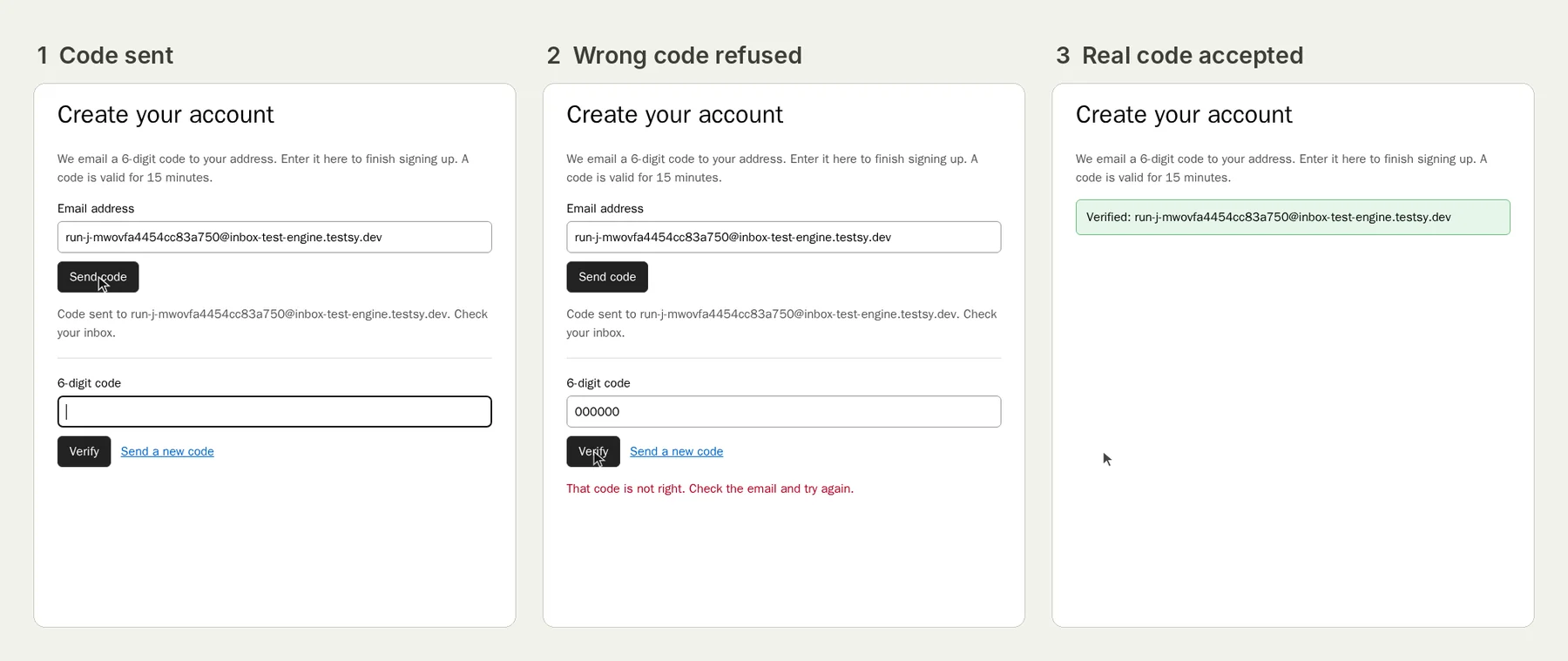
The write-up is Test email verification codes; open the run (live until 18 February 2027).
Then test the other states#
New is one state. Two more are worth a test each:
- An invited member with a limited role, who joins someone else's workspace: see Test team invitations by email.
- A returning user with existing data, signed in with a stored account: see Saved, then gone after a refresh.
Test accounts pile up in your database, one per run. Mark them so they stay out of your numbers: Run tests in production without polluting your data.
This post is part of Testing an app you built with AI.
Filed underWebSign-in and codesAI-built appsEmails and messages