Test a long list on Android: scroll, swipe to delete, pull to refresh
Lists are where scrolling, swipe actions and pull to refresh compete for the same finger. A real Android run scrolls to item 75, swipes one away and refreshes.
Three gestures, one list#
Most apps are lists: messages, orders, tasks, products. And most lists ask three things of the same finger: scroll, swipe a row to act on it, pull down to refresh. Each is a gesture handler, and they compete.
React Native shows how often that goes wrong. A FlatList nested in a ScrollView breaks scrolling and pull to refresh, differently on iOS and on Android. A ScrollView from the gesture library breaks the refresh control on Android. A FlatList's refresh control does not show up on Android with some children. Swipeable rows inside a list stop the list from scrolling.
Long lists add their own failures: the row a hundred items down that is never rendered, the details screen that opens the wrong item because the list recycled its rows, the deleted row that comes back after a refresh.
The test#
Open List. Scroll to Item 75, open it and verify the details say
You opened Item 75, then go back. Delete Item 3 by swiping it,
then pull the list down to refresh it. Verify the header shows
Rows: 99, Deleted: Item 3 and Refreshed: 1.
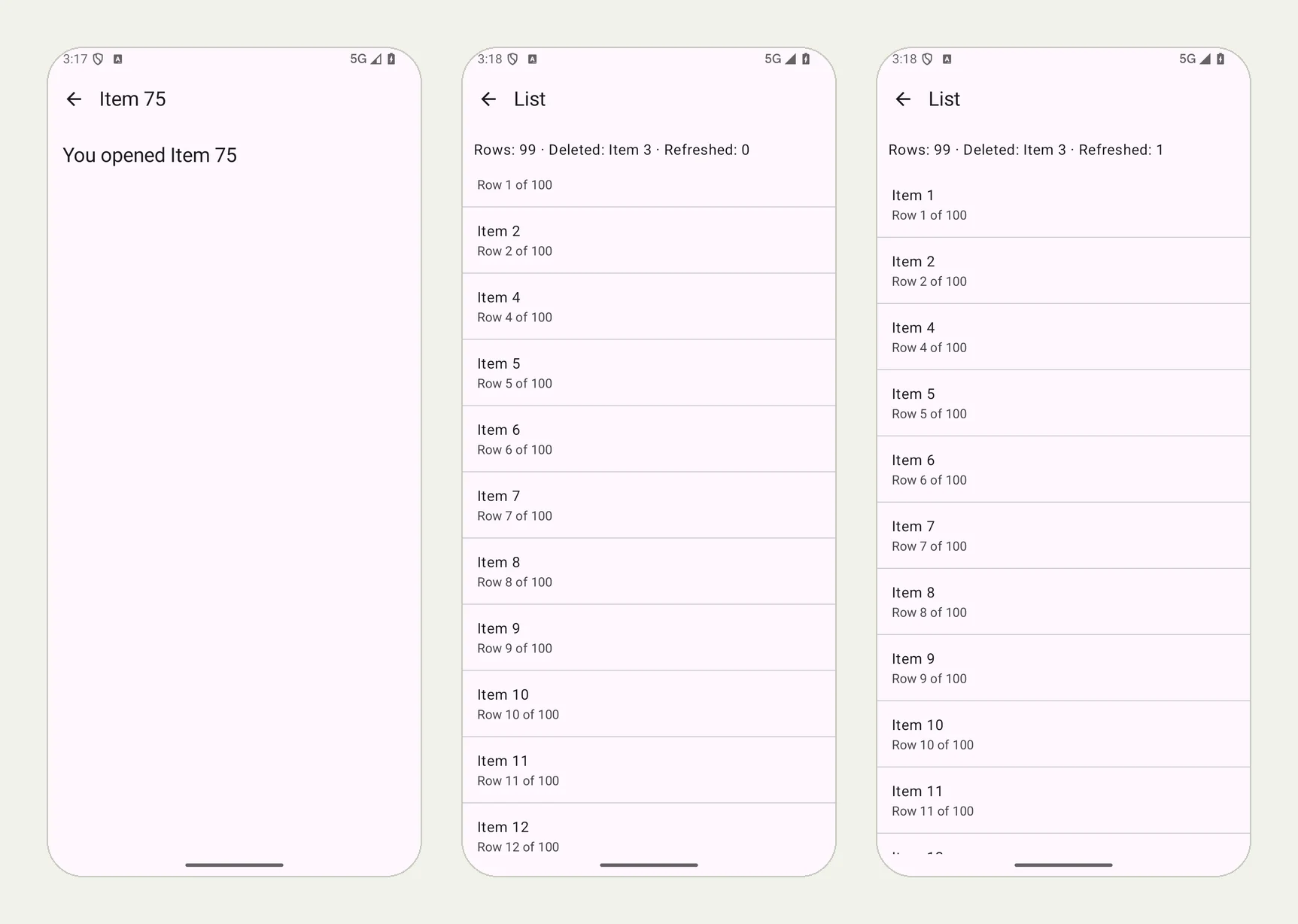
We ran it on an Android 16 phone with our practice app QA Lab. The picture at the top of this page shows three moments from the run: Item 75's details, the list after Item 3 was swiped away (Rows: 99 · Deleted: Item 3 · Refreshed: 0), and the same header after the pull to refresh (Refreshed: 1). All 7 checks passed in 2 minutes 8 seconds.
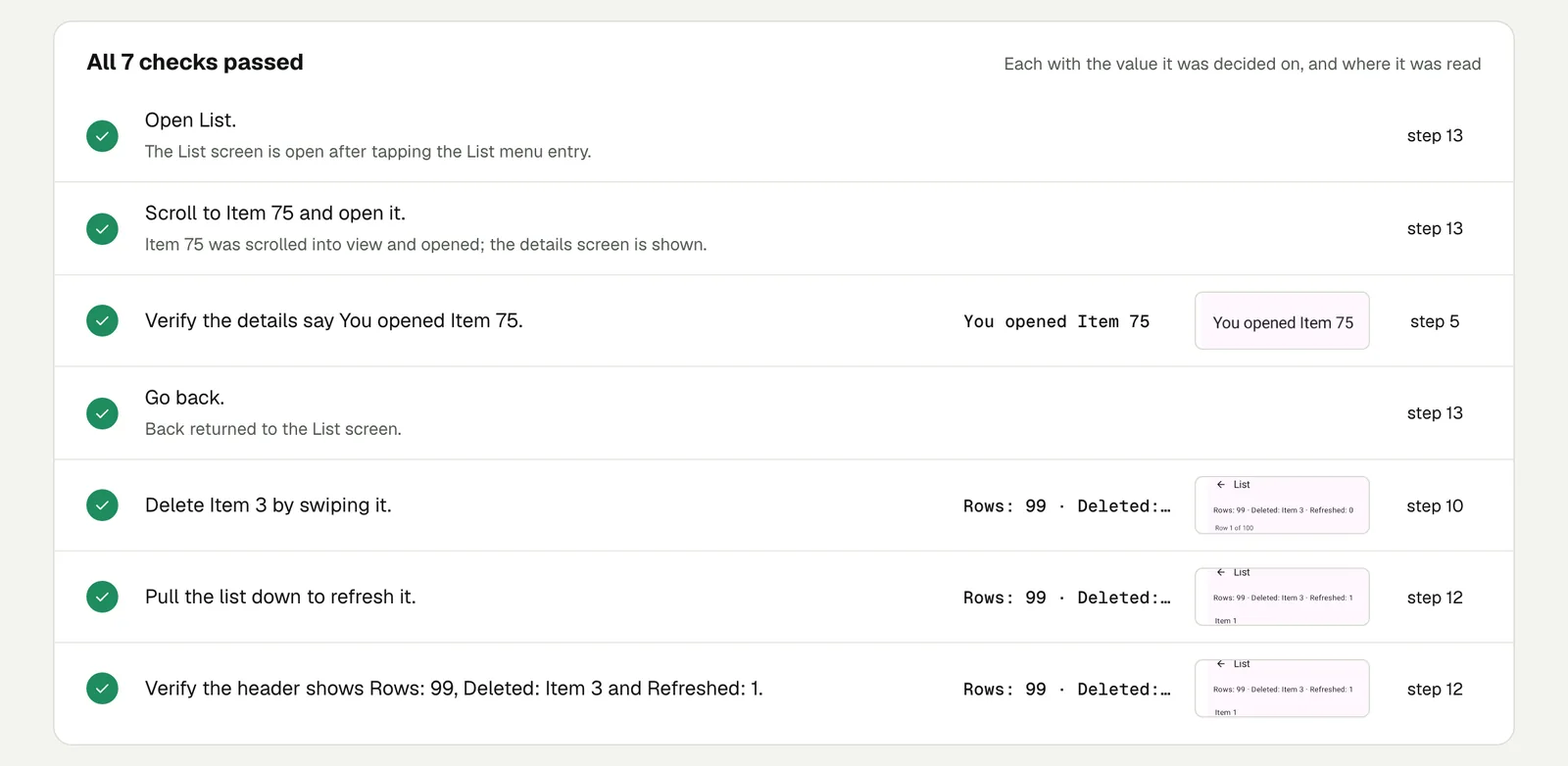
Open the run (live until 18 February 2027).
What makes it a good list test#
- Open an item far down. "Scroll to Item 75 and open it" checks the list renders rows it did not show at first, and that the tap opens the row you tapped, not a recycled neighbour.
- Check counts, not looks. "Rows: 99" after one delete is checkable. "The item is gone" is easy to pass on the wrong screen.
- Refresh after you change something. A delete that the server did not save comes back on refresh. Checking after the refresh is what catches it.
Your app probably has no header that counts rows. Check what a user would see instead: the item is not in the list, the badge on the tab says 41 instead of 42, the empty state appears when the last item is gone.
Run it on both platforms#
The same text runs on iPhone too, without changing it (one test for iPhone and Android). Gesture bugs are often on one platform only, so it is worth both. And if your list sits inside another scrolling view, run it on a smaller phone or a tablet as well (OS versions and devices).
The other gestures (long press, drag to reorder, pinch) are in Test gestures in a mobile app.
This post is part of Mobile release testing for app teams.
Filed underAndroidHard interactions