“Coupon applied” is not a discount: test the total, not the message
An app says the coupon was applied and charges full price. A real Android run caught exactly that, because the check was on the subtotal, not on the message.
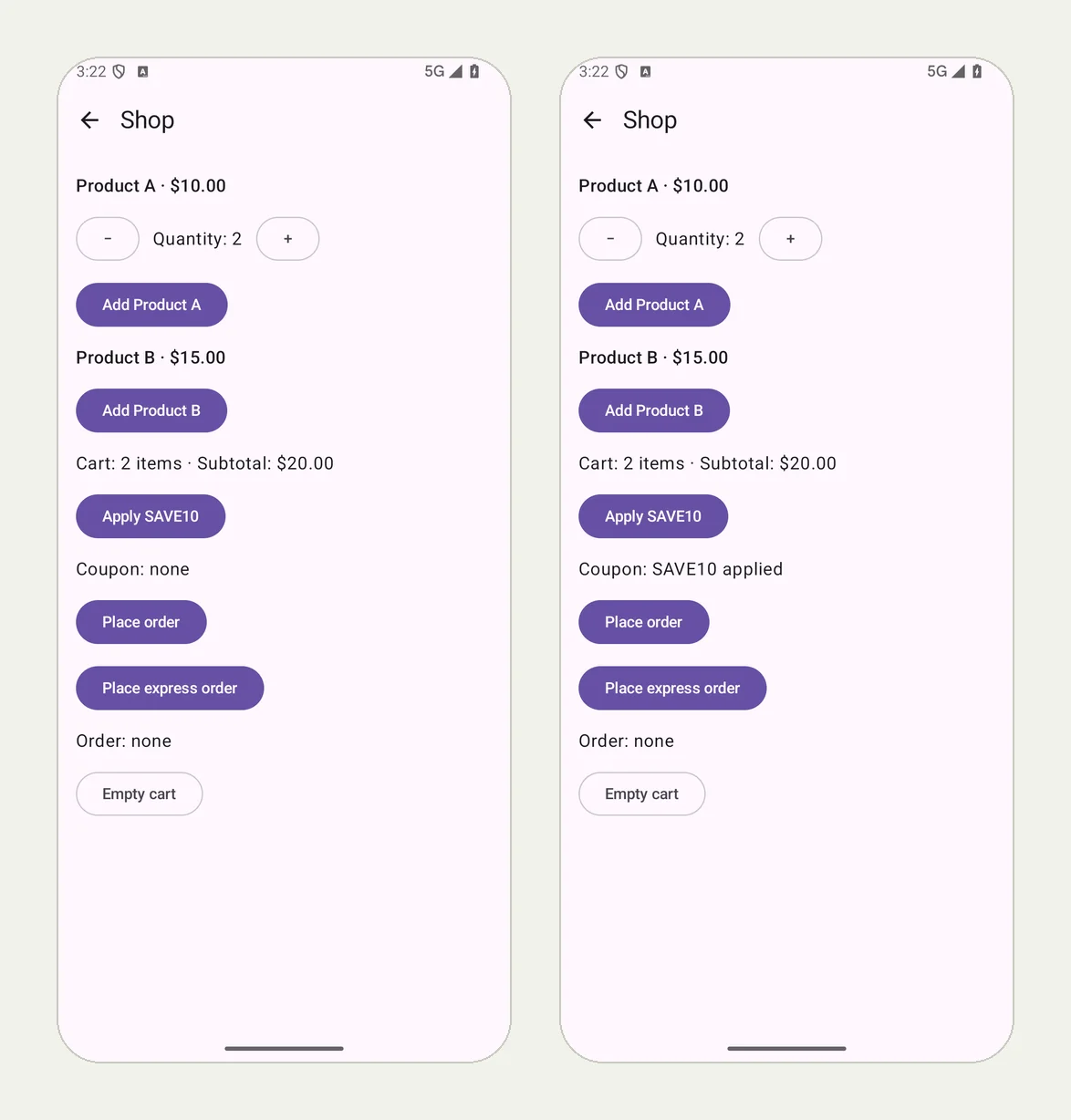
The message lies, the number does not#
A shopper types a promo code. The app says Coupon applied. The cart still shows the full price, and the shopper pays it, or abandons the cart and writes a one-star review about it.
Coupon and discount bugs are a classic for a reason: the message and the maths live in different code. The message is set when the code is accepted; the discount is computed somewhere else, for some products, on some cart states. A test that checks for the message passes either way.
A run that caught it#
Our practice app QA Lab has a small shop with a planted bug: the SAVE10 coupon says it was applied and takes nothing off. We wrote the test the way a careful shopper thinks:
Open Shop. Increase Product A's quantity to 2 and tap Add Product A;
verify Cart: 2 items · Subtotal: $20.00. Tap Apply SAVE10 and verify
the coupon takes 10% off: Subtotal: $18.00. Then tap Add Product B
and record the cart line. Tap Place order and record the order line,
including the total charged.
On an Android 16 phone, the run failed, as it should, in 58 seconds. The picture at the top of this page shows the moments that matter: the cart at $20.00, and the screen after the coupon, saying Coupon: SAVE10 applied with the subtotal still $20.00.
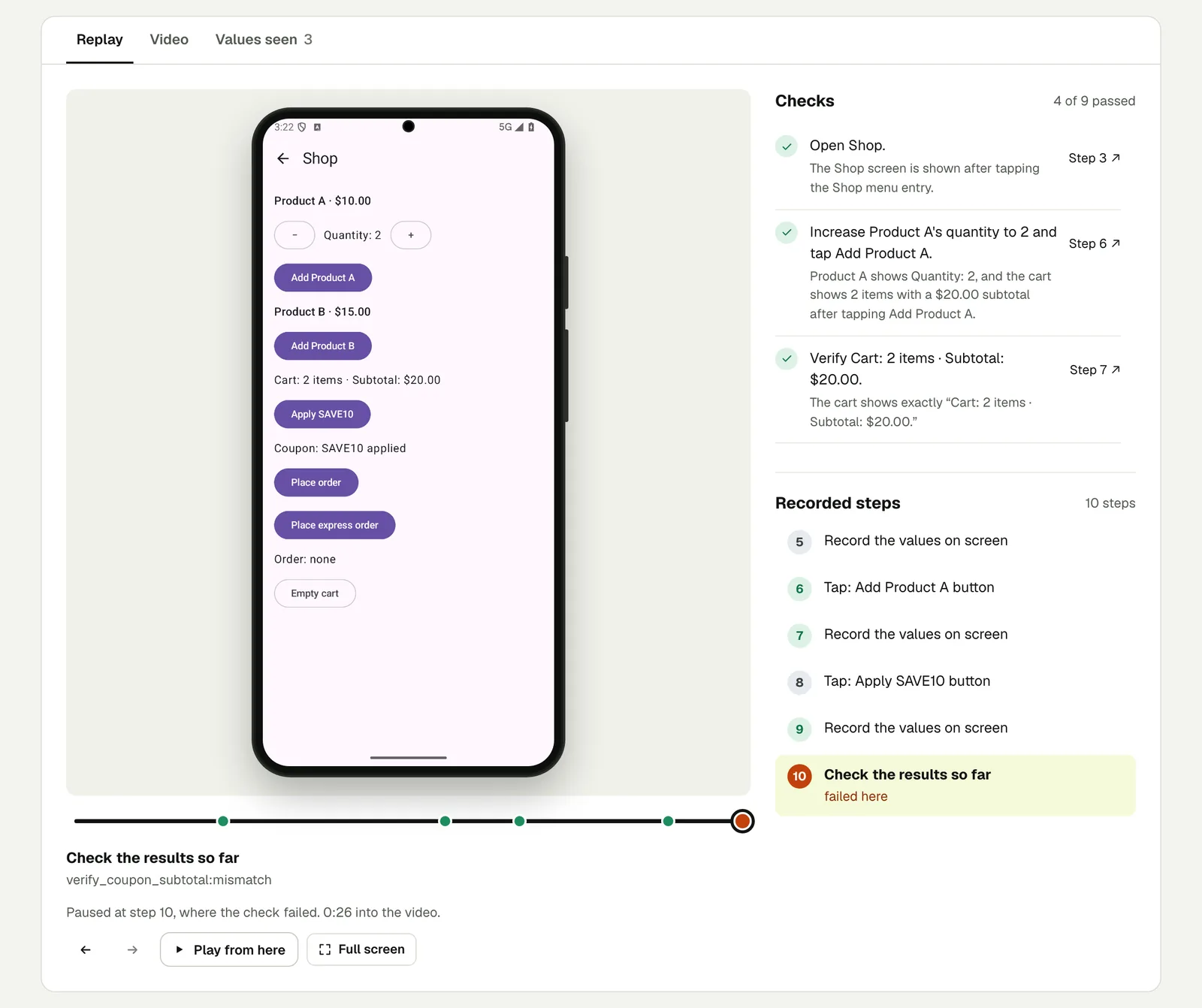
The reason in the result does the arithmetic: the screen shows the coupon applied, "but the subtotal remains $20.00. A 10% discount on $20.00 is $2.00, so the expected subtotal is $20.00 − $2.00 = $18.00." The steps after it (adding Product B, placing the order) were not run, because there is no point checking an order total built on a wrong subtotal.
Open the run (live until 18 February 2027).
How to write discount tests that catch this#
- Check the number the discount changes, written out: "Subtotal: $18.00", not "the discount is applied".
- Check before and after. The $20.00 check before the coupon makes the $18.00 check after it meaningful.
- Check the total charged, too. The order confirmation or receipt should carry the same discounted amount. A run with a mailbox can check the receipt email as well.
- Try the codes that must fail. An expired code, a code for another product, the same code twice: each should say why it was refused and leave the total alone.
The same rule holds for any number an app computes: tax, shipping, a plan's prorated price. Check the numbers on screen has more on writing those checks.
A note on the headline#
The result's headline begins with "Application mismatch", which is our engine's wording for "the app did not do what the test expected". The check and its reason underneath say what that means in plain words, and those are what to send to whoever fixes the bug.
This post is part of Mobile release testing for app teams.
Filed underAndroidForms and checkoutVerdicts and proof