Mobile tests that survive a redesign
Mobile end-to-end suites fail when screens change and the app still works. Why locator-based tests break, and how a test written as behaviour keeps passing.
Failing while the app is fine#
Shopify's mobile team wrote about the moment they gave up on their old approach: their Appium suite kept failing while the app was fine. That is the worst result a suite can produce. Every false failure teaches the team that red means "probably nothing", and the real failure gets the same shrug.
The usual cause is locators. A mobile test finds elements by accessibility id, by text, by position in the hierarchy. A redesign moves things, renames them, wraps them in new containers, and the locators stop matching. The test fails; the app works.
Describe what a person does#
Open Settings and switch Units to Fahrenheit.
Go back to Home and check the temperature is shown in °F.
That sentence survives a new settings screen, a new tab bar, a move from a list to a sheet. If the switch moves into a submenu, the tester finds it there. The first passing run learns the path, later runs replay it, and when the app has changed the run explores again and learns the new path (learned paths).
When the test should change#
It should change when the behaviour changes: the setting is renamed, a confirmation step is added, the default unit becomes Celsius. That is maintenance worth doing, because the product changed.
Proof for every pass#
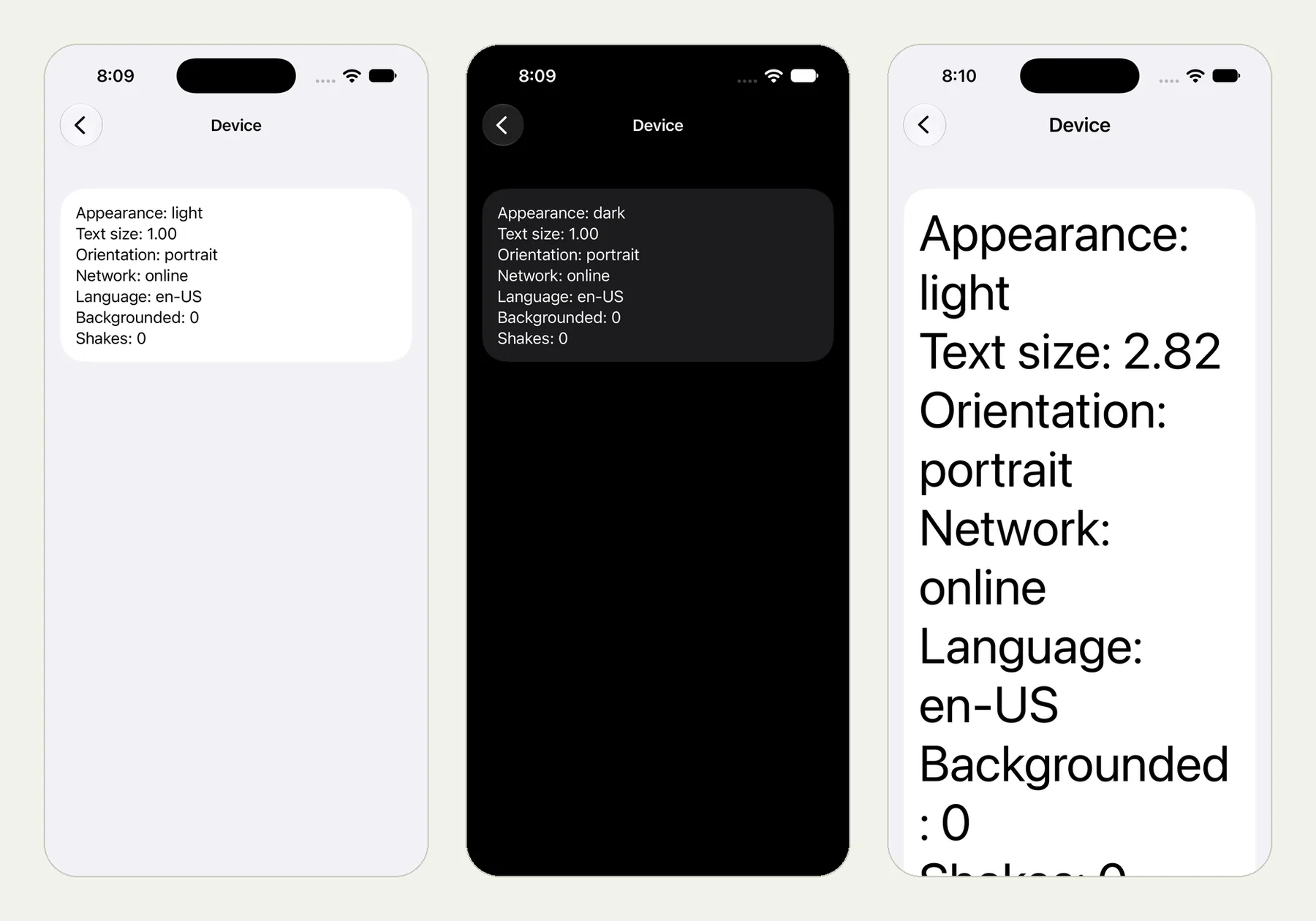
A test that adapts needs to show what it actually saw. Each check keeps the value it was decided on and the crop of the screen, and the replay draws every tap. In our device-settings runs, the checks recorded the text read after rotation, in dark mode and with large text (the post; the picture at the top of this page is from it).
Start with the tests that break most#
Look at your scripted suite's history. The flows that fail after each UI release, while nothing was wrong, are the ones to move first. Keep the fast, precise unit and integration tests you have; use behaviour tests for the journeys a user takes.
This post is part of Mobile release testing: a guide for app teams.