Test your app offline, on low battery and during a phone call
A phone loses signal, runs low and rings. Two plain-language tests on Android switch the network off and on, set the battery to 15% and take an incoming call.
A phone is not a desk#
An app is written on a desk, on fast Wi-Fi, plugged in, with nobody calling. It is used on a train, at 15% battery, by someone whose mother rings in the middle of checkout.
Each of those is a state of the phone, not of your app:
- The network drops. The request your app just made will never answer.
- The battery runs low. The phone may turn on power saving and slow background work.
- A call comes in. Your app is pushed aside and comes back a minute later.
They are hard to test for a dull reason: you have to do something to the phone itself. Walk to the lift to lose signal. Wait for a battery to drain. Find a second phone and call the first one. So these get tested when a user complains.
Test 1: the network drops and comes back#
Written as plain text and run on an Android phone with Android 16:
Open Device. Turn the phone's network off and verify Network: offline,
then turn it back on and verify Network: online.
Go back, open Sensors, set the phone's battery to 15% and unplugged,
and verify Battery: 15% · unplugged.
The app is QA Lab, our practice app. Its Device and Sensors screens show what the app is told by the phone.
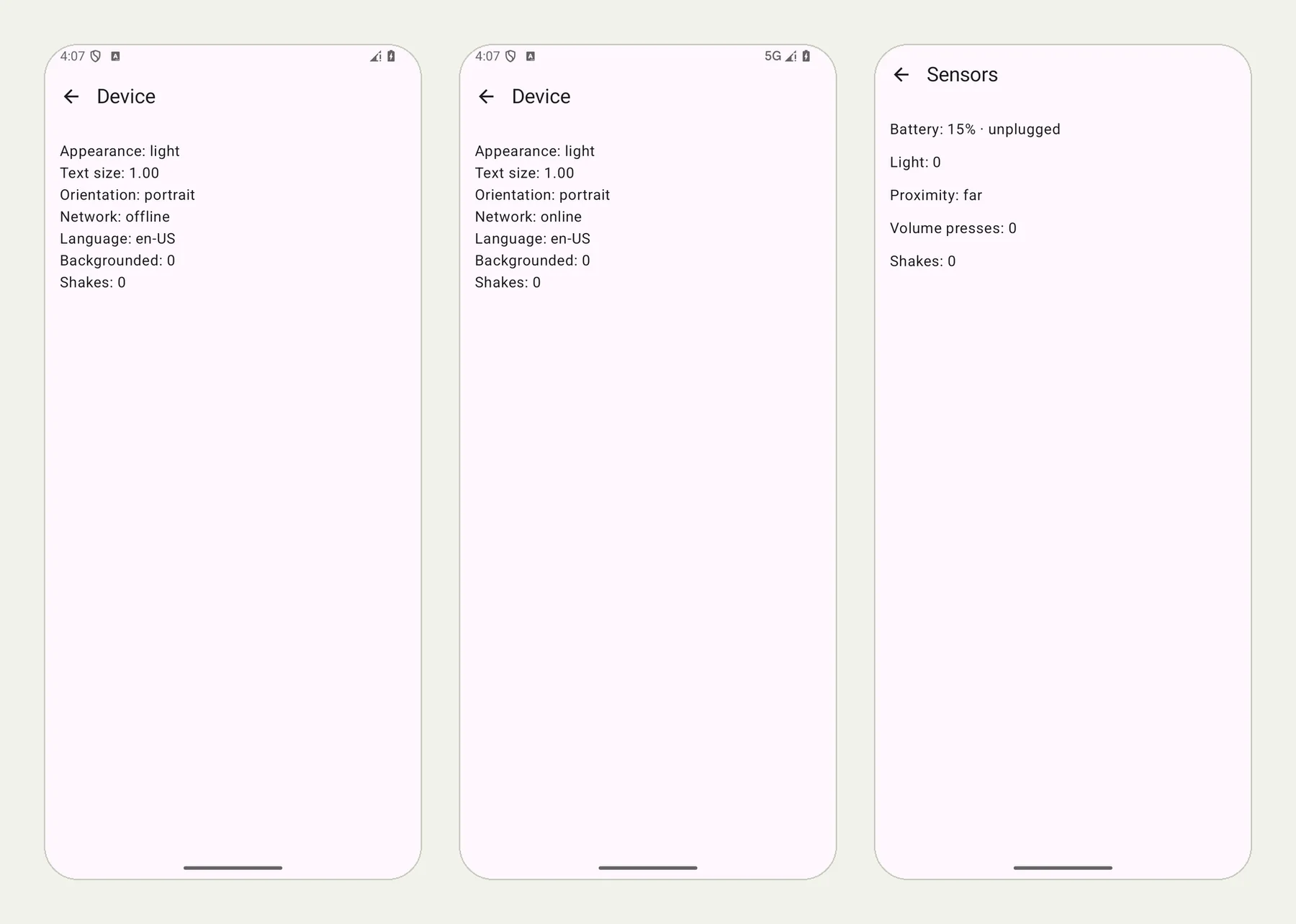
The picture at the top of this page shows three frames from the run: the app offline (no signal in the status bar), online again on 5G, and the battery at 15% and unplugged.
The test changed the phone, and the app noticed each time. Look at the status bar in the first two frames: the signal is gone, then back. The run checked what the app showed, and it also confirmed the phone's own state: for the battery, the phone reported 15% and not charging, and the app showed the same.
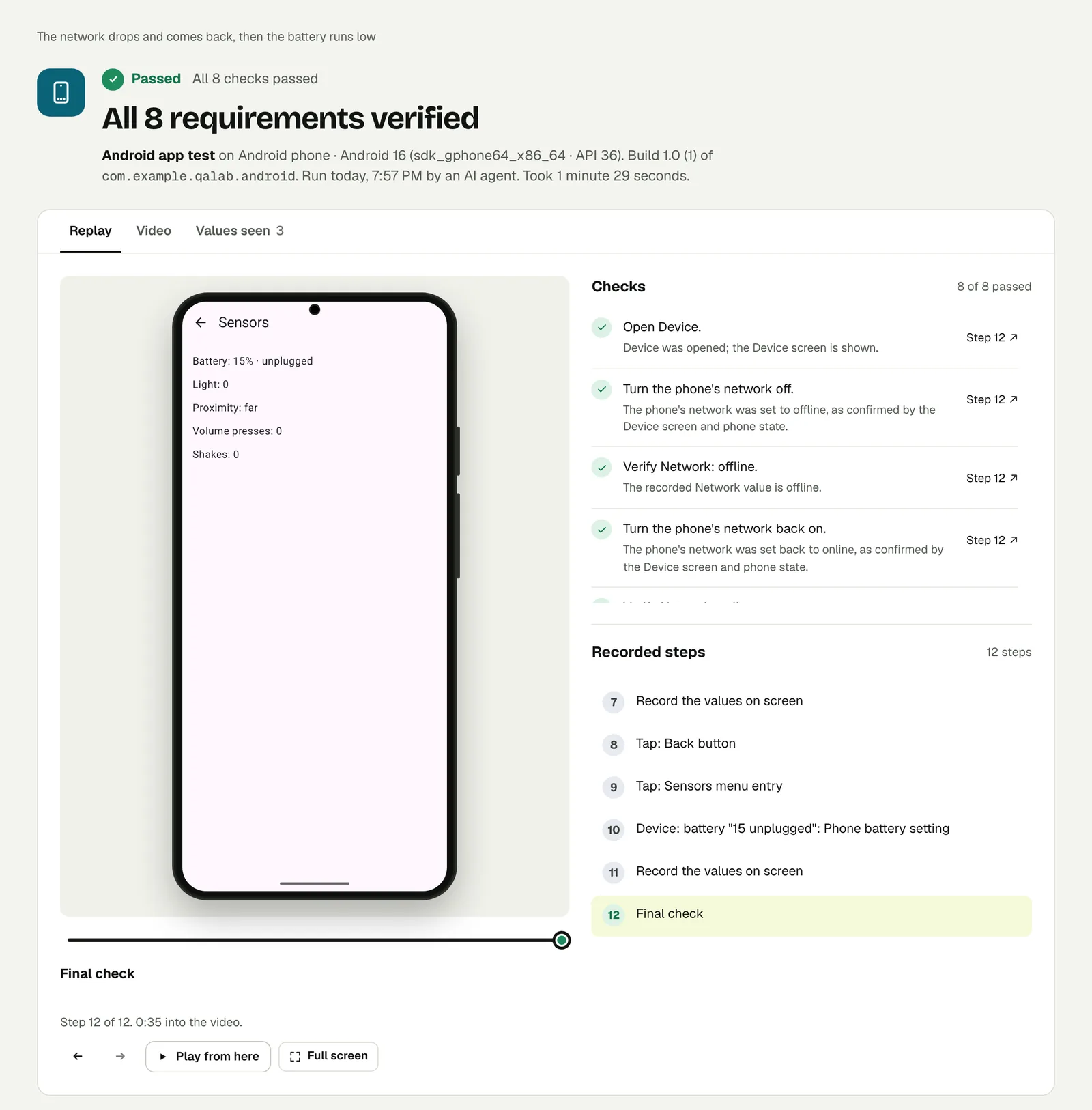
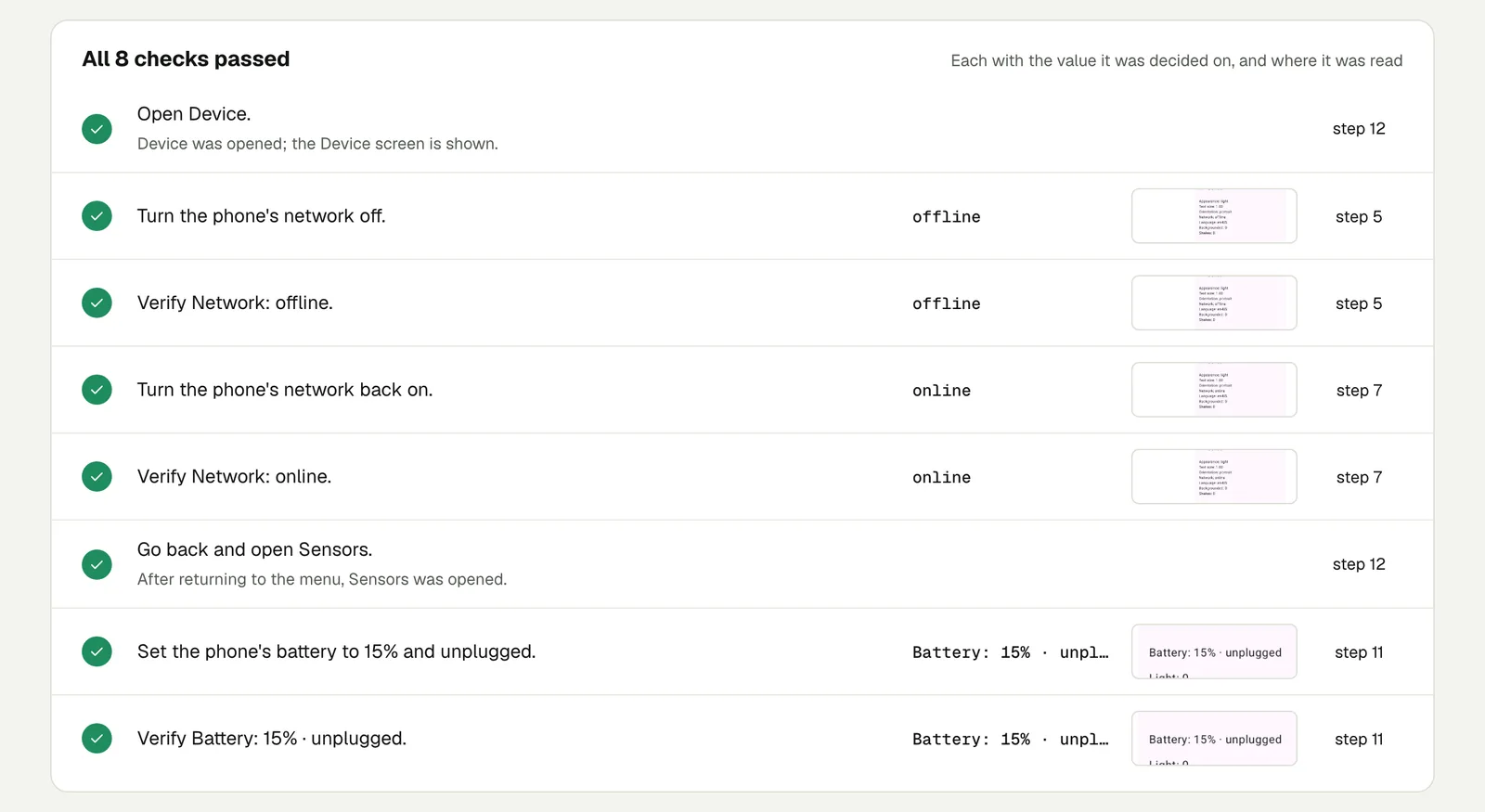
Open the run. The link is read-only and stays live until 18 February 2027.
Test 2: a call comes in#
Open Messages & calls in the Phone section (allow phone access
if asked), let an incoming phone call ring for 3 seconds and hang up,
then verify Calls: 1.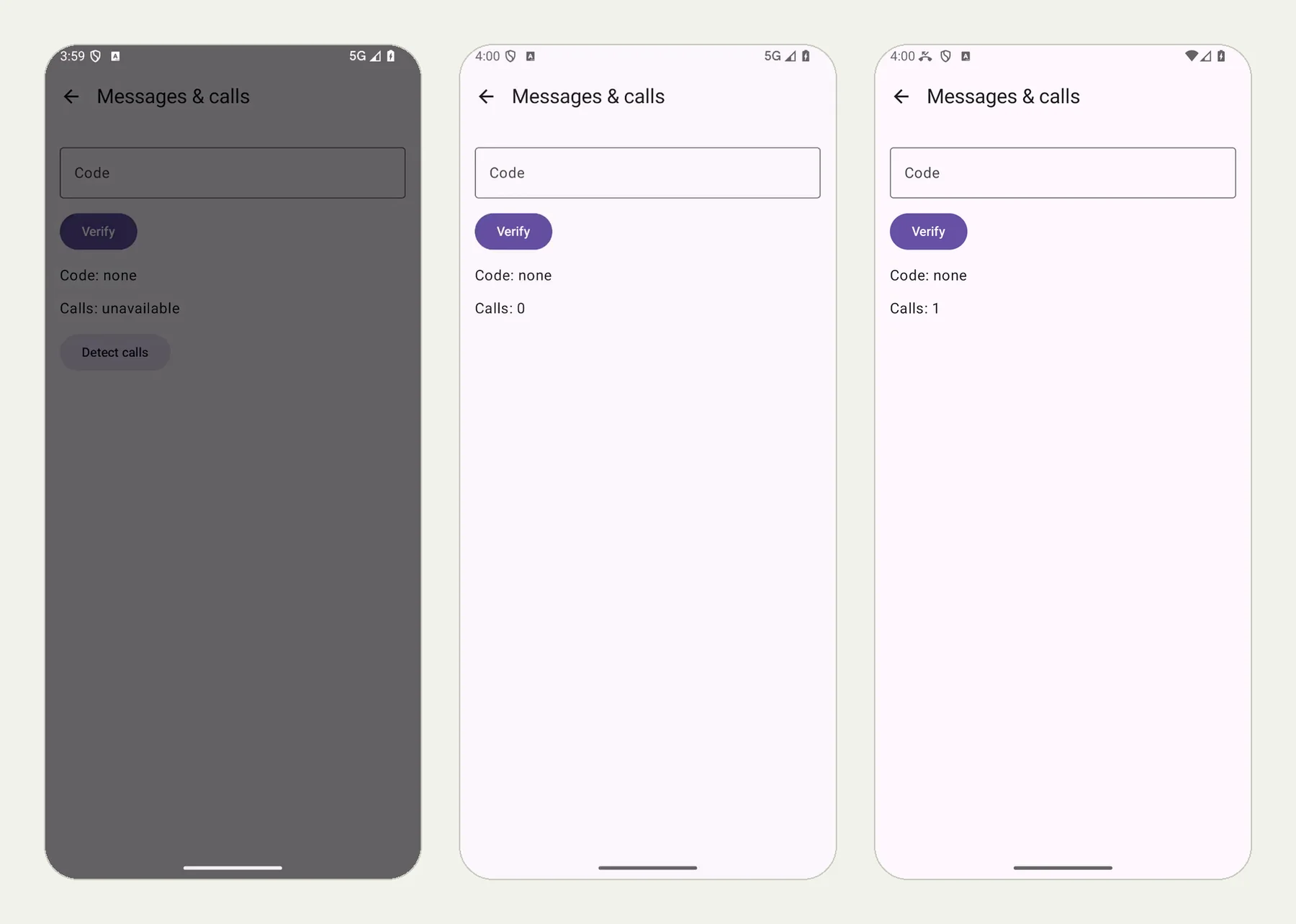
The phone rang for three seconds. The app counted one call, and the check read "Calls: 1" from the screen.
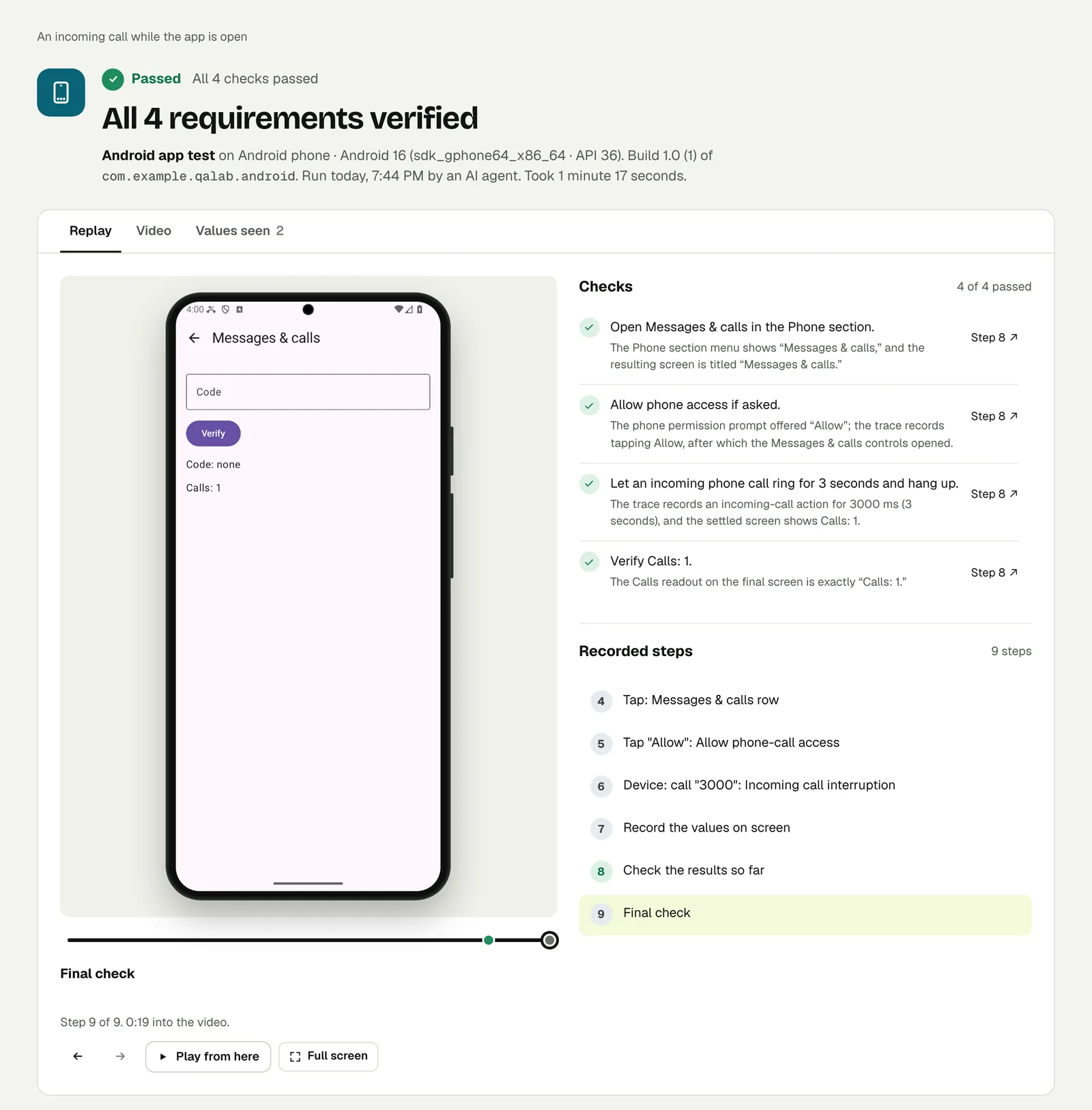
Open the run to step through it.
Write it for your app#
QA Lab only shows what the phone tells it. Your app has to do something about it. Put the change to the phone in the middle of a journey that matters:
Sign in with the stored account "customer" and add an item to the cart.
Turn the phone's network off and tap Checkout.
Check that the app says it is offline and keeps the cart.
Turn the network back on and tap Retry.
Check that checkout continues with the same item in the cart.Start writing a review and type "Arrived on time".
Let an incoming phone call ring for 5 seconds and hang up.
Check that the review still reads "Arrived on time".The bugs to look for: a spinner that never stops, a cart that empties when a request fails, a form that resets when the app comes back to the front, and an error that says "Something went wrong" when the truth is "You are offline".
What these runs cover#
Both runs are on Android, where a test can switch the phone's network, set the battery level and place an incoming call. The steps are part of the test text, so there is nothing to set up outside it.
They do not measure how much battery your app uses, and they do not test call quality. They test what your app shows, and keeps, when the phone's state changes under it.
Run it#
Upload an APK, choose Android app in New test, and paste your text. Android and iOS apps covers builds and the OS versions on offer, Android 10 to 16.
This post is one of a series: The hardest parts of mobile app testing, each one run for real.
Filed underAndroidPhone state