Test form validation messages, not only the happy path
An empty or mistyped form should say what is wrong, where. A plain-language test submits it empty, reads the exact error, then completes it and reads the saved result.
The test everyone skips#
Launch testing fills the form in correctly and clicks Send. Real visitors leave fields empty, type a phone number in the email field, paste a postcode with spaces. If validation is broken, the form either rejects them with no explanation or accepts garbage the client cannot reply to.
Check the message, word for word#
A validation test submits the wrong thing and reads what the page says:
Open the Contact page and press Send without filling anything in.
Check an error says the name is required and the form is not sent.
Fill in the email "not-an-email" and press Send.
Check an error says the email address is not valid.
Name the message you expect. "Check an error appears" passes on any red text, including one that says "Something went wrong".
A run of it#
On our practice site, on a phone-sized screen:
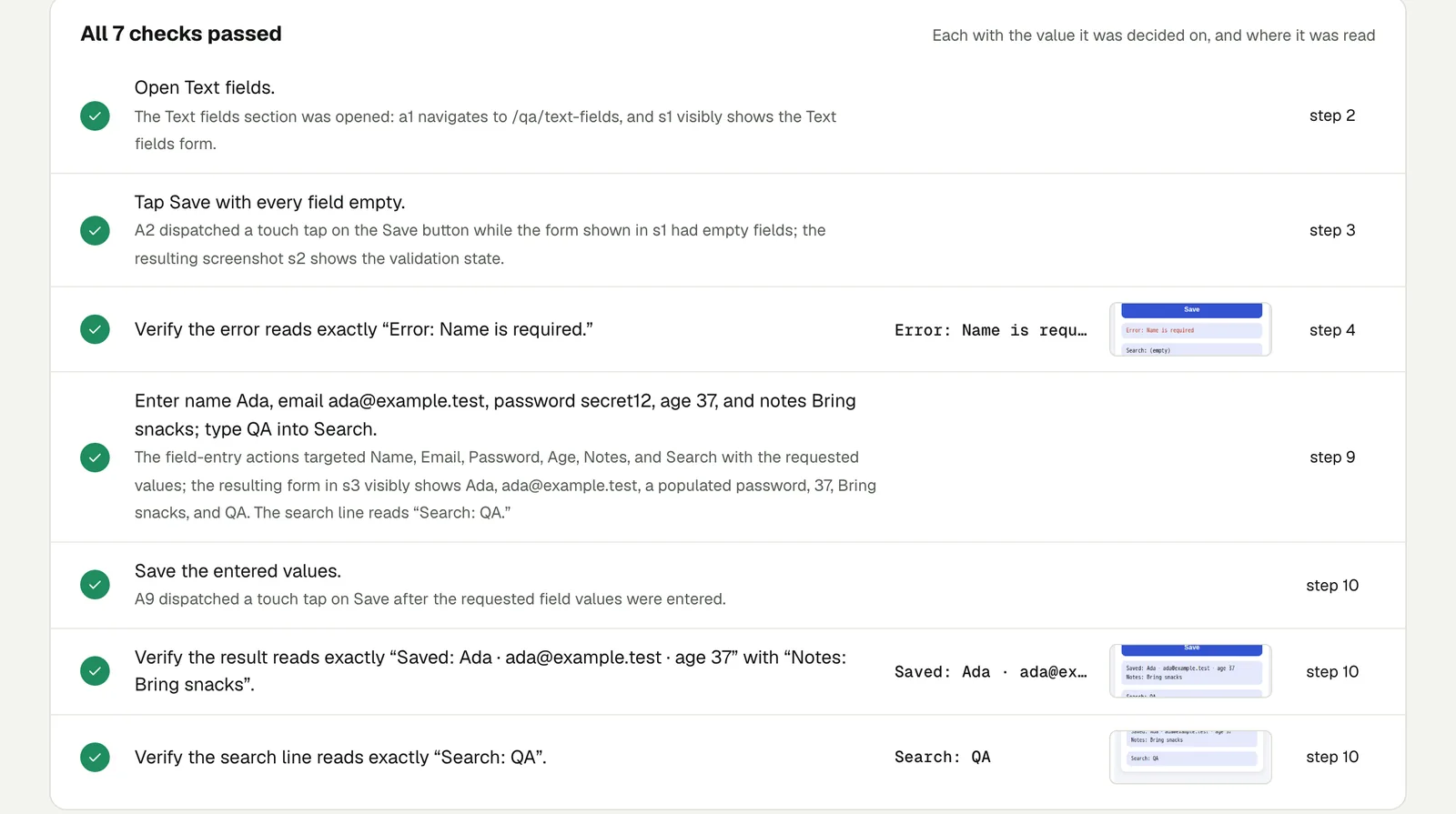
Open Text fields. Tap Save with every field empty and verify the error
reads Error: Name is required. Then enter the name Ada, the email
ada@example.test, the password secret12, the age 37 and the notes Bring
snacks, type QA into Search, and save. Verify the result reads Saved:
Ada · ada@example.test · age 37 with Notes: Bring snacks, and that the
search line reads Search: QA.
The check recorded the exact error text, "Error: Name is required", and even noted that the page had no full stop after it while the request did, and why that still counts. All 7 checks passed. Open the run (live until 18 February 2027).
Cases worth a line each#
- Required fields, one at a time, so you know each has a message.
- Email and phone formats, including a valid one with a plus sign (
name+tag@example.com), which some validators wrongly reject. - Length limits: a 500-character message where the field allows 1,000.
- Double submit: press Send twice quickly and check only one confirmation email arrives (give the run its own mailbox).
- After an error: fix the field and check the form now sends, without re-typing everything.
Keep the content#
Validation messages are copy too. A plugin update can replace a client's carefully worded message with a default. A test that names the message catches that as well.
This post is part of Find the bug before your client does.
Filed underWebForms and checkoutClient sites