Test a contact form all the way to the inbox
“Message sent” on the page proves nothing. How to test that a form's confirmation email arrives and the submission reaches the owner, with a run that has its own mailbox.
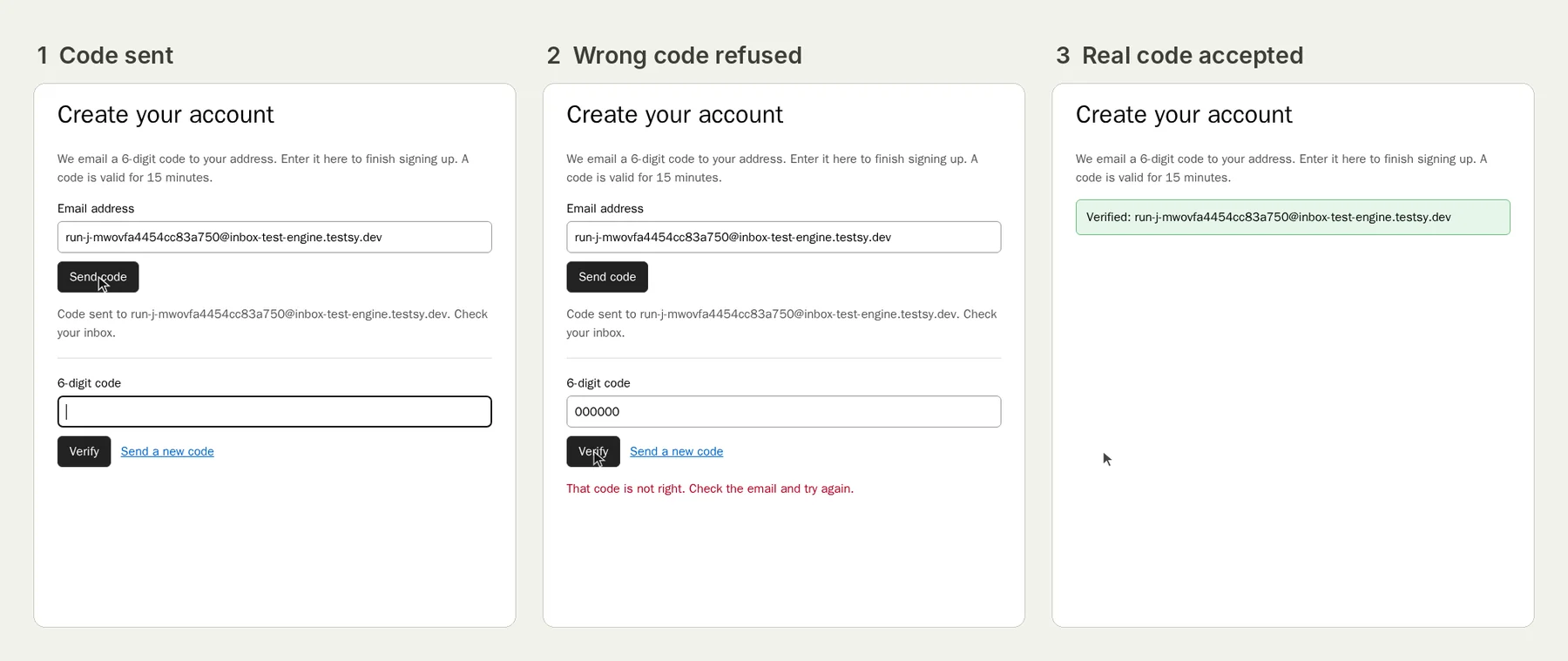
The green tick is not delivery#
A contact form shows "Thanks, we'll be in touch" the moment it submits. Whether anyone receives the message is a separate question, answered by the mail setup behind it, which breaks quietly.
WordPress support forums are full of it: forms that show success but the email never arrives, notifications that stopped after a plugin or core update, a client who discovered weeks later that leads had dried up. A hosting company's guide on the subject points out the cost of finding out late: if an update resets a send method, it should surface in review rather than in a customer complaint six weeks later.
Two emails, two tests#
Most forms send two messages, and they fail separately:
- The confirmation to the visitor ("Thanks for contacting Harbour Dental"). It goes to the address typed into the form.
- The notification to the owner with the submission. It goes to a fixed address set in the form.
Test the visitor's email with the run's mailbox#
Each Testsy run can have its own mailbox. Type its address into the form and the tester can wait for the confirmation and read it:
Open https://harbourdental.example/contact.
Fill in the name "QA Test", this run's email address, the phone
"0400 000 000" and the message "Launch check, please ignore", and send.
Check the page says the message was sent.
Wait for the confirmation email and check it names Harbour Dental and
quotes the message.
If the email never arrives, the check fails with that said plainly. We have run email flows like this on our practice site: the run shows the tester sending to its own address and reading what came back (live until 18 February 2027).
Test the owner's side another way#
The owner notification goes to the client's address, not the run's, so the run cannot read it. Options, in order of preference:
- Check where the submission is stored. Most form plugins keep an entries list in the admin. Add a sign-in account for a staging admin, and add to the test: "Sign in to wp-admin as the stored account "qa-admin", open the form's entries and check the newest entry is from QA Test with the message Launch check."
- Check the CRM or inbox tool the form feeds, the same way.
Keep it running after launch#
Forms break when nobody is looking, so a launch-day test is half the job. Put this test on a nightly schedule. Mark test submissions clearly ("please ignore") and agree with the client that they will see one a day, or point the schedule at staging.
This post is part of Find the bug before your client does.
Filed underWebForms and checkoutEmails and messagesClient sites