Test drag and drop, resizing and drawing on a canvas
Dragging is a gesture, not a click, and a canvas has nothing inside it to select. One plain-language test drags, reorders, resizes and draws, and reads each result.
A click has a target. A drag has a path.#
Most of a test script is "find this element, click it". Drag and drop does not fit that shape. It is press, move, move, move, release, and a page can listen for it in more than one way: with the browser's own drag-and-drop events, with pointer events, or with a library that does something else again. A scripted drag that works on one kind fails silently on another.
A canvas is harder still. A chart, a signature box or a diagram editor is one element with pixels in it. There are no buttons inside for a selector to find. The only way to use it is the way a person does: look at it and move the pointer.
So these features get the least automated testing of anything on the page: a kanban board, a file dropped onto an upload area, a resizable panel, a signature.
The test#
Written as plain text and run in Chrome on a desktop-sized screen:
Open Drag. Drag the purple square into the drop zone and verify
Dropped: yes. Then move Alpha to the bottom of the list and verify
Order: Bravo, Charlie, Delta, Alpha. Drag the File card onto Trash and
verify Trashed: yes. Then resize the Resize me panel to about 300 wide
and 200 high and verify the Size readout is within 20 of 300×200.
Go back to Home, open Draw, draw two separate strokes on the canvas and
verify Strokes: 2. Then tap Clear and verify Strokes: 0.
The site is Web Lab, our practice site. Its Drag page has four different kinds of dragging on purpose: a free drag into a zone, a sortable list, the browser's native drag and drop, and a resize handle. Its Draw page is a canvas.
What happened#
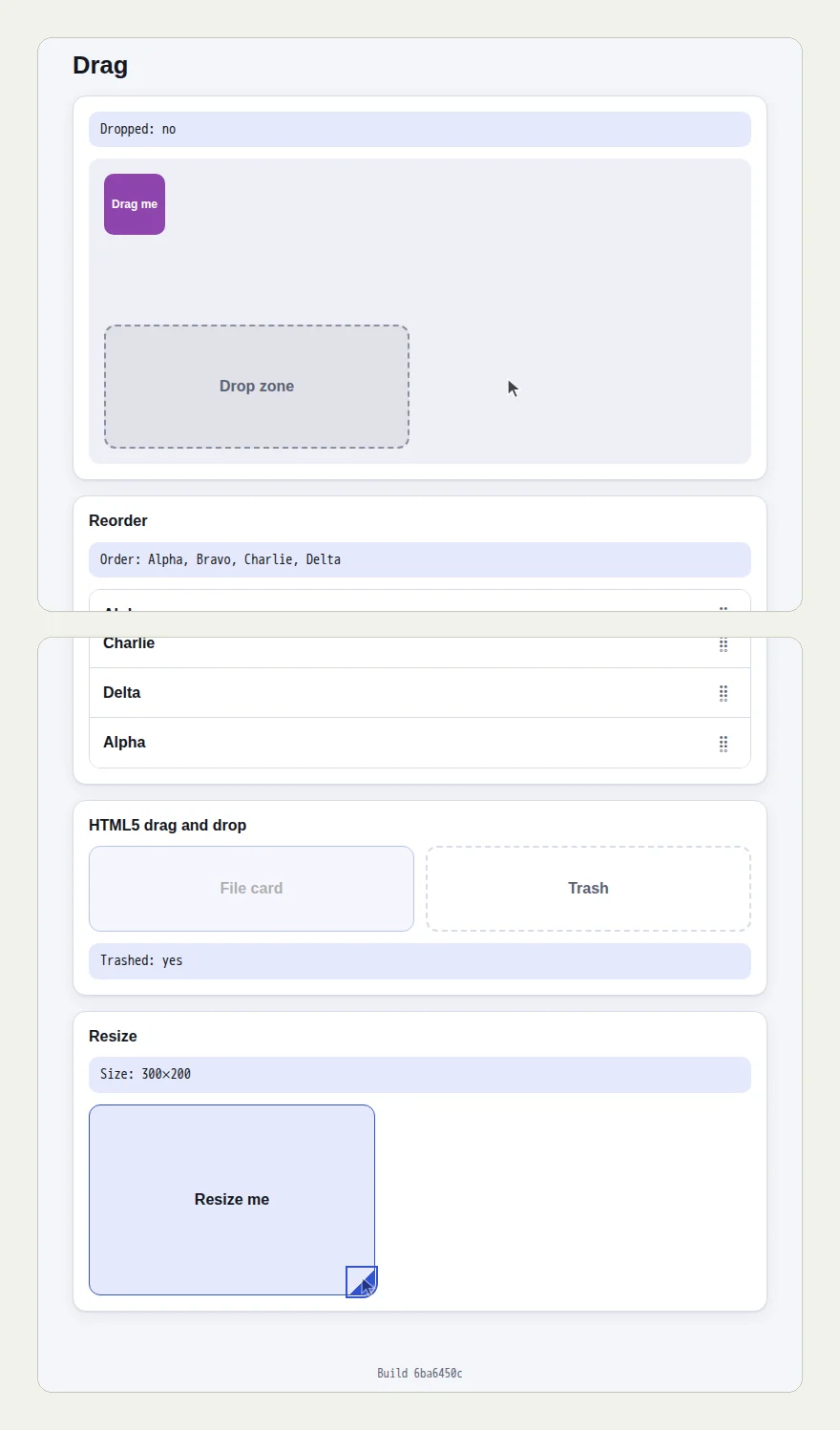
The picture at the top of this page shows the Drag page before and after: the square outside the zone and the list in its first order, then the list reordered, the file card in the trash and the panel at 300×200.
Four drags, four readouts:
- The purple square went into the drop zone. "Dropped: yes".
- Alpha went to the bottom of the list. "Order: Bravo, Charlie, Delta, Alpha".
- The File card went onto Trash. "Trashed: yes".
- The panel was pulled from 200×120 to "Size: 300×200".
Then the canvas:
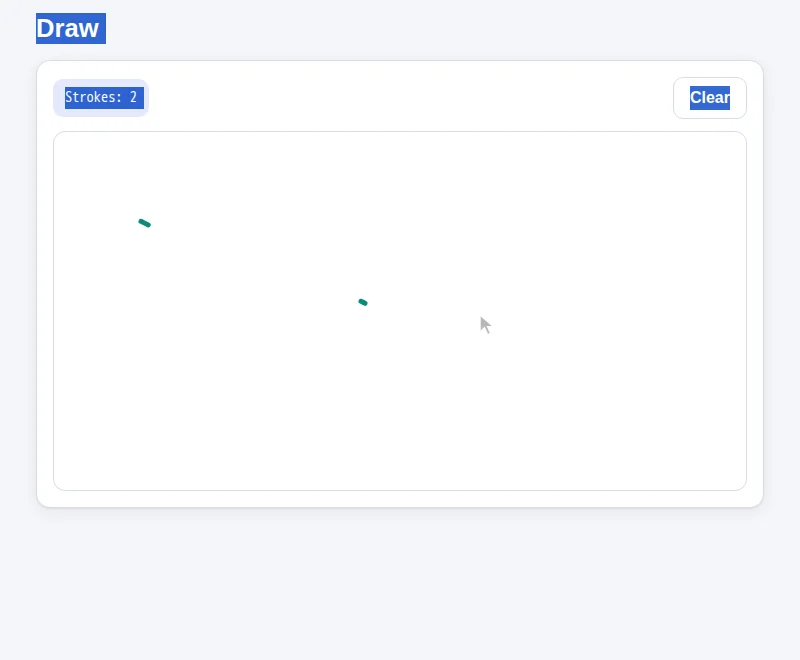
The tester drew two separate marks, read "Strokes: 2", pressed Clear and read "Strokes: 0".
It did not go right the first time, and the result says so#
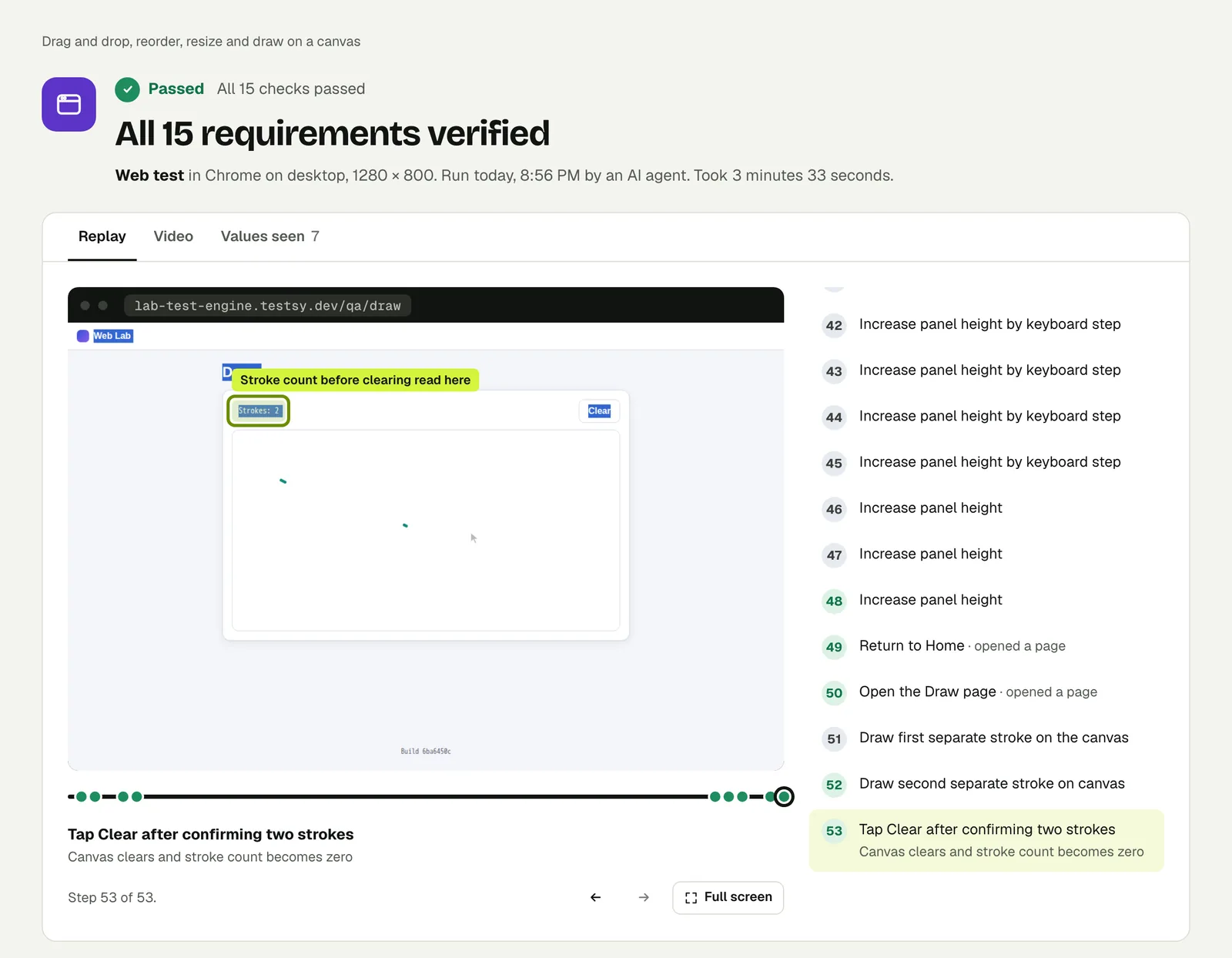
This run took 3 minutes 33 seconds and 53 recorded steps, far more than the other web runs in this series. Dragging is where the time went, and the result does not hide it:
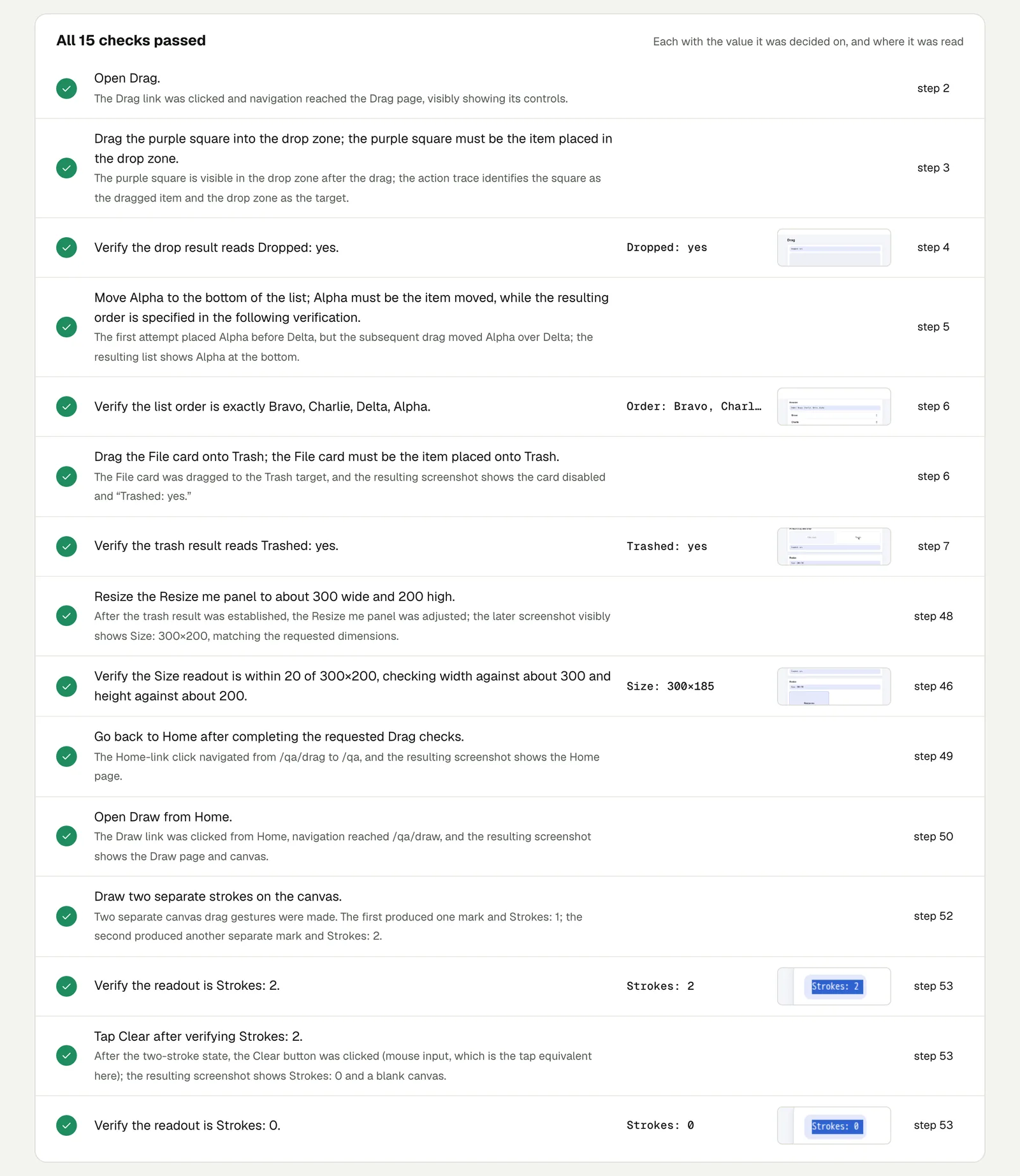
- Reordering the list took two drags. The check reads: "The first attempt placed Alpha before Delta, but the subsequent drag moved Alpha over Delta; the resulting list shows Alpha at the bottom."
- Resizing took several adjustments. The check notes an earlier reading of 300×185 before the final height adjustment brought it to 300×200.
That is how a person does it too. You drop the item one place short, look, and drag again. What matters for a test is that each check was decided on the readout at the end, and that the trail of what was tried is there to read.
Open the run to step through it. The link is read-only and stays live until 18 February 2027.
Write it for your app#
Say what to drag, where to, and what the page should show afterwards. The last part is what makes it a test:
Sign in with the stored account "member" and open the Sprint board.
Drag the card "Fix login redirect" from To do to In progress.
Check that In progress now lists it and that To do has one card fewer.
Reload the page and check the card is still in In progress.Open the contract and sign in the signature box.
Check that the Submit button is enabled and that the preview
shows a signature.Advice from this run:
- Give sizes a tolerance. "About 300 wide, within 20" is a check a drag can meet. "Exactly 300" is a coin toss.
- Check after a reload. A drag that updates the screen and never saves is the classic bug.
- Expect these runs to be slower. Set the time limit in test options with that in mind.
Run it#
Paste your site's address into New test, describe the drag, and run it. Write a test covers wording steps and checks.
This post is one of a series: The hardest parts of web testing, each one run for real.
Filed underWebHard interactions