Test date pickers, hover, right-click menus and keyboard shortcuts
Custom widgets are where plain form tests stop. Two plain-language tests sort a table, pick dates two ways, format text, hover, right-click and use the keyboard.
The controls that are not form fields#
A text box and a button are easy to test. Then a design system arrives, and the date field becomes a calendar that pops up, the dropdown becomes a list drawn by a library, and the editor becomes a toolbar over an editable area. They look like controls. Underneath they are plain boxes with scripts attached, and each library builds them differently.
There is also a set of interactions that are not clicks at all:
- Hover. A tooltip that only exists while the pointer is over something.
- Right-click. A context menu with its own items.
- The keyboard. Tab to move, a shortcut to open a command box, Escape to close it.
Tests avoid all of these. A script sets a date by writing the value straight into the field, which skips the calendar the user actually uses. Hover and right-click get no test. Keyboard shortcuts get one when a customer complains they broke.
Test 1: a table, two date pickers and a rich-text editor#
Written as plain text and run in Chrome on a desktop-sized screen:
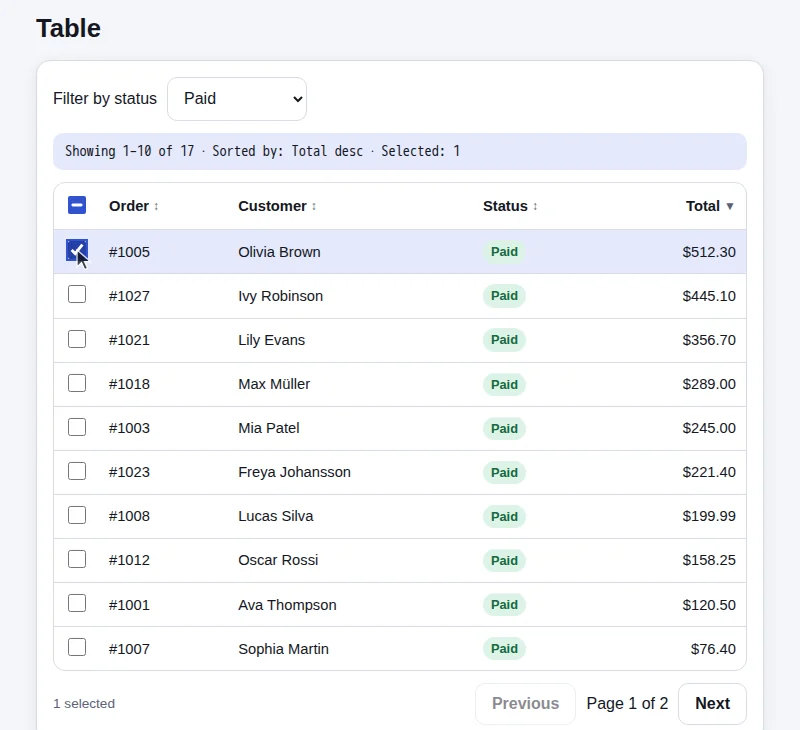
Open Table. Filter by status Paid, sort by Total from highest to lowest
and select the first row. Verify the readout says Sorted by: Total desc
and Selected: 1, and that the first row's status is Paid.
Go back to Home, open Date and change the date to 20 January 2026,
then set Due date to 3 March 2026.
Verify Date: 2026-01-20 and Due: 2026-03-03.
Go back to Home, open Rich text. Type Hello brave new world into
Message, make brave bold, and verify the readout shows Words: 4
and Bold: yes.
The site is Web Lab, our practice site. Its widgets are built the way a typical React team builds them, with native controls where those are usual and custom ones from a common component library where they are not.
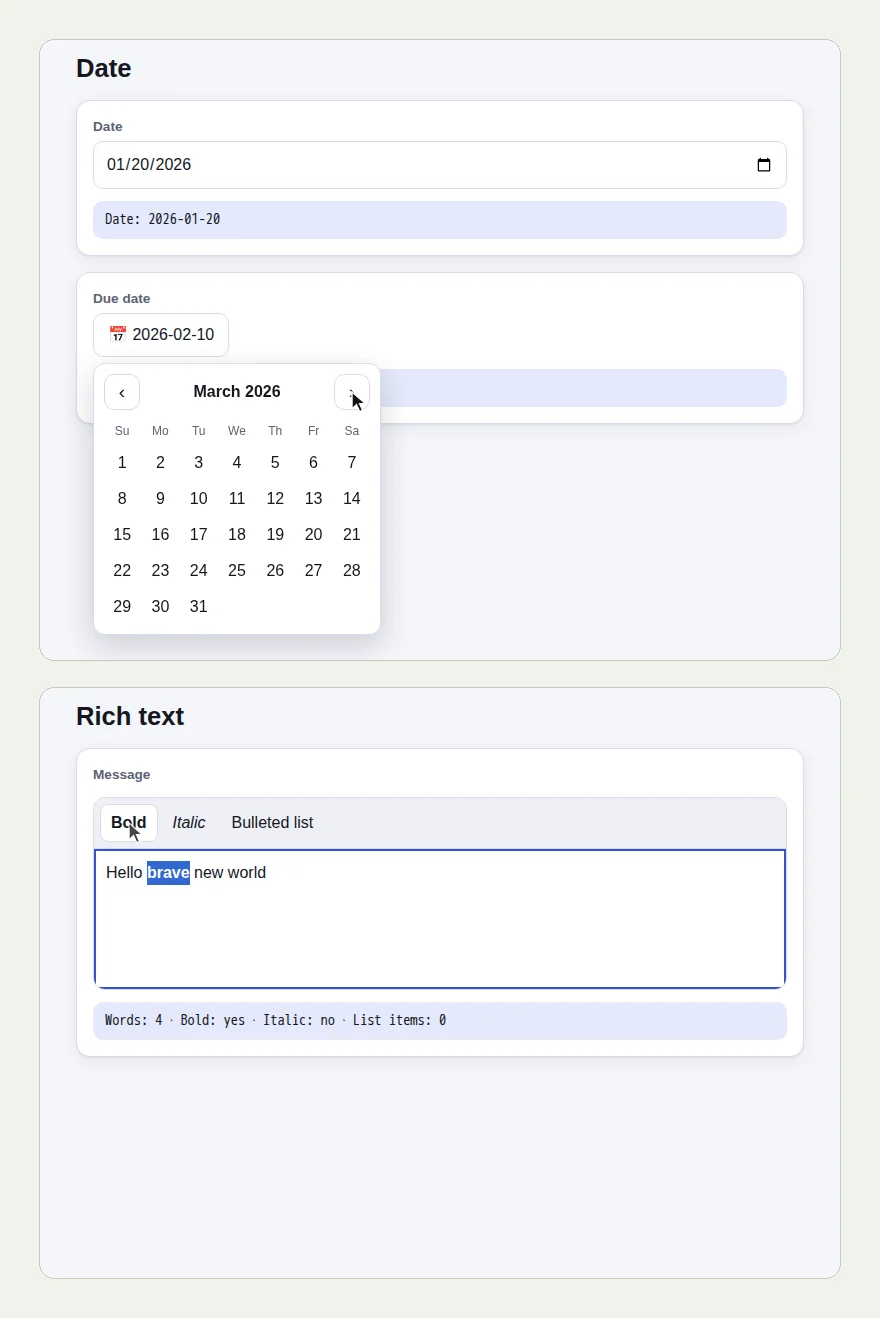
The picture at the top of this page shows two screens from the run: the custom calendar open on March 2026, and the editor with "brave" selected and made bold.
The Date page has both kinds of picker. The first is the browser's own date field, and the tester set it to 20 January 2026. The second is a custom calendar. The tester opened it, moved it forward from February to March, and chose the 3rd. The readouts said "Date: 2026-01-20" and "Due: 2026-03-03".
In the editor it typed the sentence, selected the one word "brave", and pressed Bold. The readout said "Words: 4 · Bold: yes".
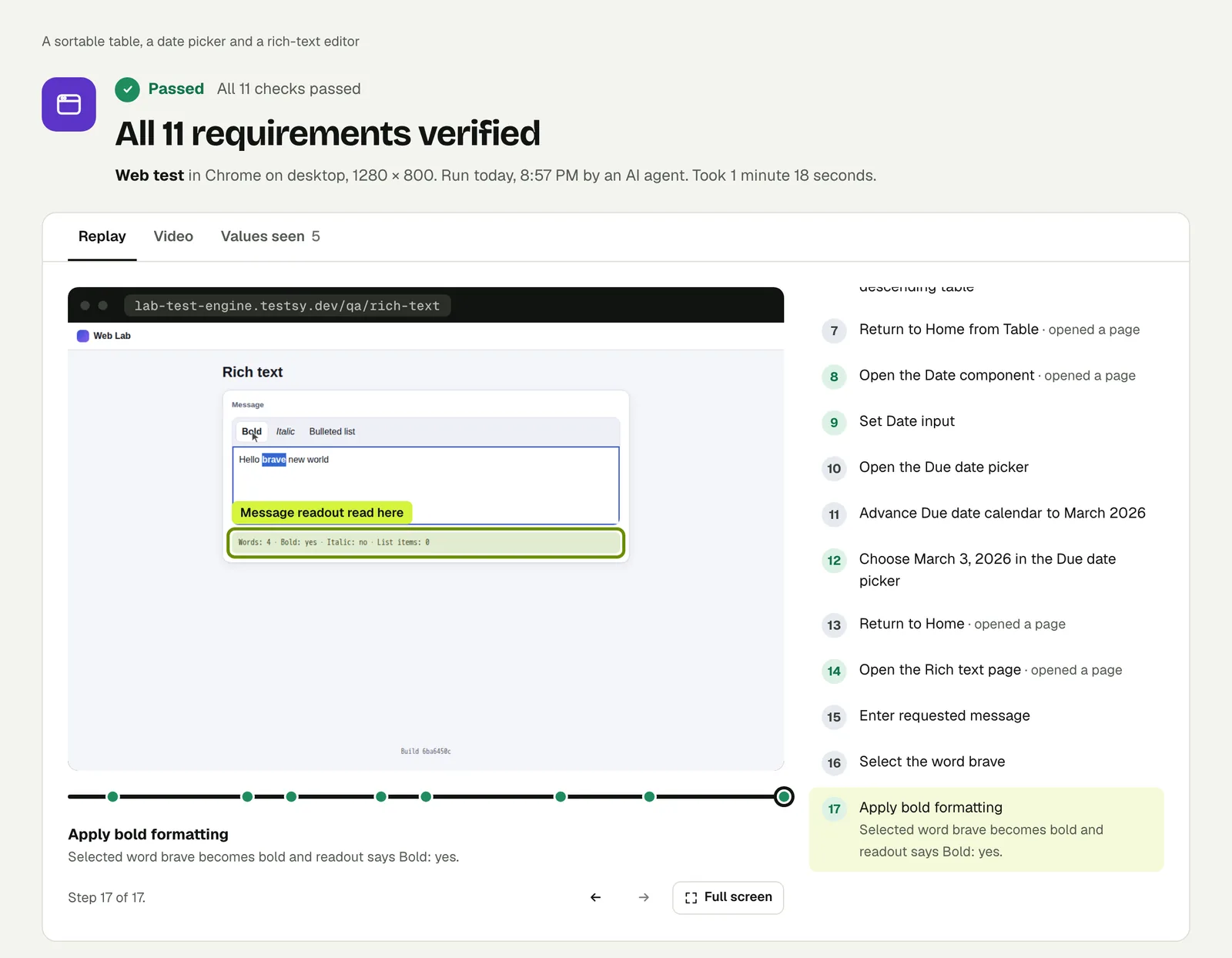
Open the run. The link is read-only and stays live until 18 February 2027.
Test 2: tabs, a tooltip, a right-click menu, the keyboard and the clipboard#
Open Tabs & menus. Switch to the Reviews tab, open the Returns section
of the accordion, check that hovering More info shows Prices include
tax, and choose Duplicate from the right-click menu of the card.
Verify Tab: Reviews · Open: Returns · Context: Duplicate.
Go back to Home, open Keyboard. Click into First, then move to Second
with the Tab key and verify Focused: Second. Open the command box with
the keyboard shortcut and verify Command box: open, then close it with
Escape and verify Command box: closed.
Go back to Home, open Clipboard, tap Copy code, then tap Paste and
verify the line reads Copied: yes · Pasted: QA-1234.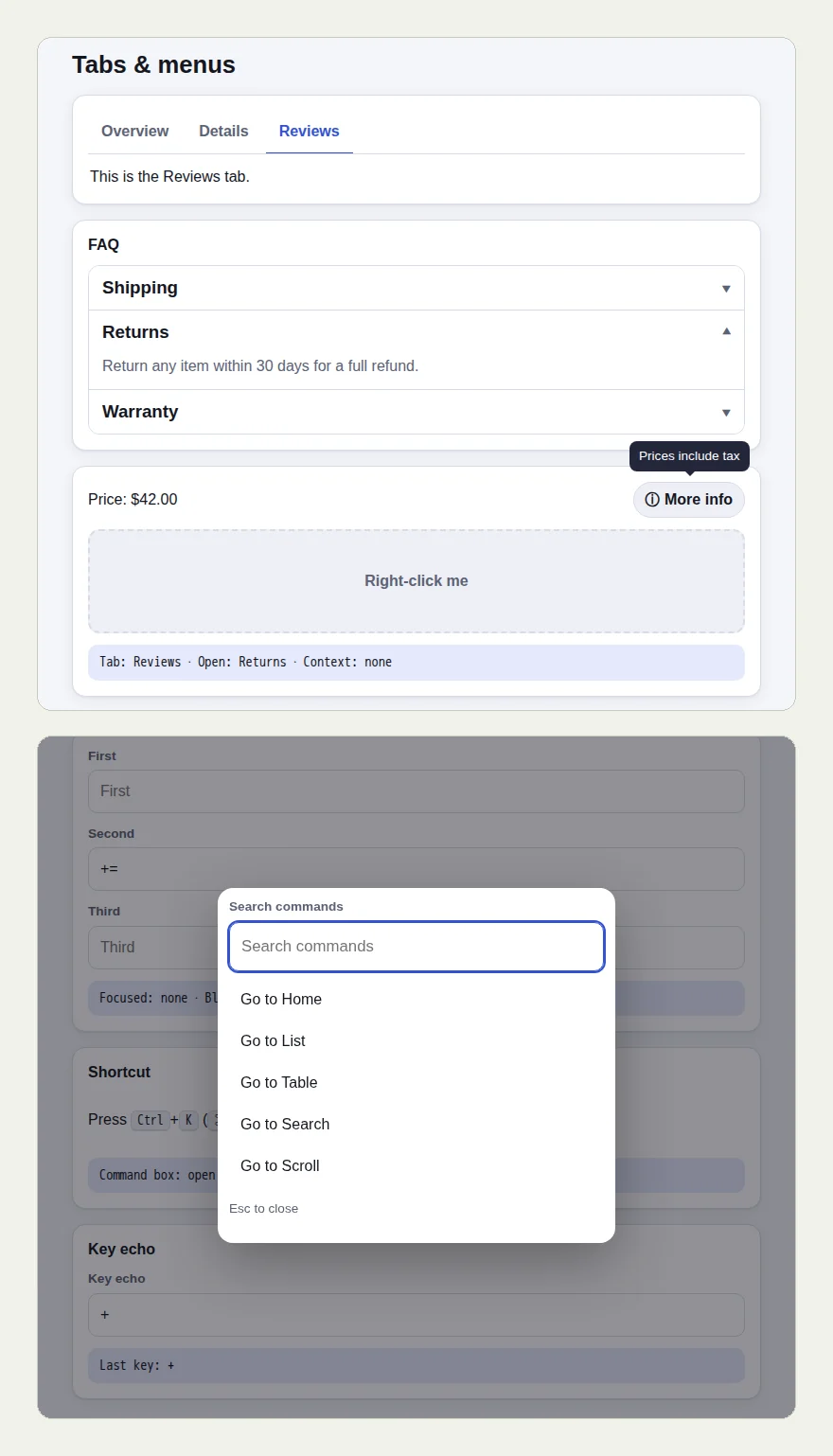
The tooltip is the kind of thing a test cannot check after the fact, because it is gone the moment the pointer moves. The tester hovered, and the check was decided on the screen at that moment, with the tooltip in it. Then it right-clicked the card and chose Duplicate, and the readout said "Tab: Reviews · Open: Returns · Context: Duplicate".
Two parts of this run did not work at the first try, and the result records both:
- The shortcut. The test says "the keyboard shortcut" without naming it. The page prints it as Ctrl+K. The tester's first attempts did not open the box. Ctrl+K did, and the check says so.
- The paste. The page's Paste button was refused by the browser, and the page said so: "Paste was blocked (NotAllowedError). Paste into the field with the keyboard instead." The tester did what the page asked, pasted with the keyboard, and the line read "Copied: yes · Pasted: QA-1234".
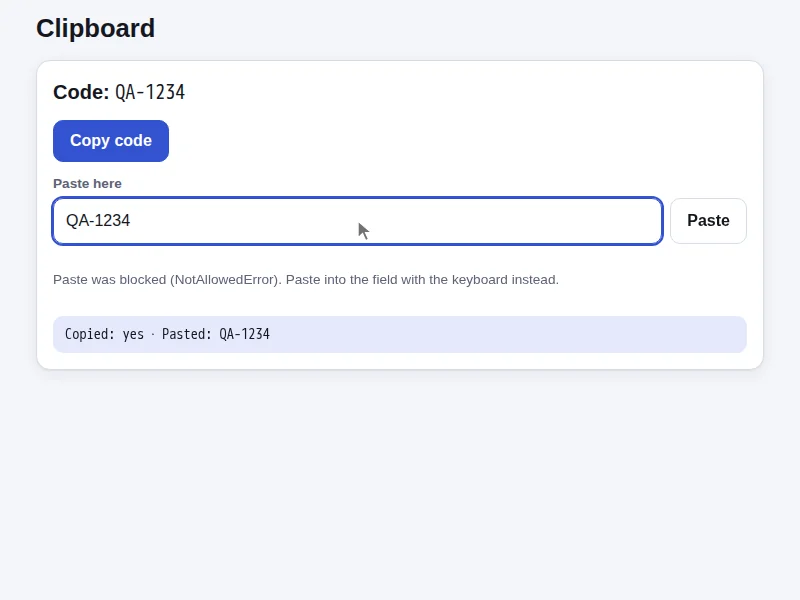
Naming the shortcut in the test would have saved the first attempts. Write "press Ctrl+K" when you know it.
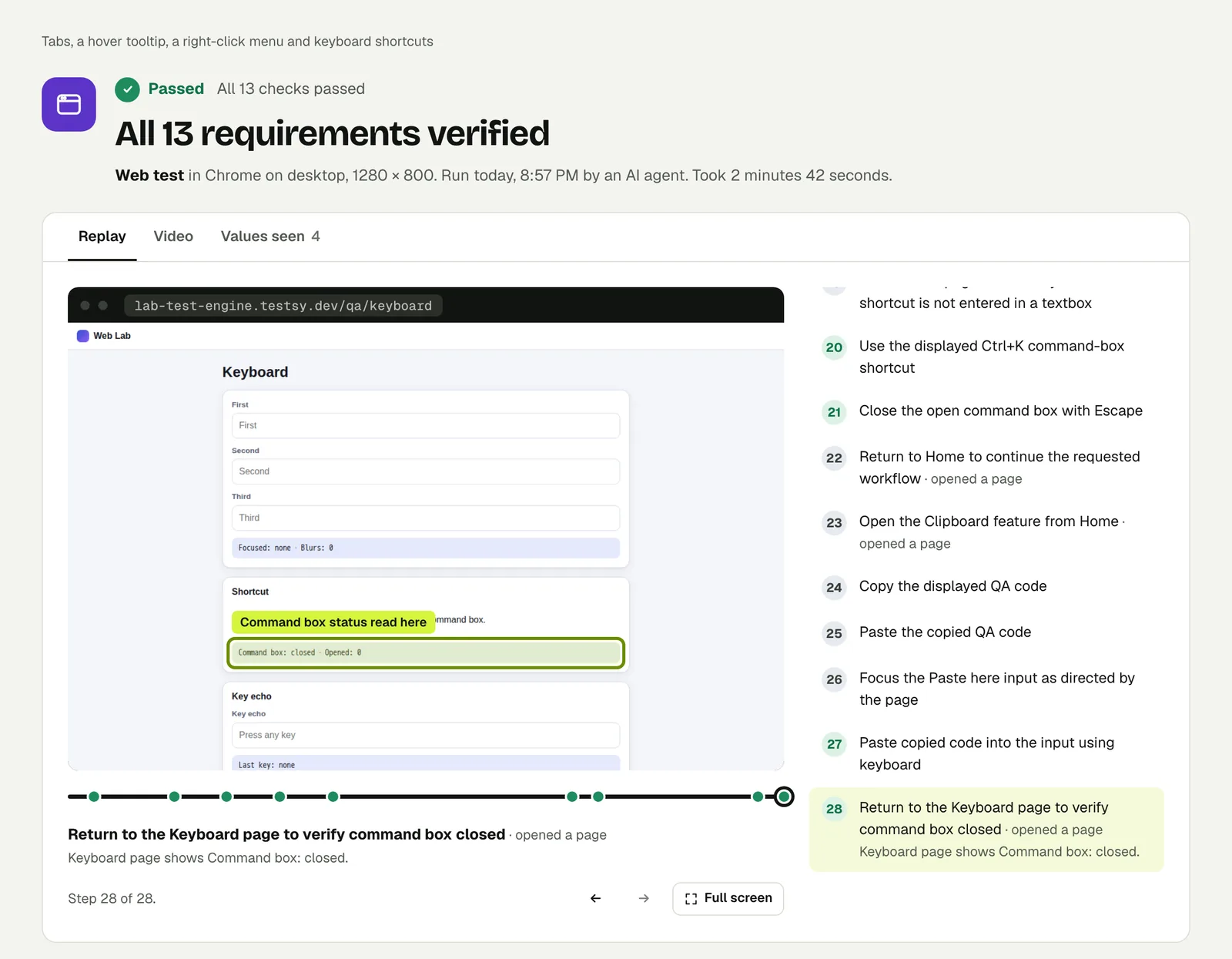
Open the run to step through it.
Write it for your app#
Describe the control by what it is called on the screen, and the value by what a person would say:
Open New booking. Set Check-in to 14 February 2027 and Check-out
to 17 February 2027 using the calendar.
Check that the summary shows 3 nights.
Hover the price and check that the tooltip lists a cleaning fee.Open the editor and press Ctrl+K. Type "invoice" and press Enter.
Check that the Invoices page opens.
Press Escape on the next dialog and check that it closes
without saving.What these runs suggest:
- Use the widget the way a user does. Picking a date in the calendar tests the calendar. Typing into a hidden field does not.
- Check derived values. "3 nights" proves both dates landed, in the right order.
- Name keys exactly. Ctrl+K, Tab, Escape, Enter.
- Tab order is a test. "Move to the next field with Tab" catches a form that cannot be used without a mouse.
Run it#
Paste your site's address into New test, describe the widgets in the words on the screen, and run it. Write a test covers wording steps and checks.
This post is one of a series: The hardest parts of web testing, each one run for real.
Filed underWebHard interactions