Test that a multi-step form keeps answers when users go back
Step 3 of a checkout or sign-up, the user presses Back to fix step 1 and finds every answer gone. One plain-language test goes back and forth and checks each value.
The answers that disappear#
A long form is split into steps: details, address, payment. On step 3 the user notices a typo in their name, presses Back, and finds step 1 empty. Or they fix it, press Next, and step 2 is empty instead.
It is an old and well-known failure. Smashing Magazine describes multi-step checkouts where Back sends you to the very start, with all the data gone. A Nintex community thread describes a wizard where going back a step loses what was typed in the next one and the Finish button stops working. The W3C's guidance for users with cognitive disabilities is blunt: the user should never lose their work if they press back.
Two different Back buttons are involved, and both need a test:
- The form's own Back (a button on the page). It usually works on the day it is built and breaks when the form is moved to a new form library or state store.
- The browser's Back. On a form that is one page with several steps, the browser's Back can leave the form entirely unless the steps are written into the page's history.
Why the usual tests miss it#
A scripted test goes forward: fill step 1, Next, fill step 2, Next, submit. It never goes back, because the happy path never does. People do.
The test#
Open the sign-up form.
Step 1: enter the name "Ada Lovelace" and the company "Analytical".
Press Next.
Step 2: enter the city "London" and choose the plan "Team".
Press Next.
On step 3, press the form's Back button twice.
Check step 1 still shows "Ada Lovelace" and "Analytical".
Change the name to "Ada King" and press Next.
Check step 2 still shows "London" and the plan "Team".
Press Next, then use the browser's Back button once.
Check the form shows step 2, not the page before the form.
Every check names the exact value. "The form keeps its data" passes too easily; "step 1 still shows Ada Lovelace" either is true on the screen or is not.
For forms that save a draft between visits, add one more pair of lines: reload the page on step 2, then check step 1's values are still there.
Run it where forms break#
- At phone size. Long forms are most often filled in on phones, and step layouts are often different there: run the same test at 412 × 914 (how).
- After every change to the form. A new field, a new validation rule or a new form library is exactly when state handling is rewritten.
What a form run looks like#
A run on our practice site filled a form on a phone-sized screen, saved it empty to get the error message, then filled every field and saved.
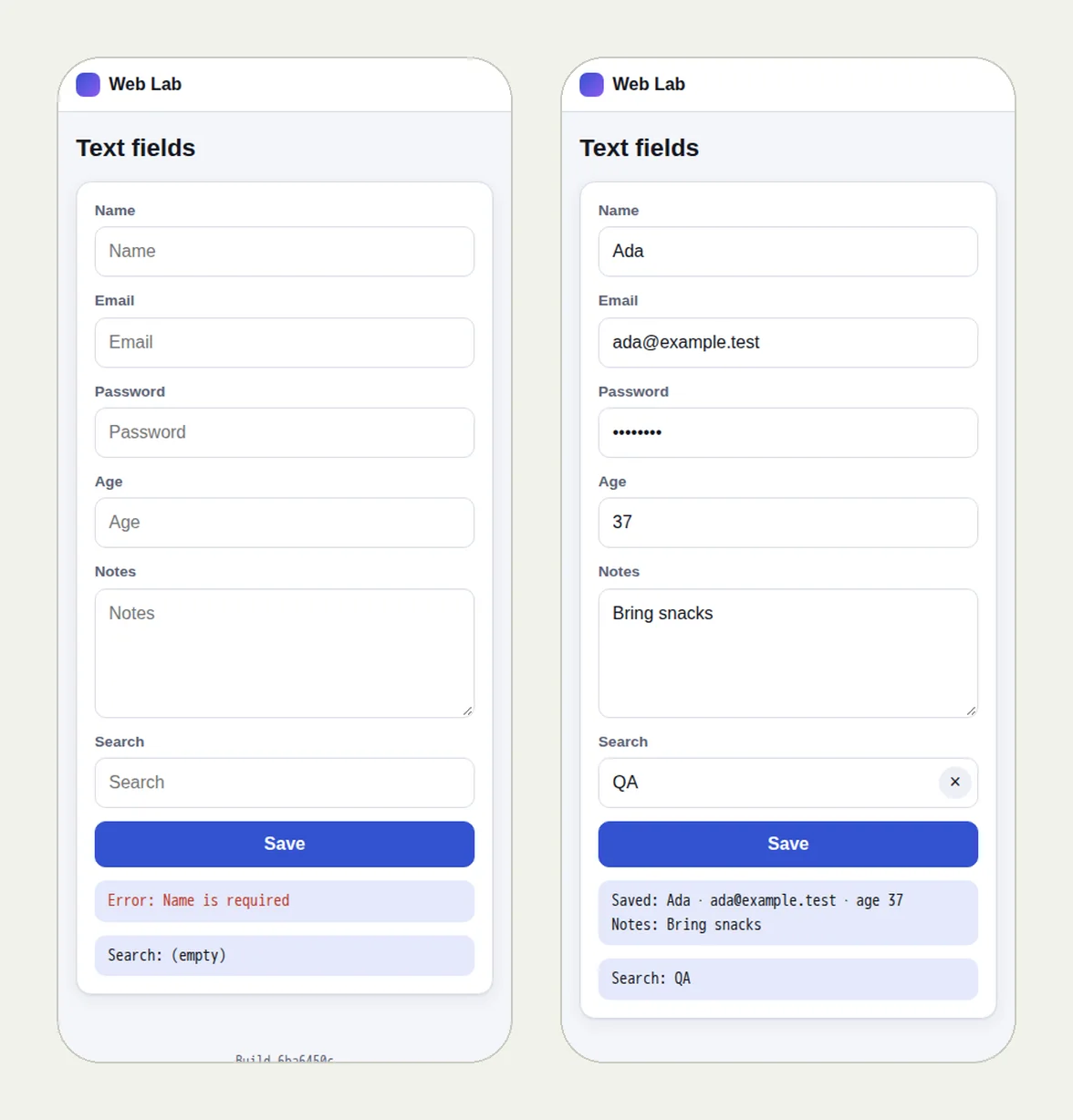
Open the run (live until 18 February 2027) and the write-up Test form validation messages. The practice form has one step, so that run does not show Back between steps; the test above is the pattern for yours.
This post is part of Release testing for product teams.